4 Setup
The Service Menu enables the following:
l USB interface settings
l Display and input of External EDM Calibration (scale and offset) for supplementary correction of
distance measuring units.
l Radio configuration (France only).
Screen Actions and Comments
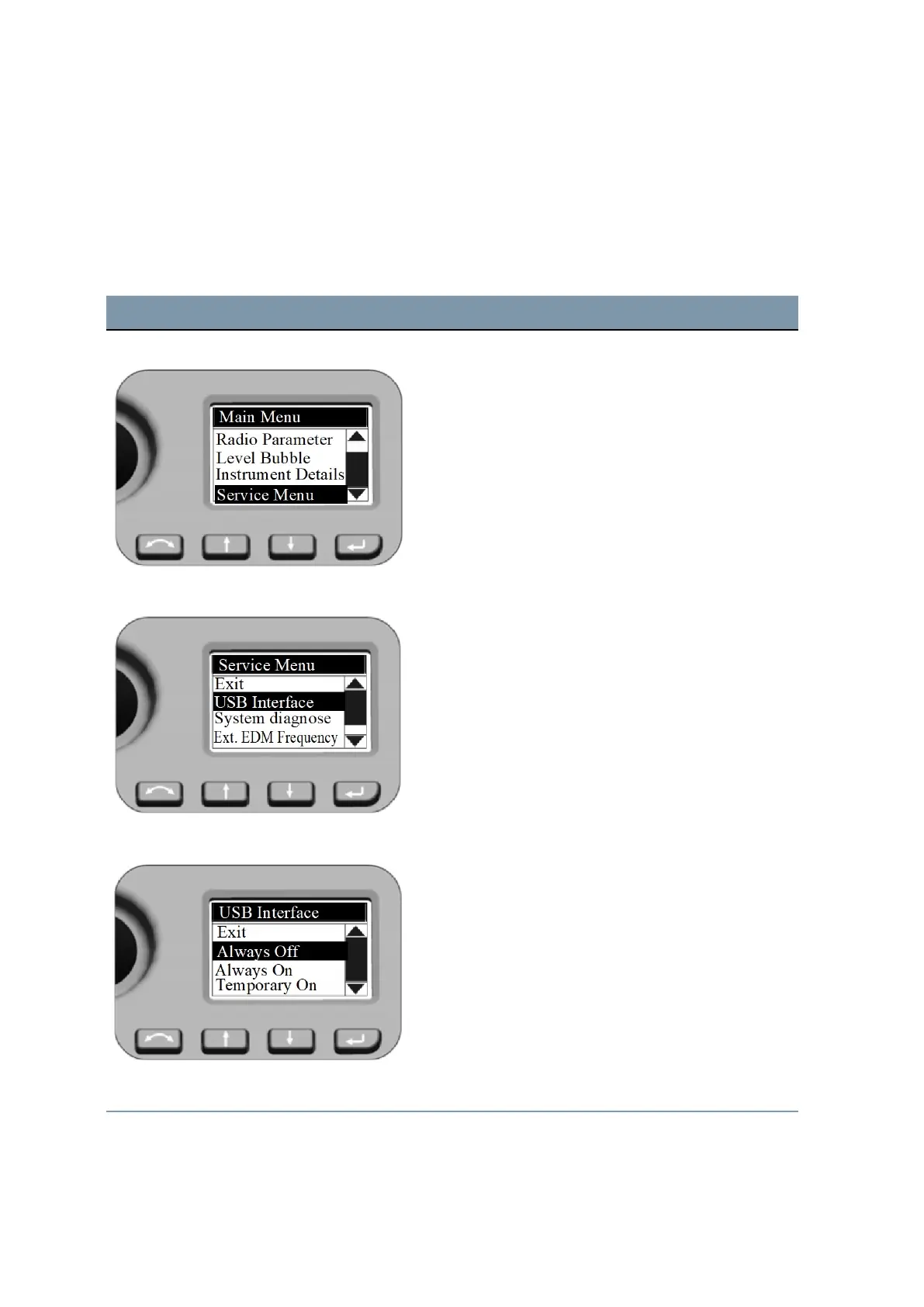
Main Menu - Service Menu To select
Service Menu
, press
N
or
O
to scroll to
Service Menu
and press
P
.
Service Menu - USB Interface Settings To select
USB Interface
, press
N
and
O
to scroll to
USB Interface
and press
P
.
USB Interface Please make sure that the default setting USB Interface
for Customer is Always Off.
If the FOCUS 35 total station needs a firmware upgrade,
the USB interface setting must be set to Always On to
complete the firmware upgrade.
Service Menu - System diagnose Press
N
and
O
to scroll to
System diagnose
and then
FOCUS 35 Total Station User Guide | 63



 To Next Page