4 Setup
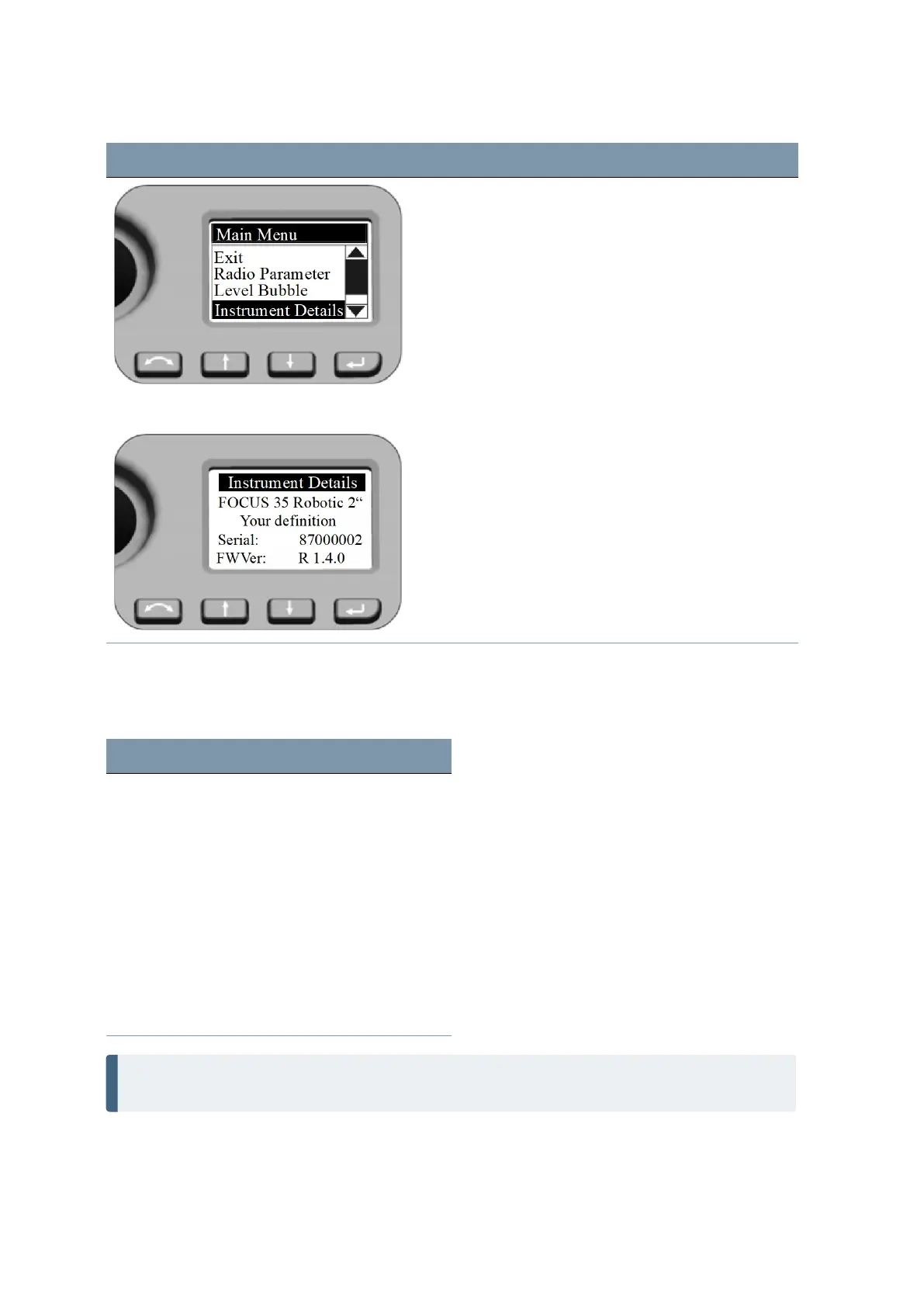
Screen Actions and Comments
Instrument Details
Leave the menu by pressing the P key.
Service menu
The Service Menu is structured as follows
Setting See ...
Exit
USB Interface setting page 63
System diagnose page 63
External EDM Frequency page 64
External EDM calibration settings page 65
Drive Mode page 66
Radio configuration page 67
Next Service Date page 67
NOTE – The Service Menu is hidden—please contact your Spectra Geospatial Reseller for
instructions on how to access this option.
FOCUS 35 Total Station User Guide | 62


 To Next Page