Errors and messages
Instructions for use • AIDA C WD310 • AAB272_EN_V2.0_12-2021_IFU_CE-MDR 109
7. Select the USB drive of the recovery stick as the boot drive. The name of the USB drive
is the name of the physical USB stick. In the above window, this is SanDisk.
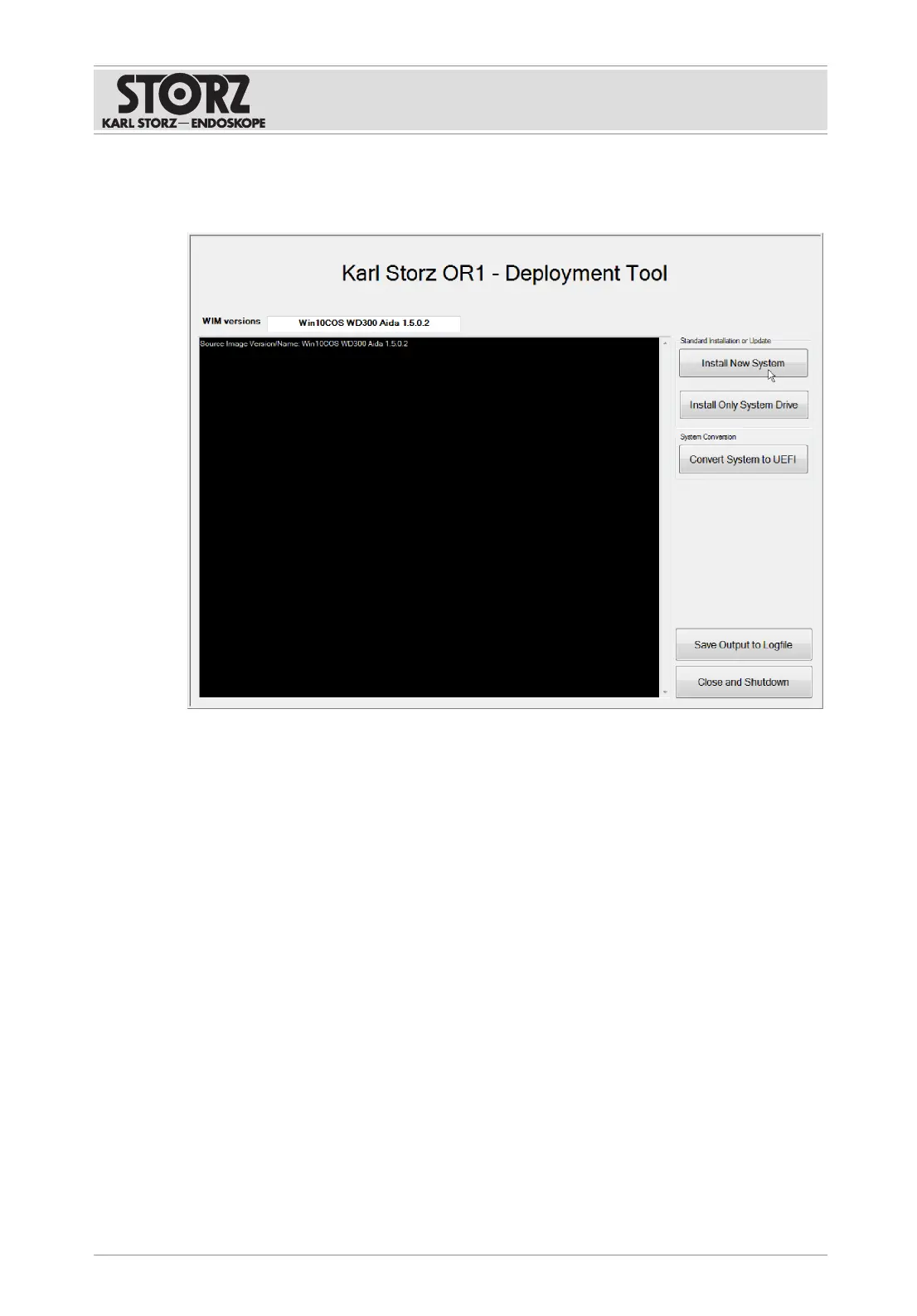
ð The KARLSTORZ OR1 deployment tool launches.
8. Click on the
Install Only System Drive
button.
ð A window appears.
9. Press
OK
to confirm.
10. If the message Restoring image finished, please reboot appears in the Logfile window,
click on the
Close and Shutdown
button.
ð The system shuts down.
11. When restarting for the first time, ensure that the equipment is connected to the Internet
in order to guarantee the necessary registration with Microsoft.
12. Ensure that the USB stick is connected to the system.
13. Start the product.
ð The system automatically logs in as OR1Admin and starts the BitLocker hard disk
encryption.
14. If you have not changed the key, no further action is necessary.
15. If the following error message appears, the key has changed:
ð ERROR: The password failed to unlock volume D:. "The D: partition could not be
unlocked" Please enter the recovery password to unlock the D: partition:
16. Copy the 48-character password from the text file to the prompt.













 To Next Page