Installation and commissioning
Instructions for use • AIDA C WD310 • AAB272_EN_V2.0_12-2021_IFU_CE-MDR 48
6.1.5.5 Staff groups
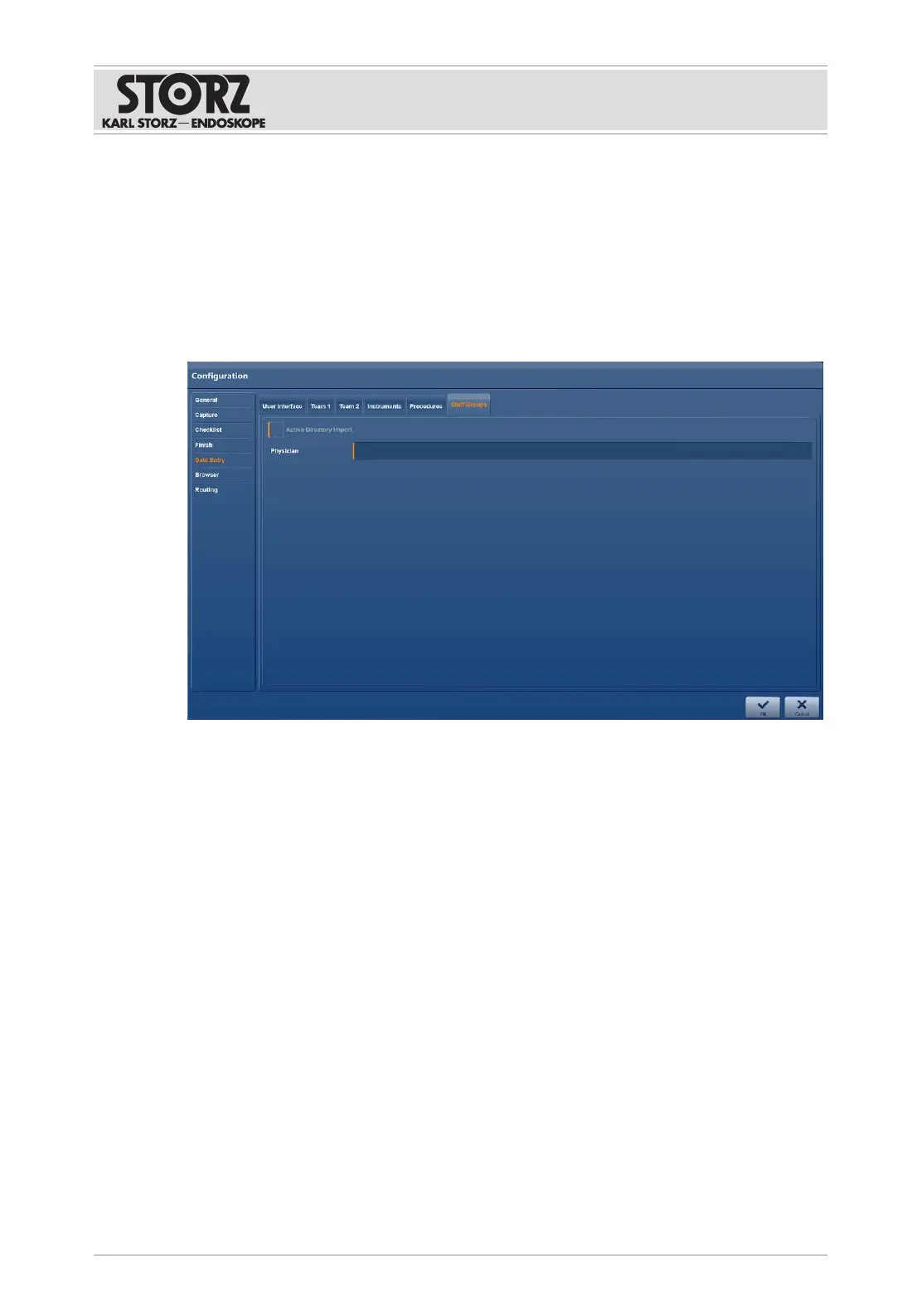
The
Staff Groups
tab is used to set the automatic import of the staff groups from the Active
Directory. The imported users are entered on the
Team 1
tab. The group content is updated
once a day when there is a connection to the Active Directory server.
Users which have been entered manually are overwritten.
In order to be able to use this setting, there must be a connection to a Microsoft Active
Directory server. If this connection has not been set up, the settings will be deactivated or not
designated for the facility. Should you have further questions, contact the system administrator
or the IT department.
Importing a staff group from the Active Directory
1. Activate the
Active Directory Import
checkbox.
2. In the
Physician
text field, enter the group name that was assigned for the required group
of physicians by the IT department in the Active Directory.
3. Confirm the configuration with
OK
.
ð The settings are saved.
ð If the configuration area is opened again, the imported entries are shown on the
Team 1
tab under
Physicians
.
6.1.6
Browser
The
Browser
module is used to create connections to streaming servers, cloud services,
Internet services, etc. A maximum of 5 web-based third-party products can be integrated into
the AIDA C system. Only products verified and approved by KARLSTORZ may be used.













 To Next Page