Installation and commissioning
Instructions for use • AIDA C WD310 • AAB272_EN_V2.0_12-2021_IFU_CE-MDR 49
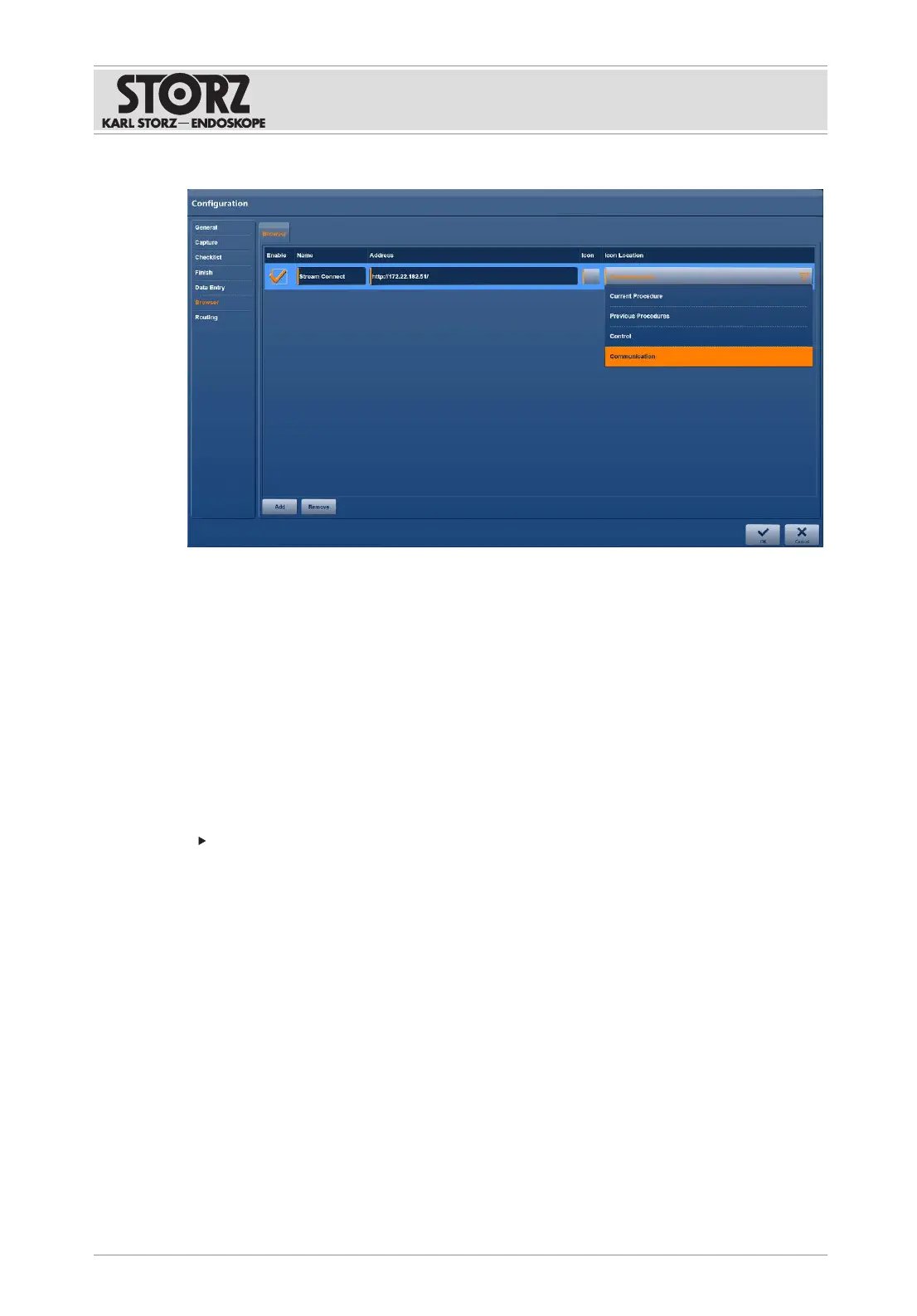
1. Tap the
Browser
menu.
2. Tap the
Add
button to create a connection.
3. Enter the
Name
and
Address
of the server or service.
4. Select a suitable
Icon
.
5. Open the drop-down menu under
Icon Location
and select the application area in which
the connection appears in the main menu.
6. Activate the connection.
7. Restart the system.
6.1.7
User management
The
User Management
module is used to assign certain access rights to individual groups of
people. KARLSTORZ recommends making settings here to optimize your IT security.
Open Windows Computer Management to create new users.
6.1.7.1 Role management
The
Role Management
tab is used to manage the individual groups. The predefined user roles
with assigned groups can be used without further configuration.
To use your own groups, the predefined values can be replaced in the respective text fields
with your own group names, e.g., when using Microsoft Active Directory. The access rights for
the application can be combined. Multiple entries from the Active Directory can be entered in
the text fields, separated by commas.













 To Next Page