Installation and commissioning
Instructions for use • AIDA C WD310 • AAB272_EN_V2.0_12-2021_IFU_CE-MDR 50
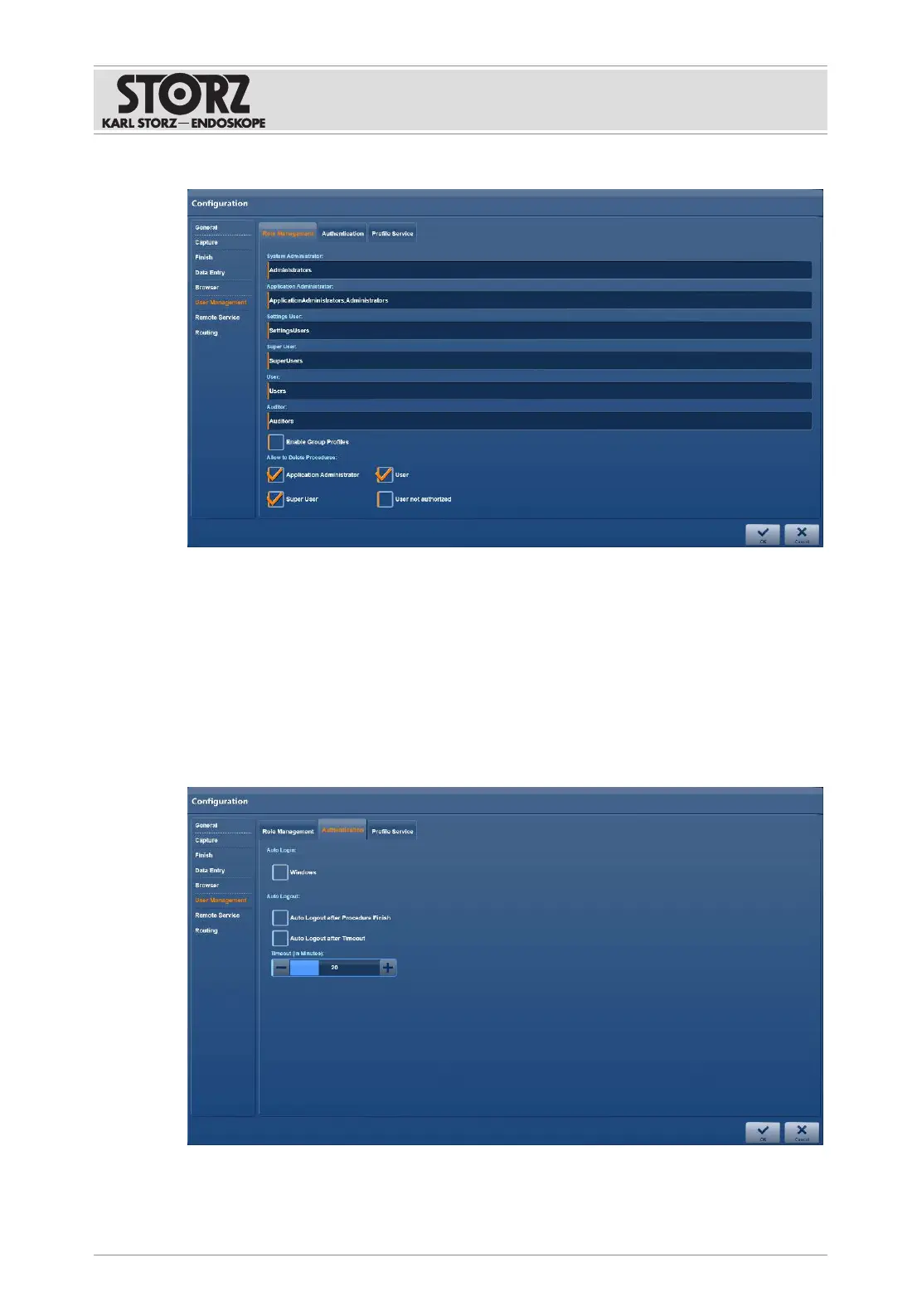
1. Tap the
Role Management
tab.
2. Enter the desired names in the fields.
3. Place a check mark next to
Enable Group Profiles
to create group profiles.
4. Assign the group profile to the users.
5. Press
OK
to confirm.
6.1.7.2 Authentication
The
Authentication
tab is used to configure automatic Windows login and automatic login to
the application for
or1user
.
1. Tap the
Authentication
tab.
2. Check the required checkboxes.
3. Use the
Plus
or
Minus
buttons to set the time.













 To Next Page