Errors and messages
Instructions for use • AIDA C WD310 • AAB272_EN_V2.0_12-2021_IFU_CE-MDR 103
11.2 System recovery
NOTICE
System recovery! Data loss!
If a full system recovery is carried out, all procedure data from the hard disk will be deleted.
Back up data from the DATA (D:) drive prior to system recovery.
System recovery can be carried out in two ways:
– Complete system recovery: Both hard disk drives are reset via the recovery files on the
USB stick.
– Operating system recovery: The system drive (C:) is reset.
11.2.1
Backing up data from the (D:) drive
Data should be backed up in advance as all data on the hard disks is deleted during system
recovery.
The data can be saved via Windows and Windows Explorer to a backup data carrier by means
of drag-and-drop.
To access the operating system, you must log in as the system administrator. Log into the
Configuration menu and call up the Windows desktop under General>System.
11.2.2
Complete system recovery
1. Plug the recovery USB stick into the USB port on the front of the equipment before it is
switched on.
2. Switch on the product.
3. Wait until the KARLSTORZ logo appears.
4. Press the
F12 key
.
ð The password entry window for accessing BIOS appears.
5. Enter the password (standard password: 123456).
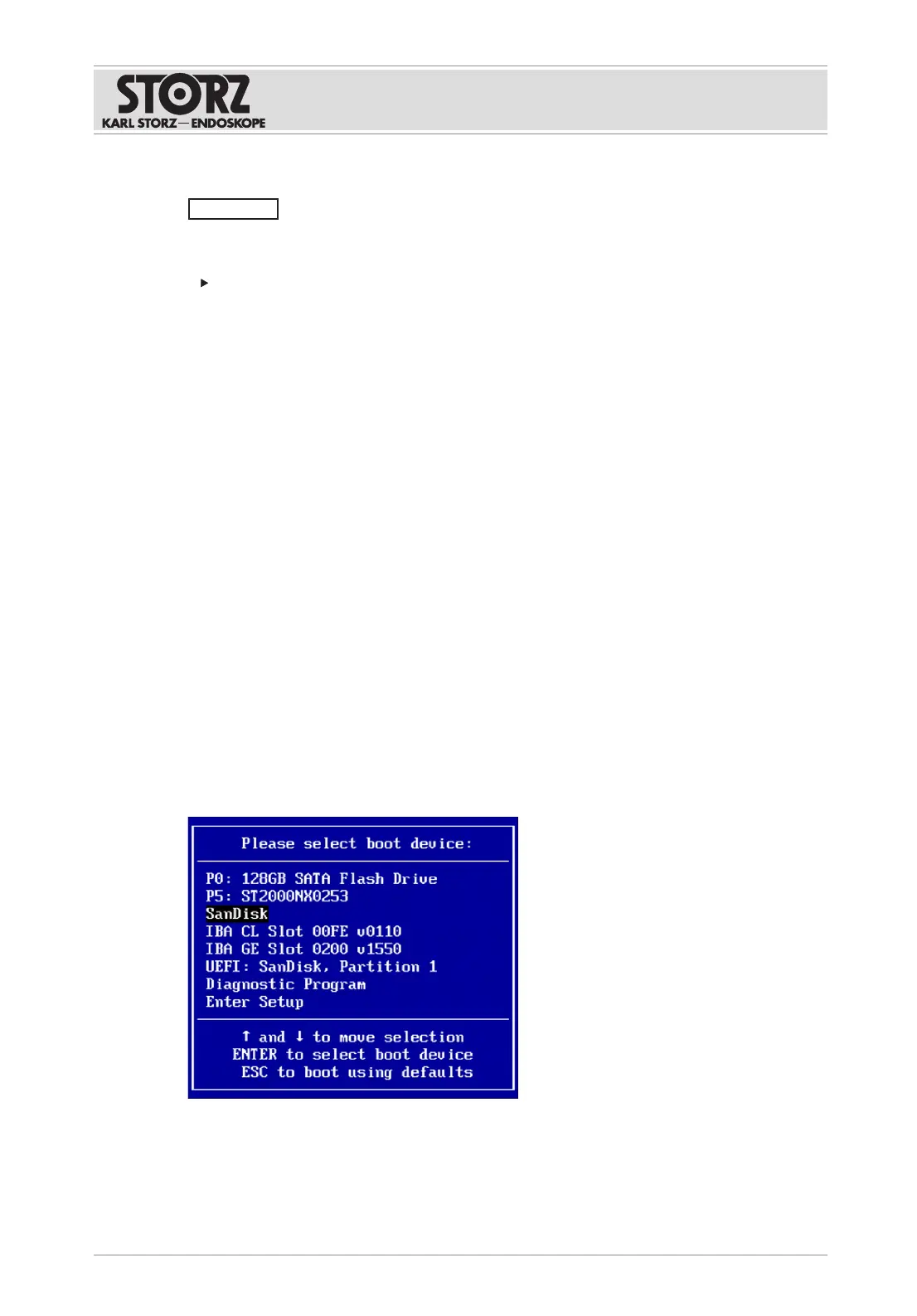
ð The following window opens in BIOS.













 To Next Page