Product description
Instructions for use • AIDA C WD310 • AAB272_EN_V2.0_12-2021_IFU_CE-MDR 20
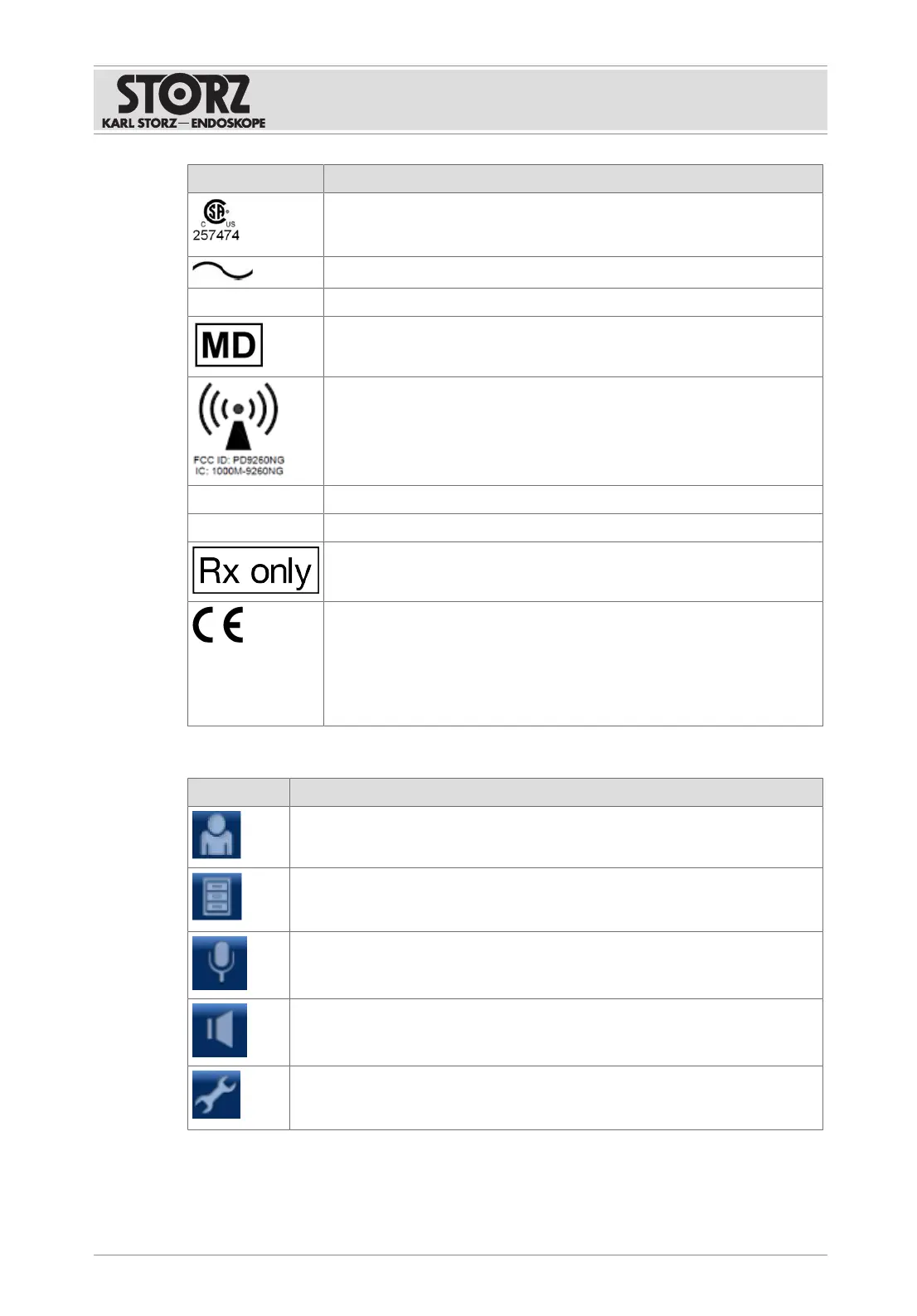
Symbol Meaning
CSA certification mark for the USA and Canada
With this mark, the manufacturer declares compliance with the certifica-
tion requirements.
Alternating current
SN
Serial number
Medical device
Non-ionizing radiation
The IC identification code refers to the internal Wi-Fi adaptor
FCCID: FCC identification number of the internal WLAN adapter
IC: IC identification number of the internal WLAN adapter
Federal (USA) law restricts this device to sale by or on the order of a
physician.
CE marking
With this marking, the manufacturer declares the conformity of the prod-
uct with the applicable EU directives. A code number after the CE mark
indicates the responsible notified body.
The EU legislation relevant to the product can be found in the EU Decla-
ration of Conformity, which can be requested from KARL STORZ.
4.5.4
Symbols on the user interface
Symbol Meaning
User
Call up the user login.
Filing Cabinet
Display documentation which has already been created. The symbol is only
available if the home screen has been deactivated.
Microphone
Mute the microphone. The microphone is muted as standard and must be ac-
tivated manually.
Volume
Set the output level of the active speakers or headphones.
Settings
Select the functional scope and application-specific settings. This area is
password protected.













 To Next Page