Installation and commissioning
Instructions for use • AIDA C WD310 • AAB272_EN_V2.0_12-2021_IFU_CE-MDR 47
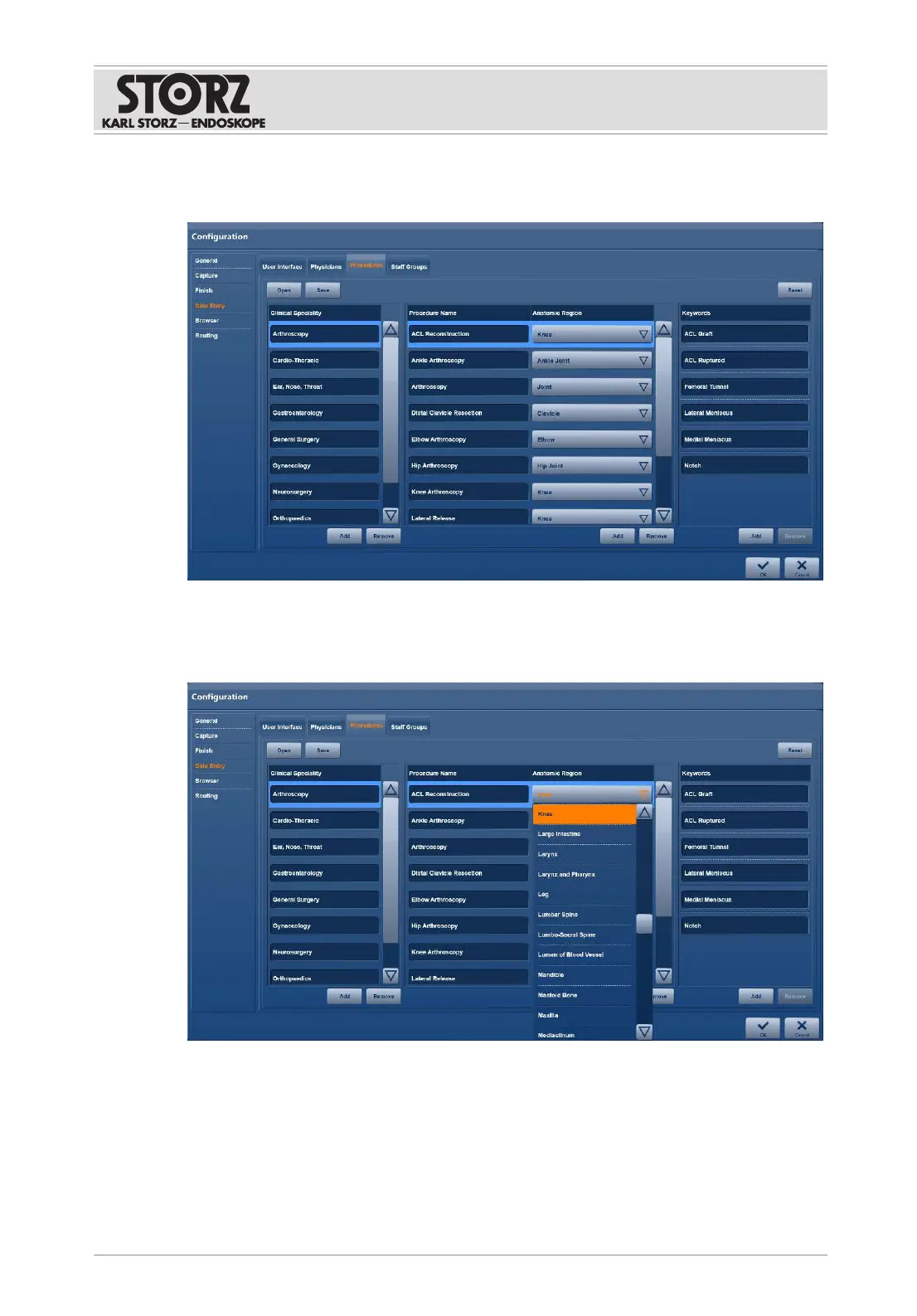
6.1.5.4 Procedures
1. Tap the
Procedures
tab.
2. Select the medical specialization, e.g., urology, under
Clinical Speciality
.
3. Select the nature of the surgical procedure, e.g., cystoscopy, under
Procedure Name
.
4. Select the anatomical region of the procedure, e.g., bladder, under
Anatomic Region
.
5. Tap the
Add
button in each case.
ð The data is available on the user interface if the fields are enabled.
6. To edit an entry, highlight the field and make the change.
7. To delete an entry, tap the
Remove
button.
8. Confirm the entries by pressing
OK
.













 To Next Page