Operation
Instructions for use • AIDA C WD310 • AAB272_EN_V2.0_12-2021_IFU_CE-MDR 87
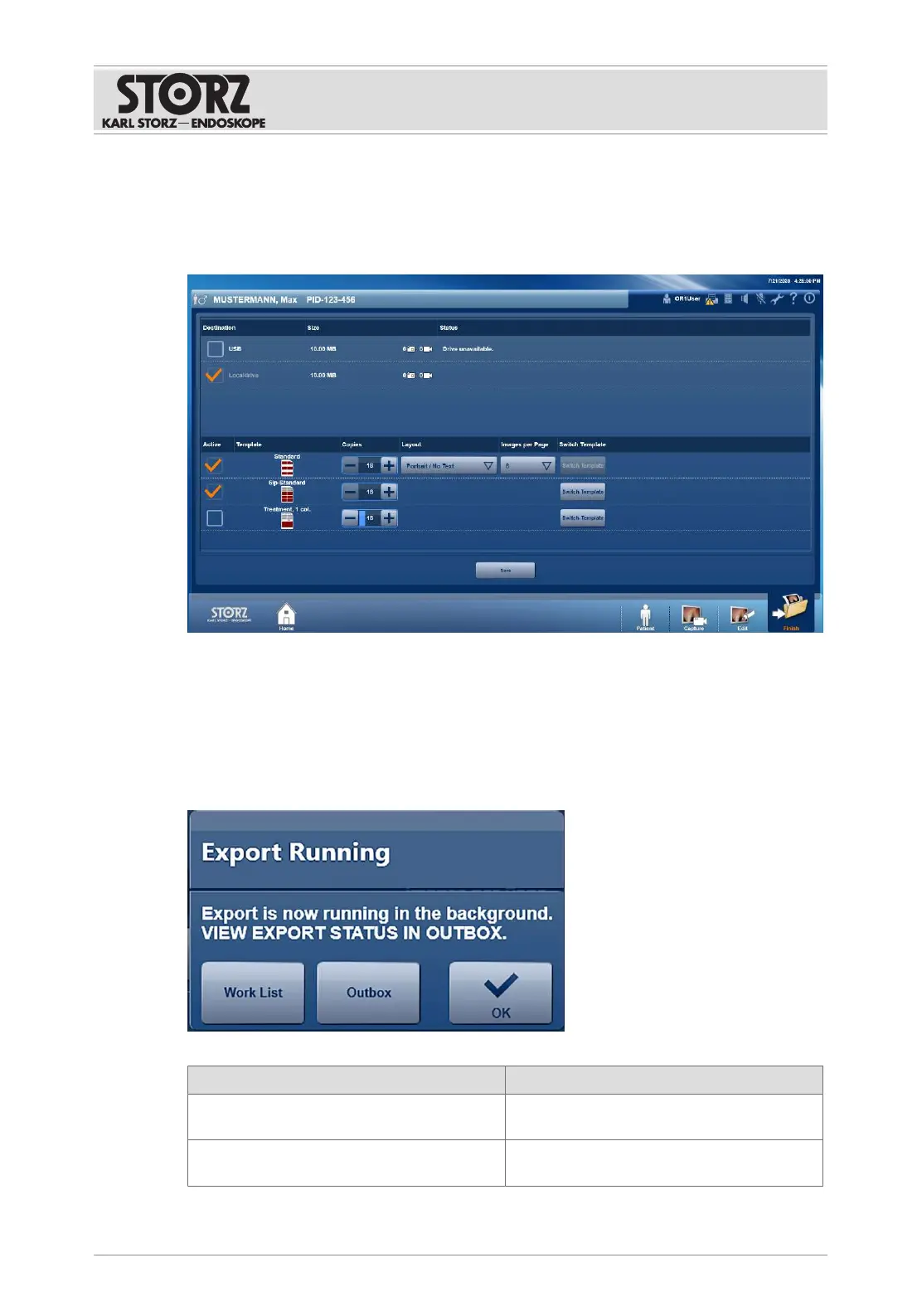
1. Tap the
Finish
button.
ð If necessary, you will be prompted to complete all data entries. The module does not
appear until all the mandatory fields for patient data have been completed.
ð A list containing all of the configured destination directories on which data can or must
be stored appears.
2. Check whether the data storage locations have been configured.
3. To store data, check the checkboxes for the destinations.
4. Connect a USB stick or insert a CD or DVD.
5. Tap the
Save
button.
ð Data export starts.
ð The
Export running
window appears.
ð Other functions are possible:
Function Description
Worklist If DICOM has been configured, the next pa-
tient can be selected via the DICOM worklist.
Open tasks List of incomplete exports. If the list is empty,
data storage has been finished successfully.













 To Next Page