4G+ROUTER1200 - User Guide
13
/
84
Copyright © STRONG 2024. All Rights Reserved.
13
/
84
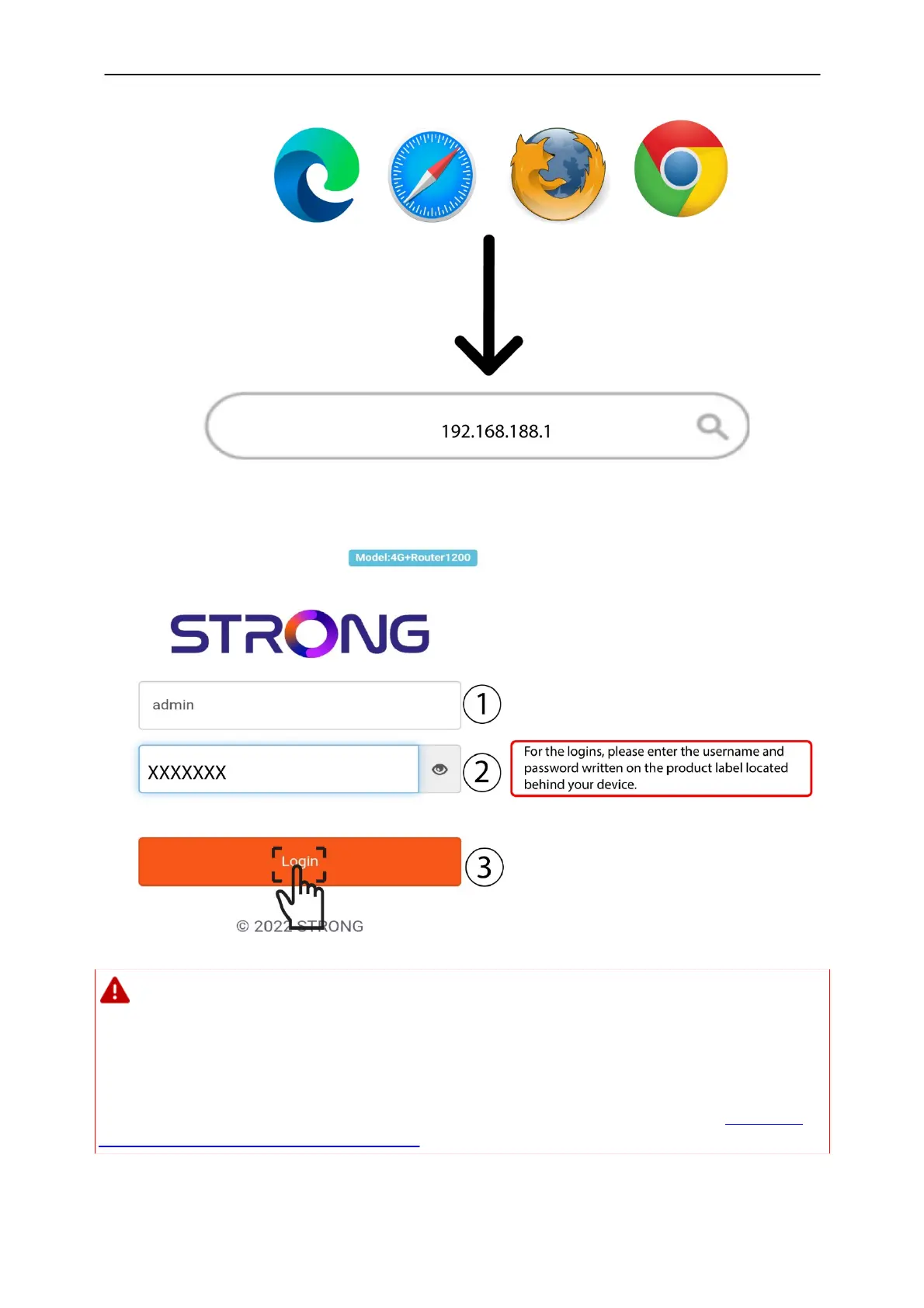
3. A new page opens in which you must enter the Username
and
Password before clicking the
Login
button.
Please note that we strongly advise you to change the admin password. If you decide
to change it, your new password must contain at least 8 characters with upper and lower
cases, number, and special characters.
We strongly suggest using the same password
as the one used for the Wi-Fi connection, as this password is unique for your
device.
For more information about the process to change your password, please refer to
Changing
the administrator password in the Web UI.
4. Once you are connected to the Web UI, you will see the home page:



 To Next Page