4G+ROUTER1200 - User Guide 5
/
84
Copyright © STRONG 2024. All Rights Reserved. 5
/
84
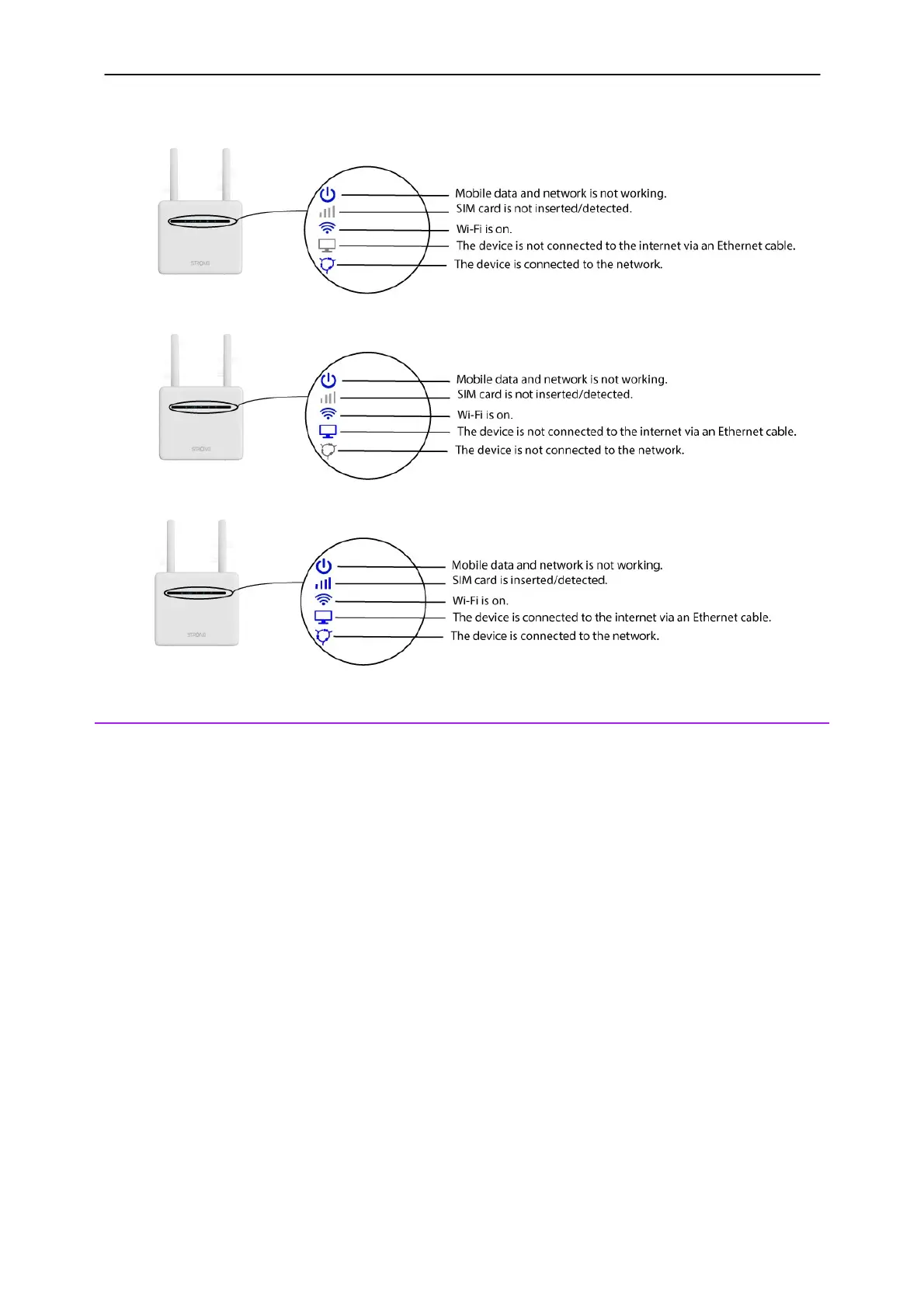
Let’s see the different meanings of these LEDs in detail, in the following picture.
3. Presentation of the Web UI
The Web UI is the place where you can set up advanced parameters for your device but also
customize your SSID, password and so much more.
1. The Web UI is accessible after connecting to the Wi-Fi of the device or to the internet
connection of the router by using the Ethernet cable and entering the following IP Address in
your browser:



 To Next Page