4G+ROUTER1200 - User Guide
40
/
84
Copyright © STRONG 2024. All Rights Reserved.
40
/
84
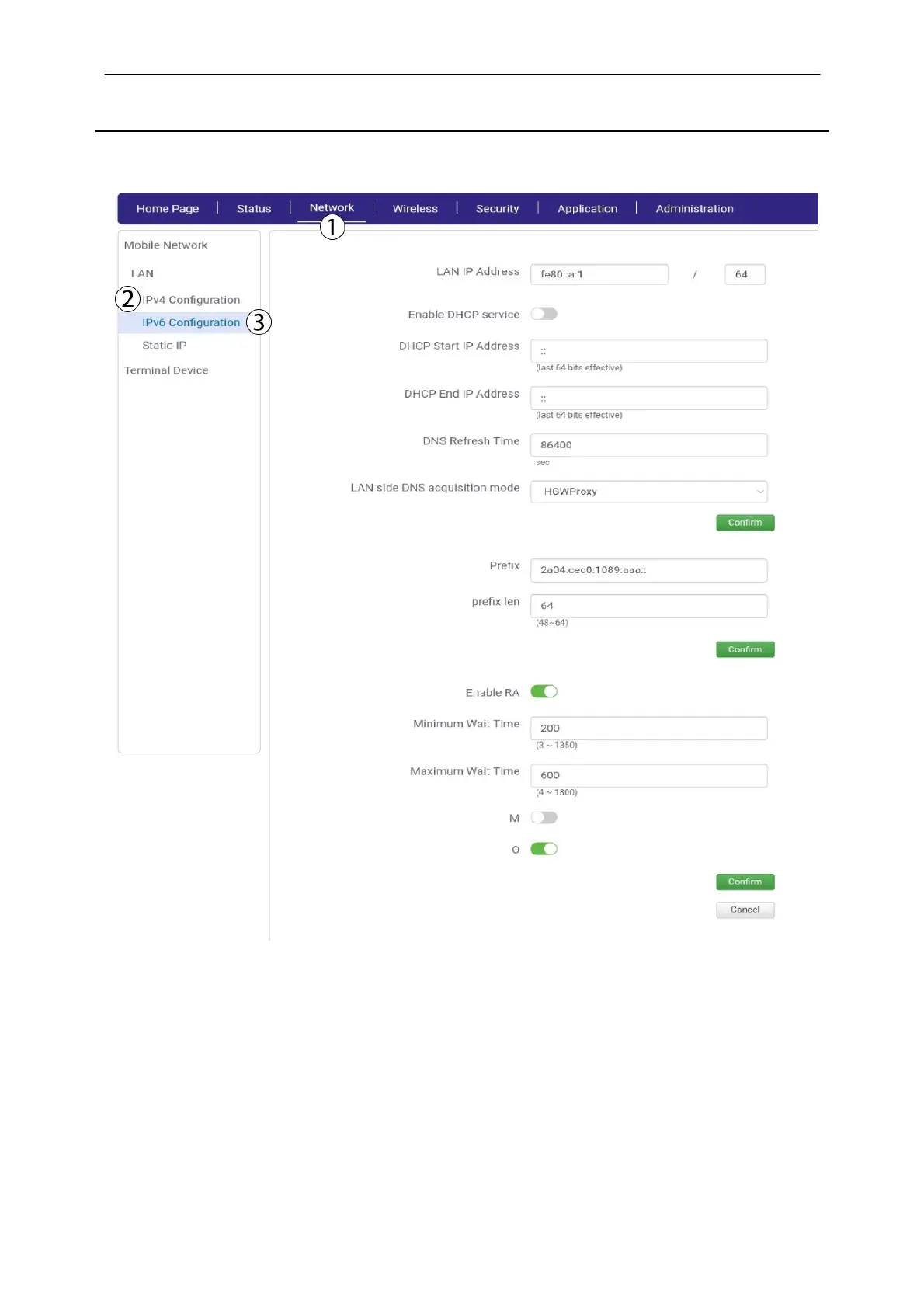
2.2. IPv6 Configuration
You can enable the DHCP services
1. Click Network, LAN
and
IPv6 configuration
2.
Click the
Enable DHCP toggle button, enter the start and end IP Addresses for the DHCP (IP
Address between 192.168.1.2 to 192.168.1.99 to prevent conflicts). Then, click Confirm.



 To Next Page