4G+ROUTER1200 - User Guide
25
/
84
Copyright © STRONG 2024. All Rights Reserved.
25
/
84
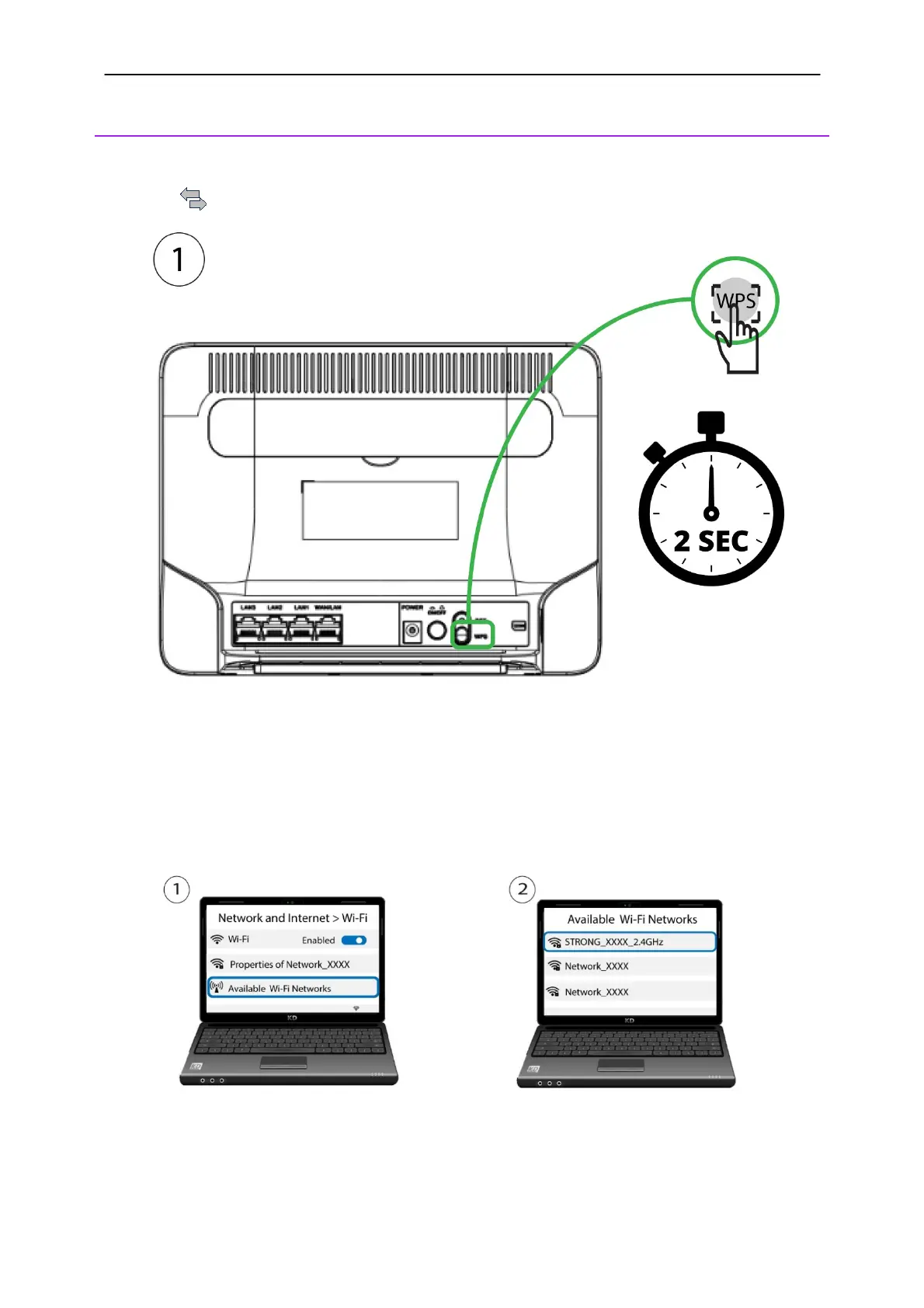
10. Activating the WPS
1. Press the WPS button for 2 seconds to allow any compatible device in your home to
automatically to connect to the Wi-Fi network of the router. Once it is activated, the horizontal
arrows
will blink in blue.
2. Go to the Wi-Fi settings of your computer and click on the name of the router to select it.



 To Next Page