4G+ROUTER1200 - User Guide
19
/
84
Copyright © STRONG 2024. All Rights Reserved.
19
/
84
8. Enabling/Disabling the Wi-Fi
If you prefer to use your router by connecting it directly to your device with an Ethernet cable, it is
possible to deactivate the Wi-Fi.
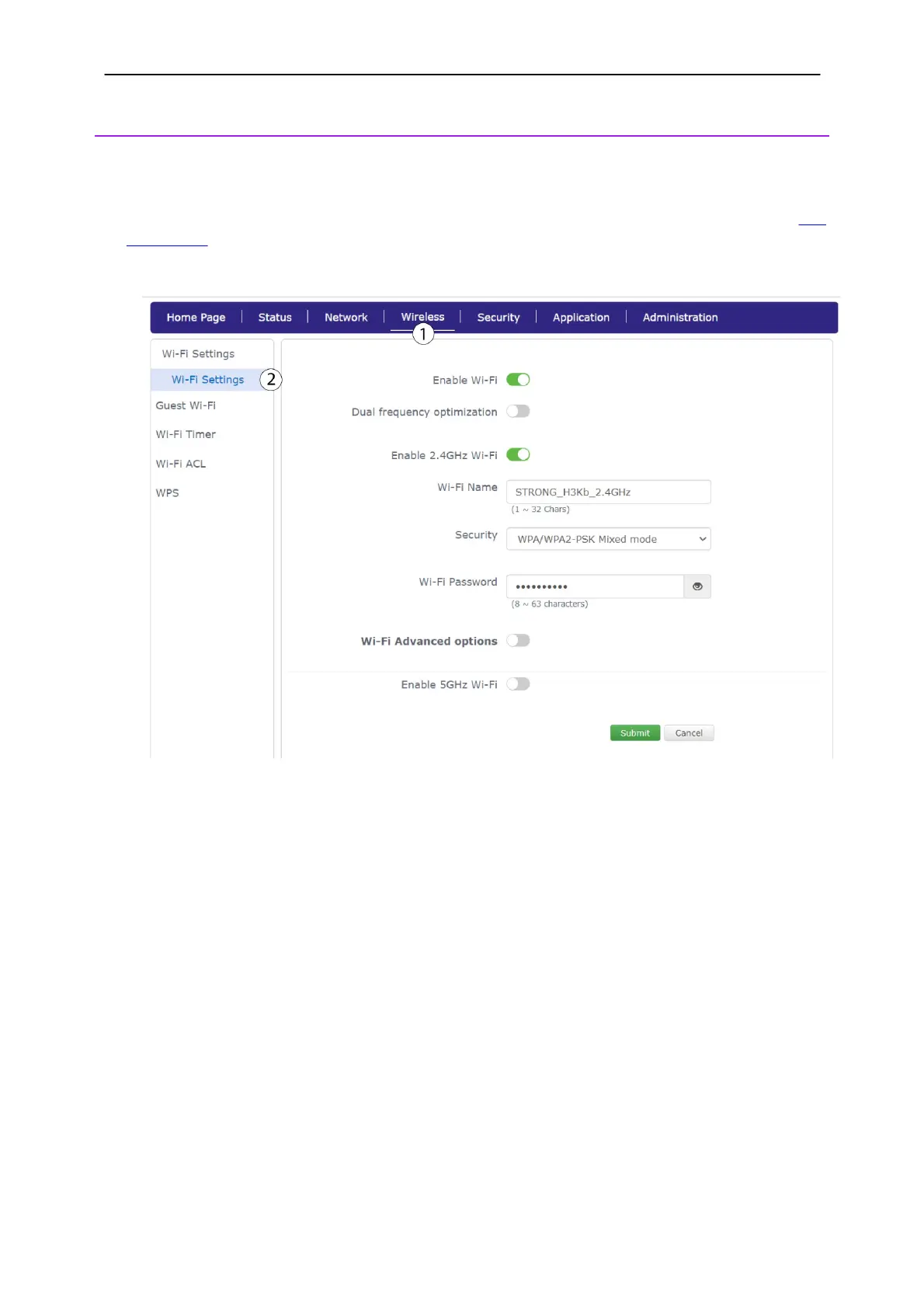
1. To do so, you must connect to the Web UI by using an Ethernet cable by following this
procedure.
2. Click
Wireless
and select Wi-Fi Settings.
Case 1: deactivating both networks
1. Then, click the
Enable Wi-Fi
toggle to deactivate both networks.



 To Next Page