4G+ROUTER1200 - User Guide
72
/
84
Copyright © STRONG 2024. All Rights Reserved.
72
/
84
4. System Update
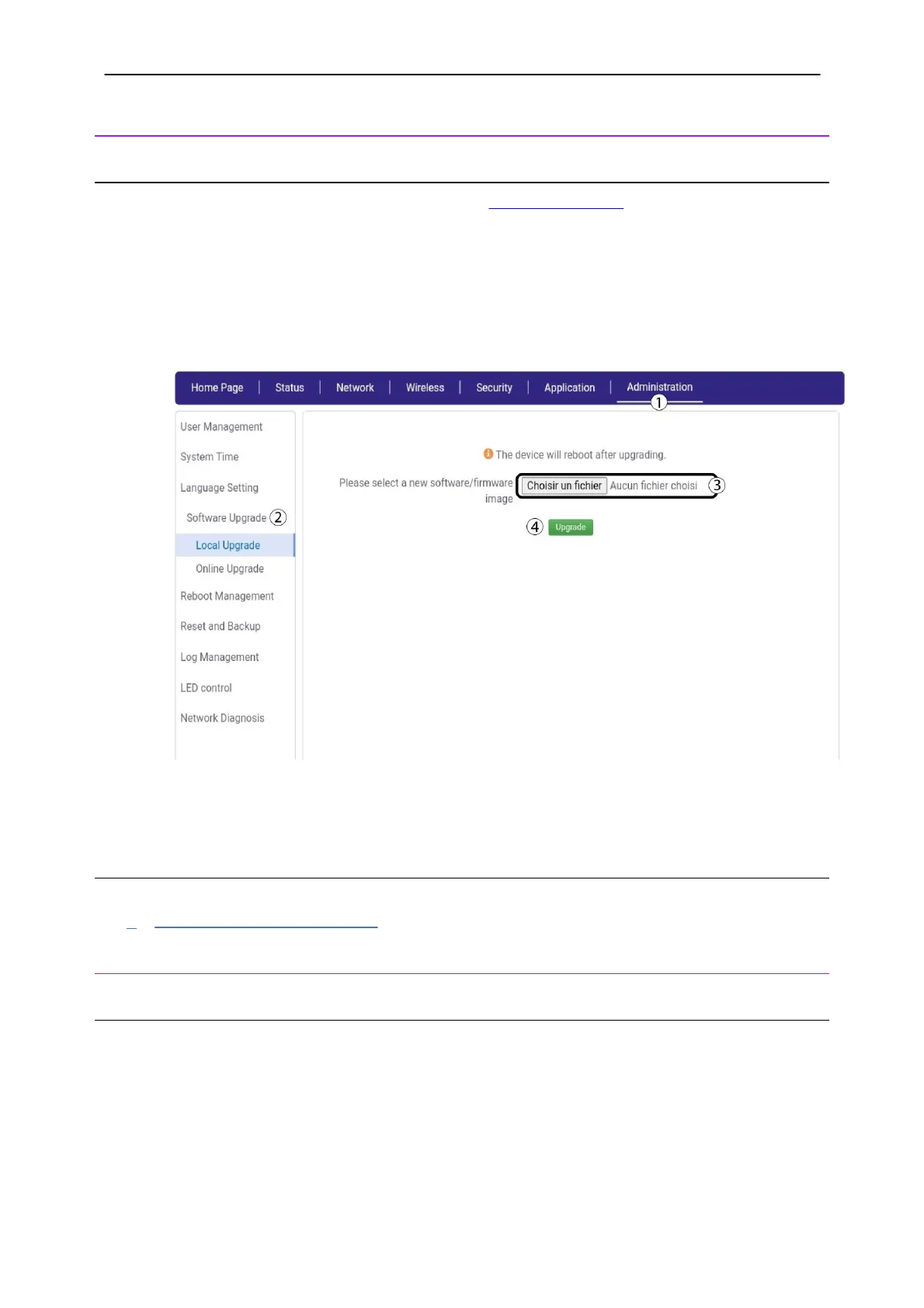
4.1. Local Update
Before starting the Local Update, you must browse to STRONG’s website.
1. Once you are on the website click
Support
and
Download
. Then select
Mobile BroadBand
and
4
G+ LTE Router | 4G+ROUTER1200.
2. The new software versions are located under the download section of the page under the
software category.
3. Download the file if there is one. Then, connect to the Web UI and click
Administration
and
Software Upgrade
. Click the
Choose a file
button and click
Upgrade
.
4.2. Online Update
To do an automatic online update please refer to the procedure below:
Updating the device Firmware
5. Reboot Management
5.1. Reboot
You can reboot your rooter in the Web UI;
1.
Click the
Reboot button in the top bar of the Web UI. Then, click
Confirm
.



 To Next Page