4G+ROUTER1200 - User Guide
12
/
84
Copyright © STRONG 2024. All Rights Reserved.
12
/
84
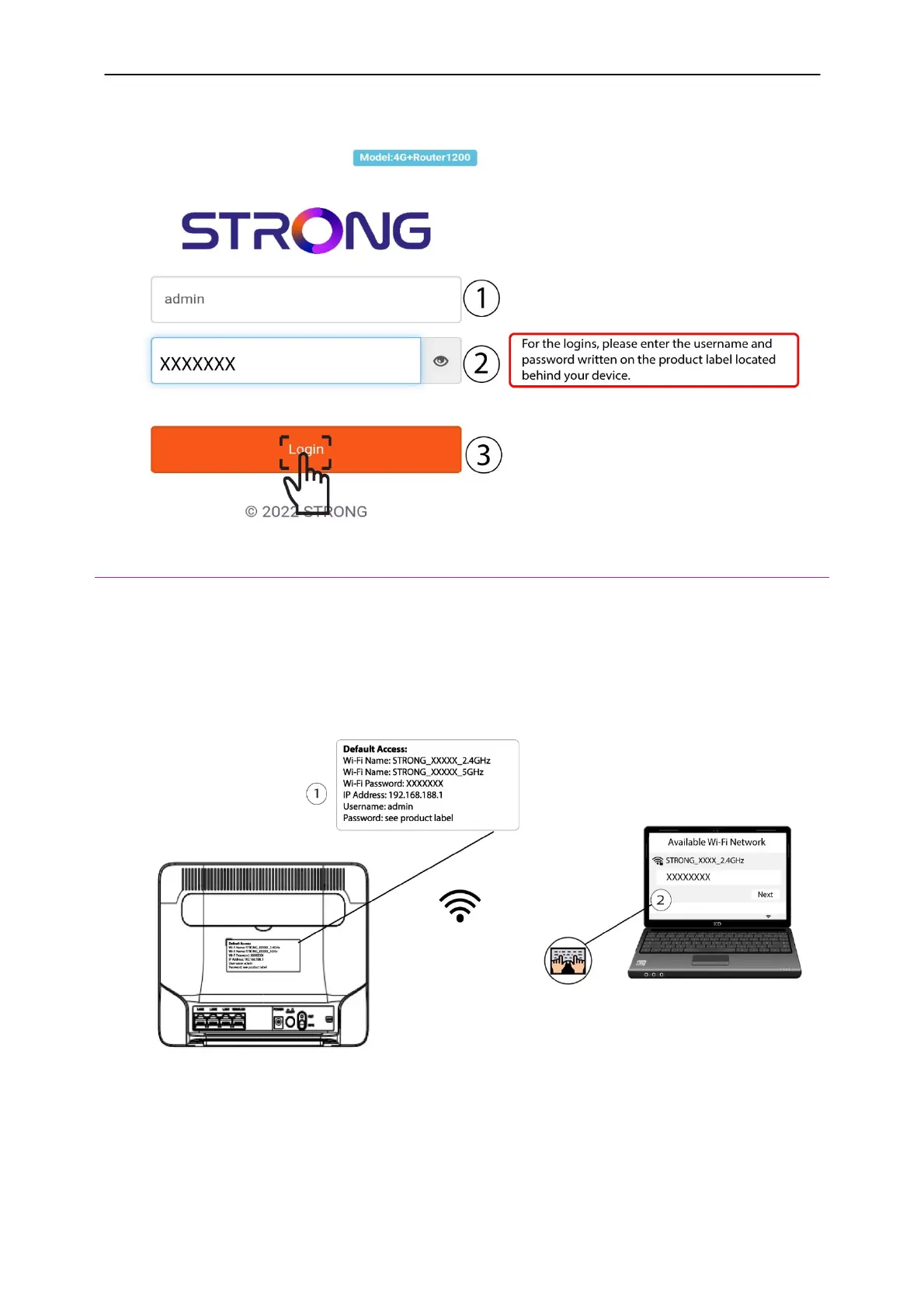
3. Next, you must enter the
Username
and
Password
. Click
Login
.
5. Connecting to the Wi-Fi and Accessing the Web UI
You can connect any compatible device to the Wi-Fi of your device and access the Web UI to
customize your configuration.
1. To connect to the Wi-Fi, look at the rear side of your router and locate the sticker where the
SSID
and
Password are written. Then, enter the information in your device.
2. Then enter the following IP address in your browser:
192.168.188.1



 To Next Page