4G+ROUTER1200 - User Guide
42
/
84
Copyright © STRONG 2024. All Rights Reserved.
42
/
84
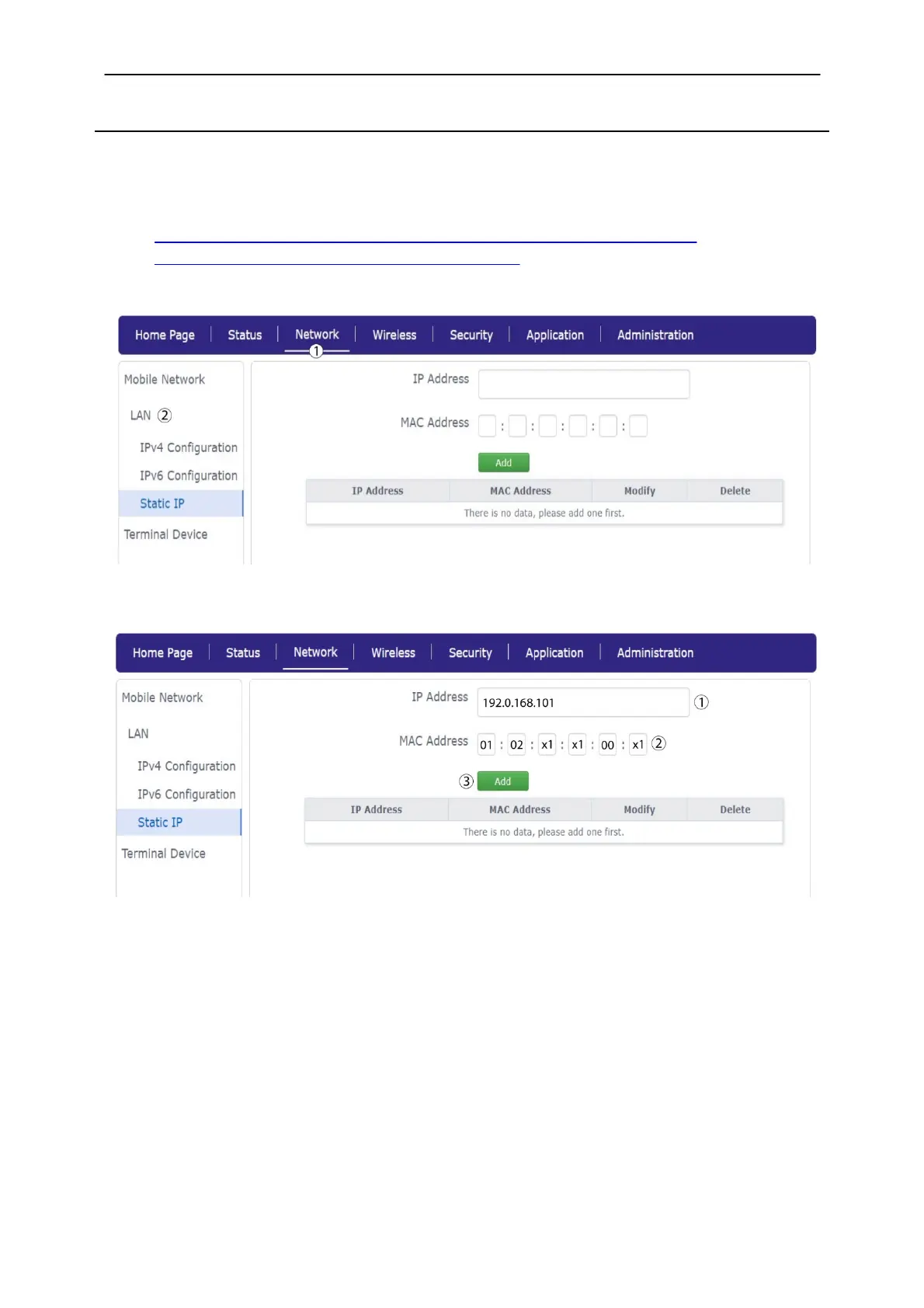
2.3. Static IP
If you are using several devices and you need them to have a static IP address on your network, you
can enter the MAC Address of your device and set up the static IP.
1. To do so, you must connect to the Web UI by following one of these procedures:
Connecting your Device with an Ethernet Cable and Accessing the Web UI
Connecting to the Wi-Fi and Accessing the Web UI
2. Click Network
and
LAN.
3. Click Static IP
and enter the IP address and
MAC address of your device before clicking Add.



 To Next Page