4G+ROUTER1200 - User Guide
63
/
84
Copyright © STRONG 2024. All Rights Reserved.
63
/
84
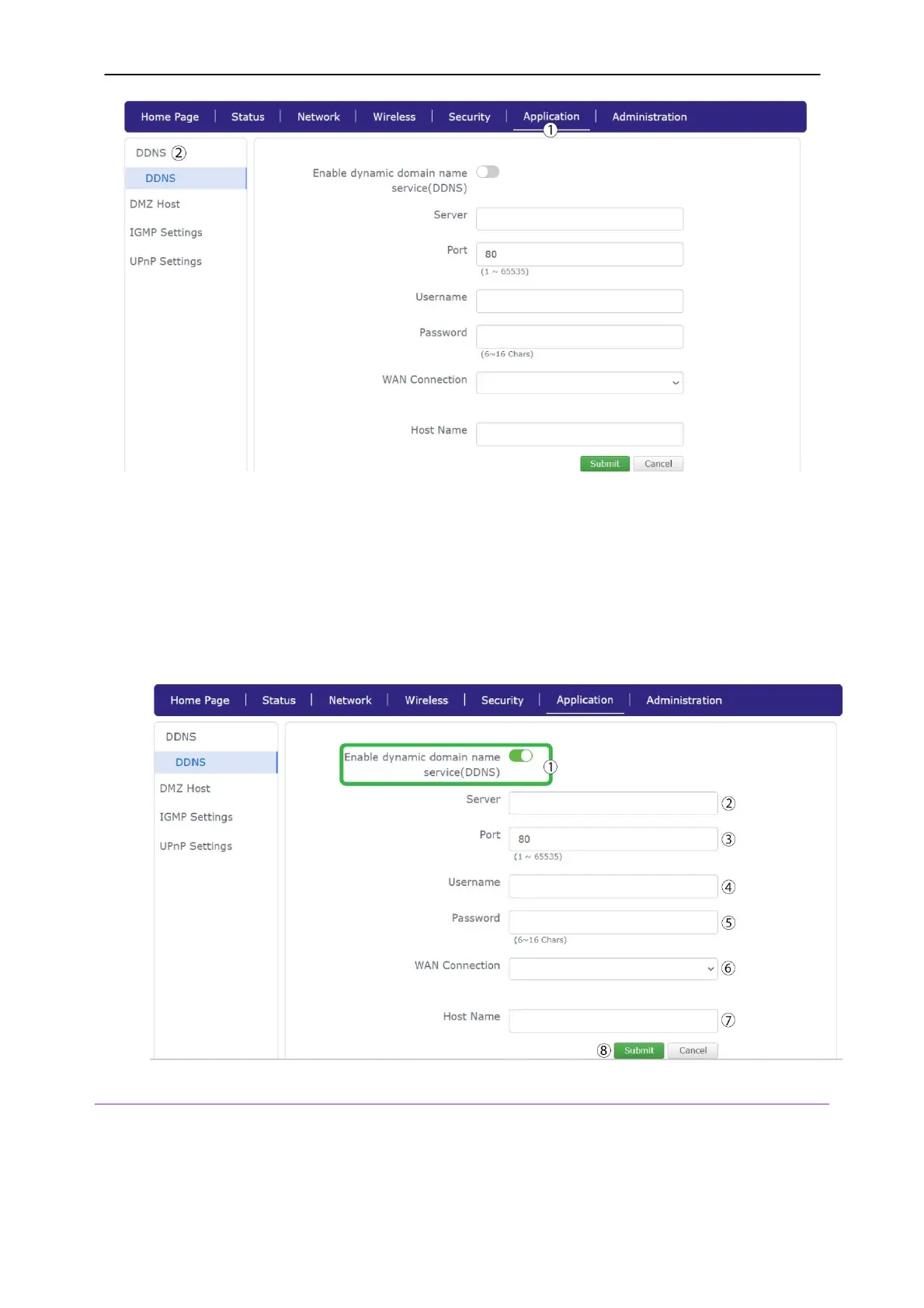
3.
Click the
Enable DDNS
toggle button. Then, enter the following information before clicking
submit:
Server: Enter the server IP Address
Port : Enter the port number.
Username: Enter the username for your account
Password: Enter the password your account
WAN Connection: Select the appropriate value in the list
Hostname: Enter the host name
2. DMZ Host
A Demilitarized Zone (DMZ) is a subnetwork that is separated and isolated from the main local
network (LAN) and from Internet by a Firewall. On this network, you can configure the devices that
needed to access the Internet without accessing your LAN.



 To Next Page