4G+ROUTER1200 - User Guide
31
/
84
Copyright © STRONG 2024. All Rights Reserved.
31
/
84
4. Updating the device Firmware
If you notice that your device does not recognize your SIM card properly or that the user interface is
not available in your language when connecting to the UI for the first time. Please check the
firmware version used by your device by using the online upgrade option in the Web UI. By doing
so, the latest firmware version will be installed.
1. To do so, connect to the Web UI, please follow on these procedures:
Connecting your Device with an Ethernet Cable and Accessing the Web UI
Connecting to the Wi-Fi and Accessing the Web UI
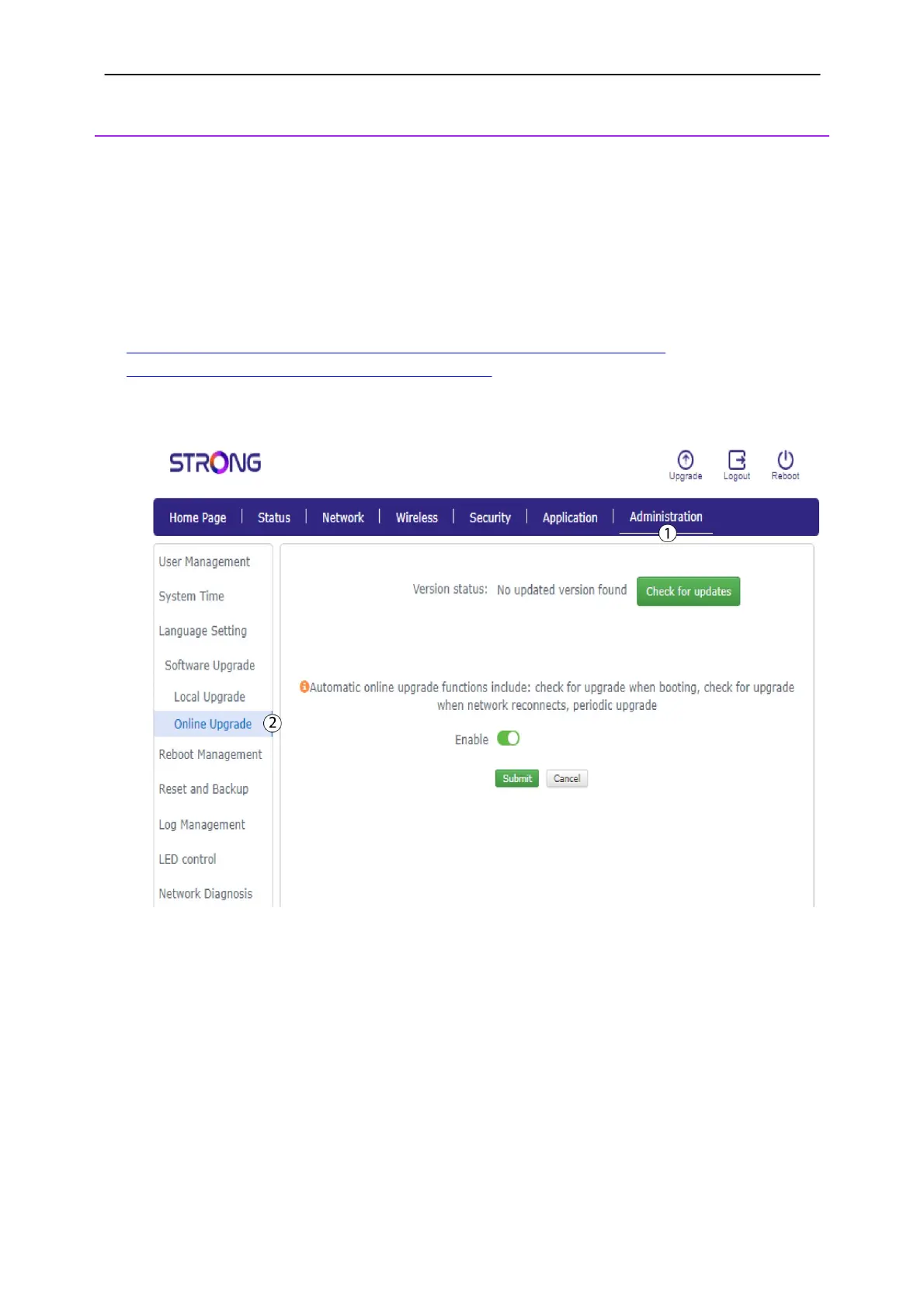
2. Click
Administration
and select Online Upgrade.
3. In Advanced Settings, click
Check for updates
and
the Enable toggle button.
Then,
click
Submit.



 To Next Page