4G+ROUTER1200 - User Guide
54
/
84
Copyright © STRONG 2024. All Rights Reserved.
54
/
84
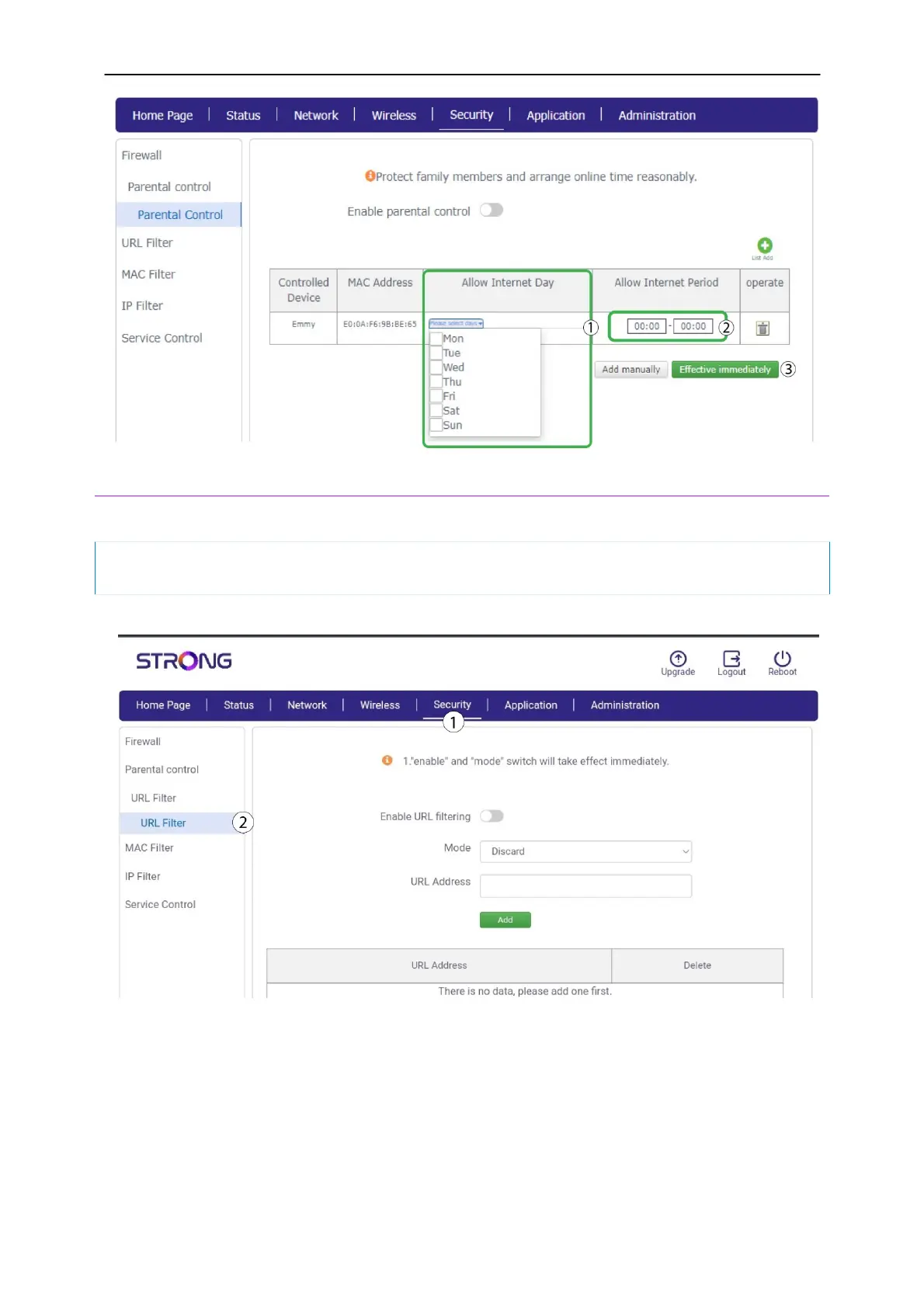
3. URL Filter
This feature enables you to block specific websites by adding their URL addresses to a list in the
Web UI.
If you previously accessed one of the websites that you added to URL filtering, please close
and reopen your browser for the change to be taken into account
1. Click
Security
and
URL Filter.
2.
Click the
Enable URL Filtering toggle button. Then select the mode and enter the URL Address
and click Add.



 To Next Page