4G+ROUTER1200 - User Guide
48
/
84
Copyright © STRONG 2024. All Rights Reserved.
48
/
84
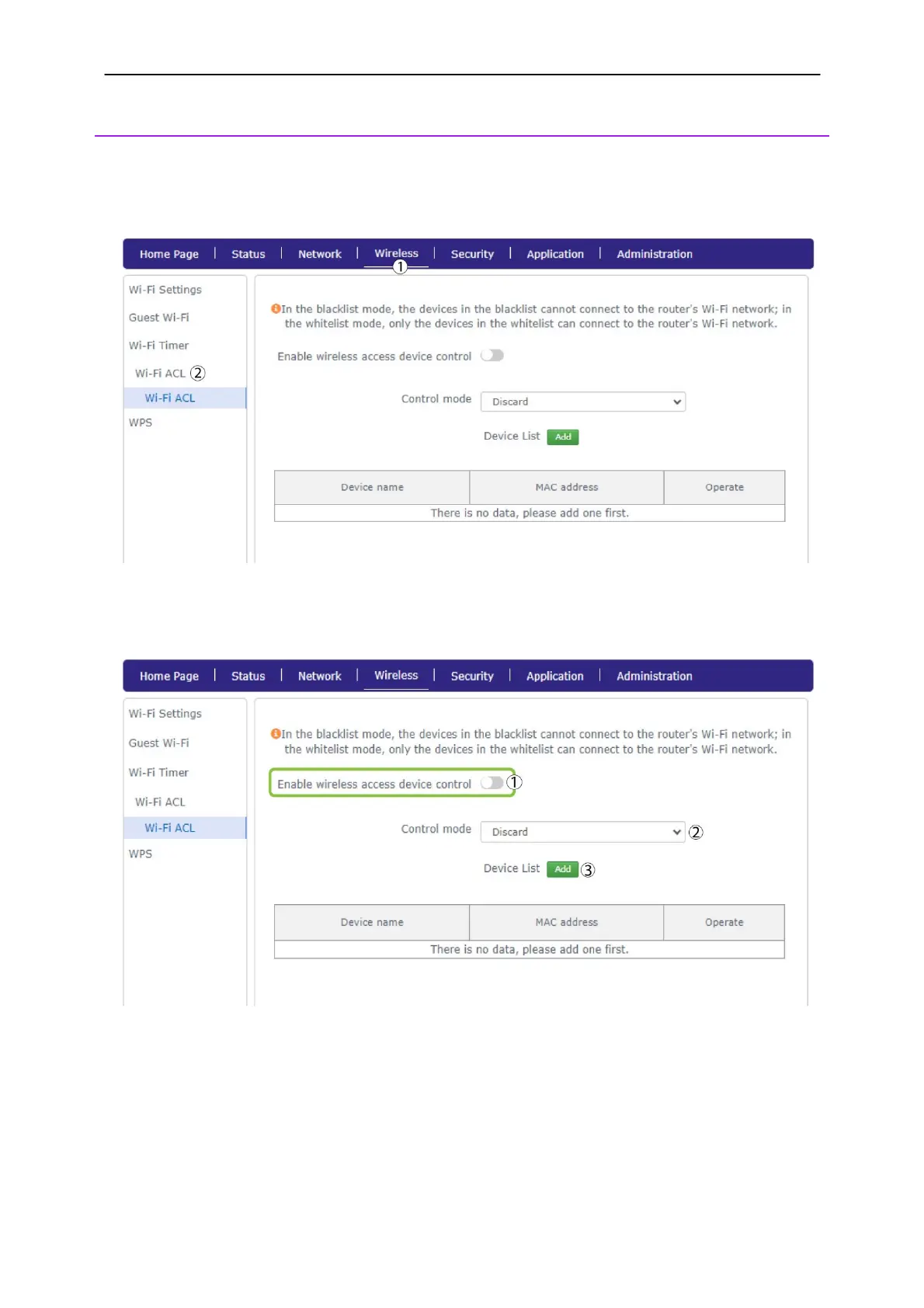
4. Wi-Fi ACL
You can create a blacklist of devices that cannot connect to your device or a whitelist to allow
specific devices to connect to your network.
1. Click
Wireless
and
Wi-Fi ACL.
2. Click the Enable wireless access device control toggle button. Then, choose discard or permit
according to your needs and click Add.
3. Enter the device name and its MAC Address and click
Confirm
.



 To Next Page