4G+ROUTER1200 - User Guide
47
/
84
Copyright © STRONG 2024. All Rights Reserved.
47
/
84
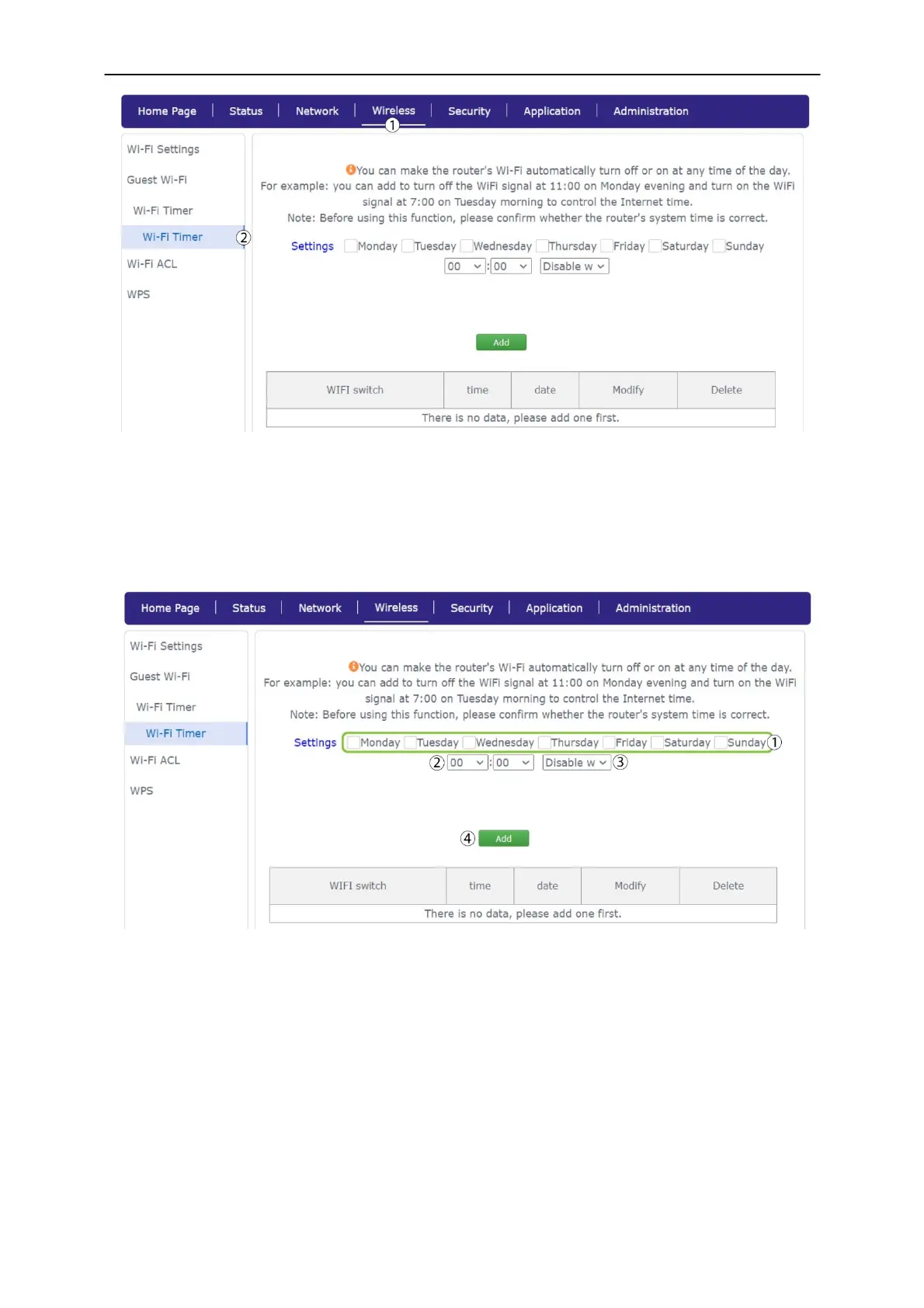
2. Then check the boxes corresponding to the days on which you want to enable/disable the Wi-
Fi and enter the time on which the device should switch off/on. Choose between enable or
disable Wi-Fi
and click Add. We advise you to create a specific rule for each case this way you
ensure that your device Wi-Fi will turn back on.



 To Next Page