4G+ROUTER1200 - User Guide
35
/
84
Copyright © STRONG 2024. All Rights Reserved.
35
/
84
1.3. Uplink Mode
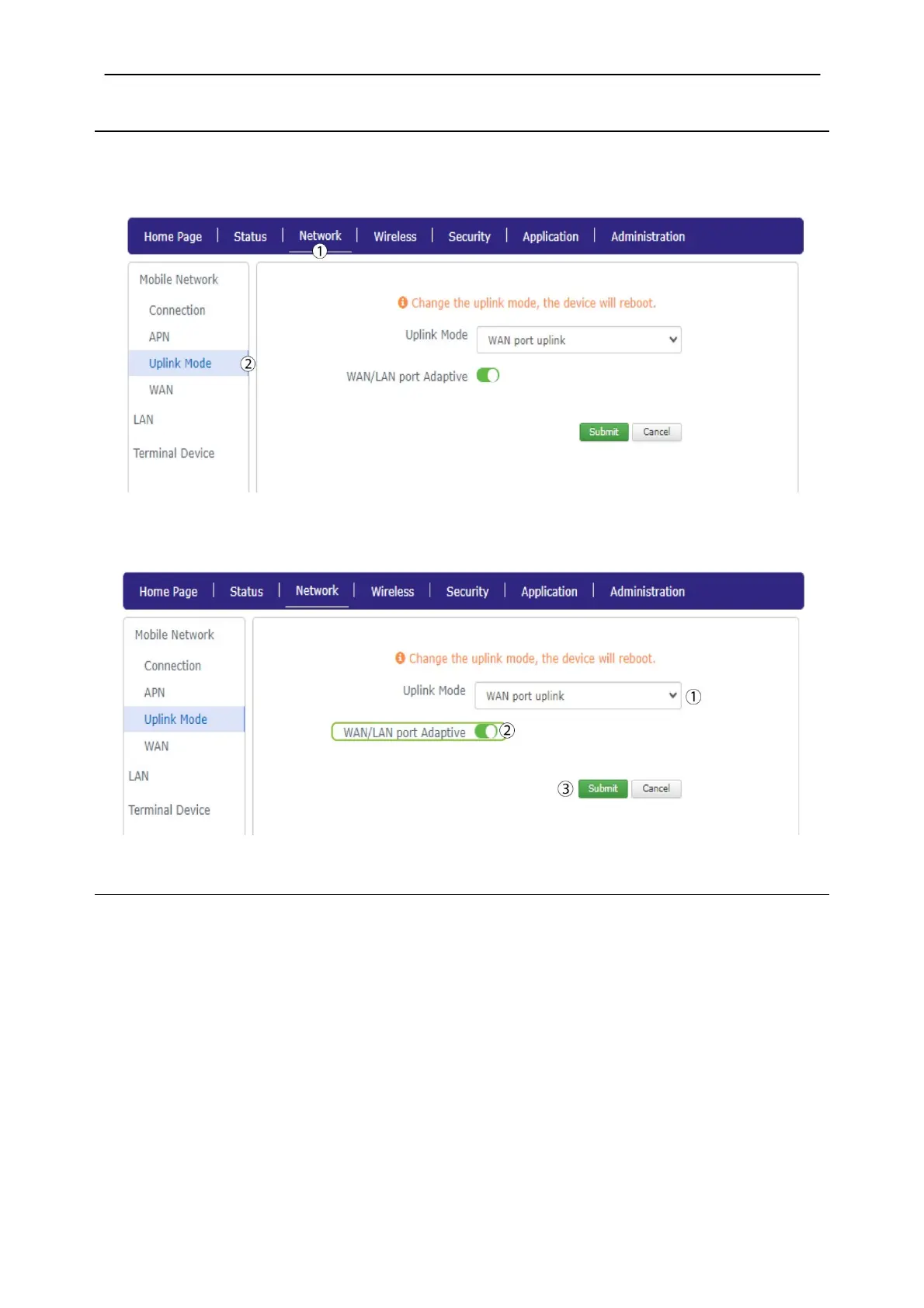
In the Network Settings, you can set up the uplink mode for WAN/LAN ports on your router.
1.
To do so, click
Network on the top bar, then click Uplink Mode.
1. Select WAN port uplink and click the WAN/LAN port Adaptive toggle. Then, click Submit.
1.4. WAN
You can disable the static DNS for your WAN, if necessary
1. Click Network
and
WAN
.



 To Next Page