4G+ROUTER1200 - User Guide
52
/
84
Copyright © STRONG 2024. All Rights Reserved.
52
/
84
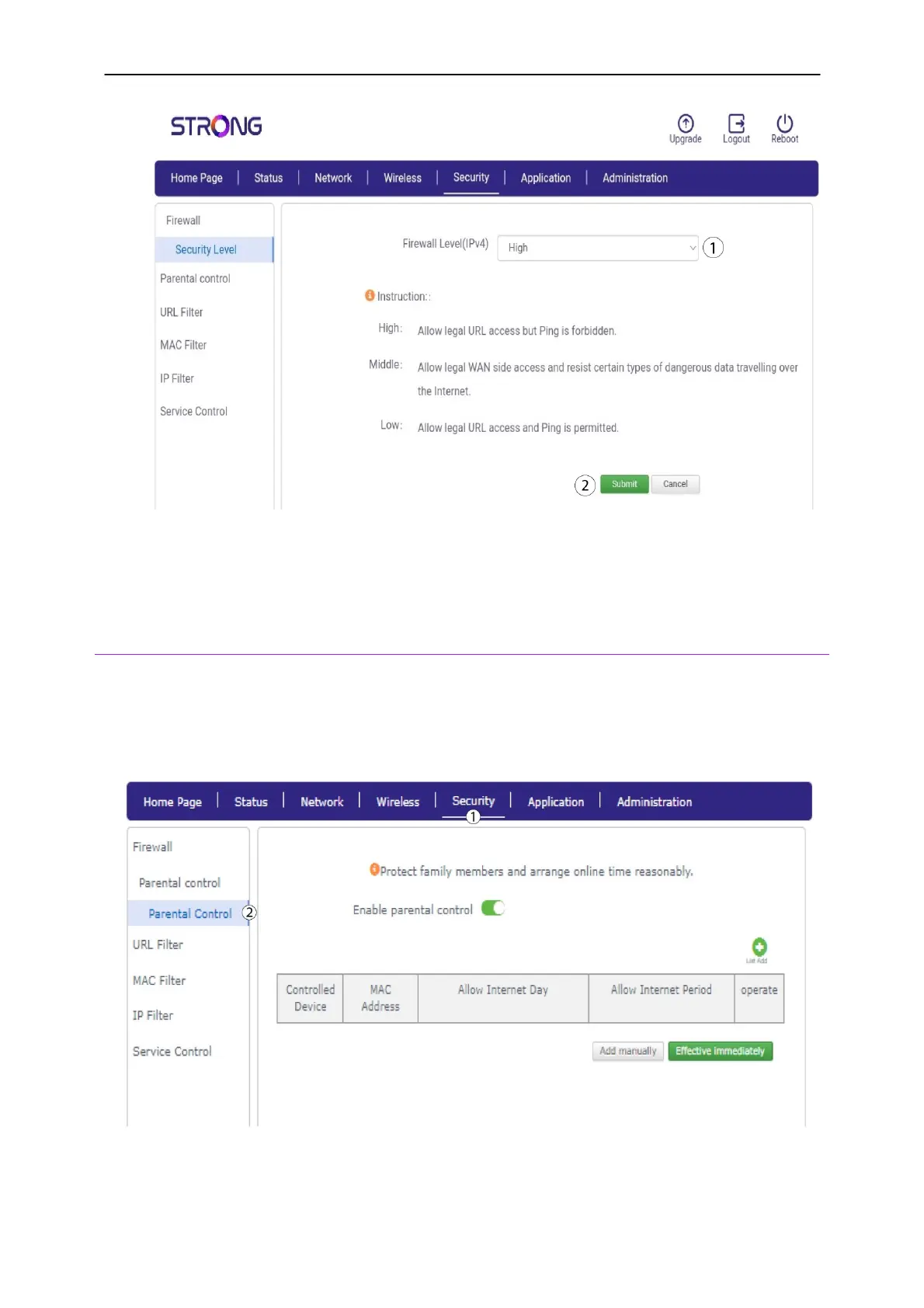
2. Parental Control
The Parental control features enables you to set up days and times on which Internet is allowed for
your kids by entering the MAC Addresses of their devices.
1. Click Security
and
Parental Control.
2.
Click the
Enable Parental control toggle button. Click List Add and it will automatically add
the connected devices to your list.



 To Next Page