4G+ROUTER1200 - User Guide
51
/
84
Copyright © STRONG 2024. All Rights Reserved.
51
/
84
VI. Security
1. Firewall
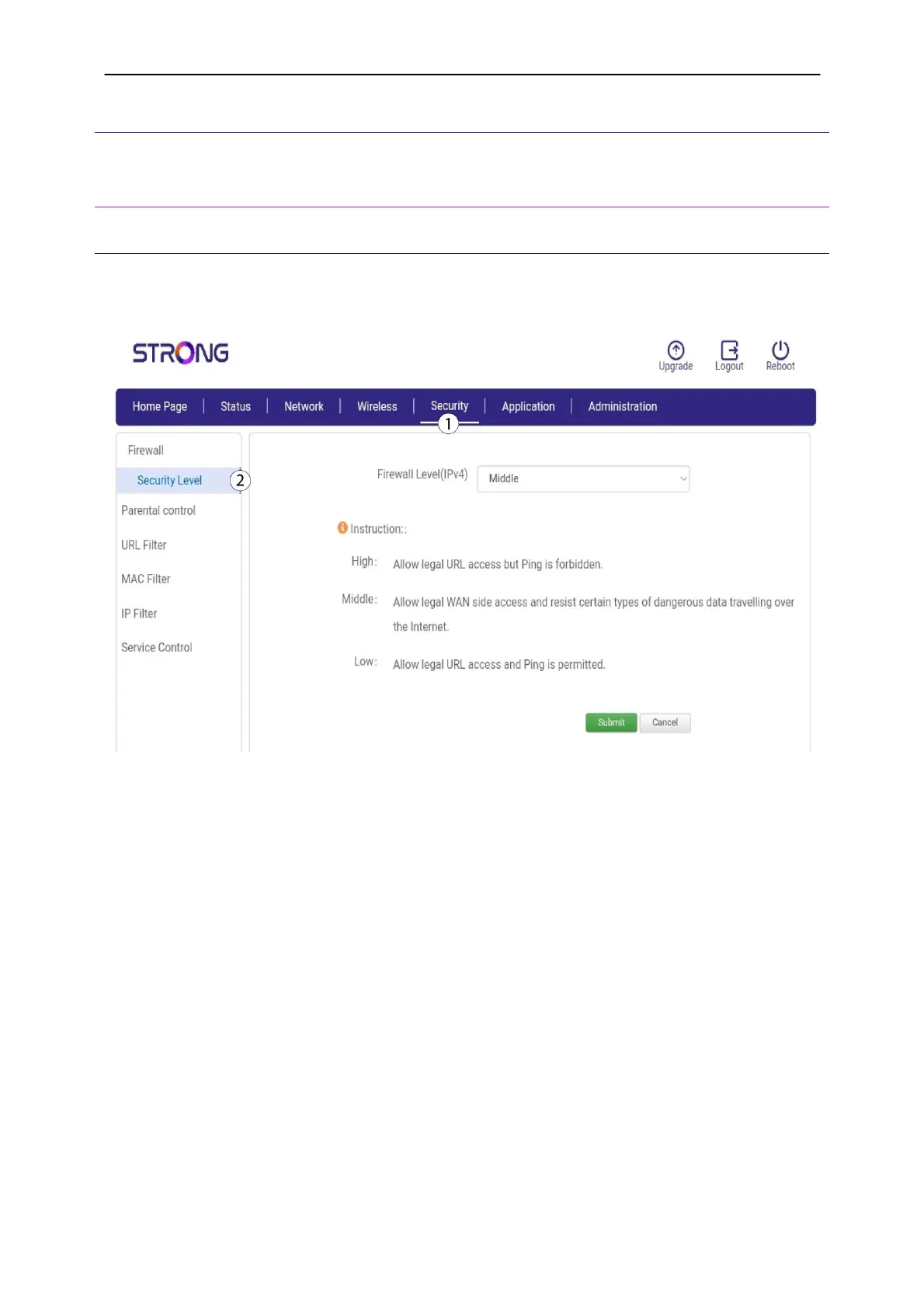
1.1. Security Level
You can change the Firewall security level to prevent hacking.
1. Click
Security
and
Firewall.
2.
Select a value in the list before clicking
Submit
. We recommend setting the firewall on Middle
or High to prevent hacking.



 To Next Page