4G+ROUTER1200 - User Guide
23
/
84
Copyright © STRONG 2024. All Rights Reserved.
23
/
84
9. Editing the APN Settings
We recommend editing the APN settings only if you are not receiving any signal from the SIM card
inserted in the device, only after checking that the SIM card is properly inserted and unlocked by
entering its PIN code in the Web UI. For more information about the way to insert your SIM card,
please see Inserting your SIM card. For more information about the procedure to enter your PIN
code, please see
Entering your PIN code in the Web UI.
1. To connect to the Web UI and perform this procedure, please see :
Connecting to the Wi-Fi and Accessing the Web UI.
Connecting your Device with an Ethernet Cable and Accessing the Web UI
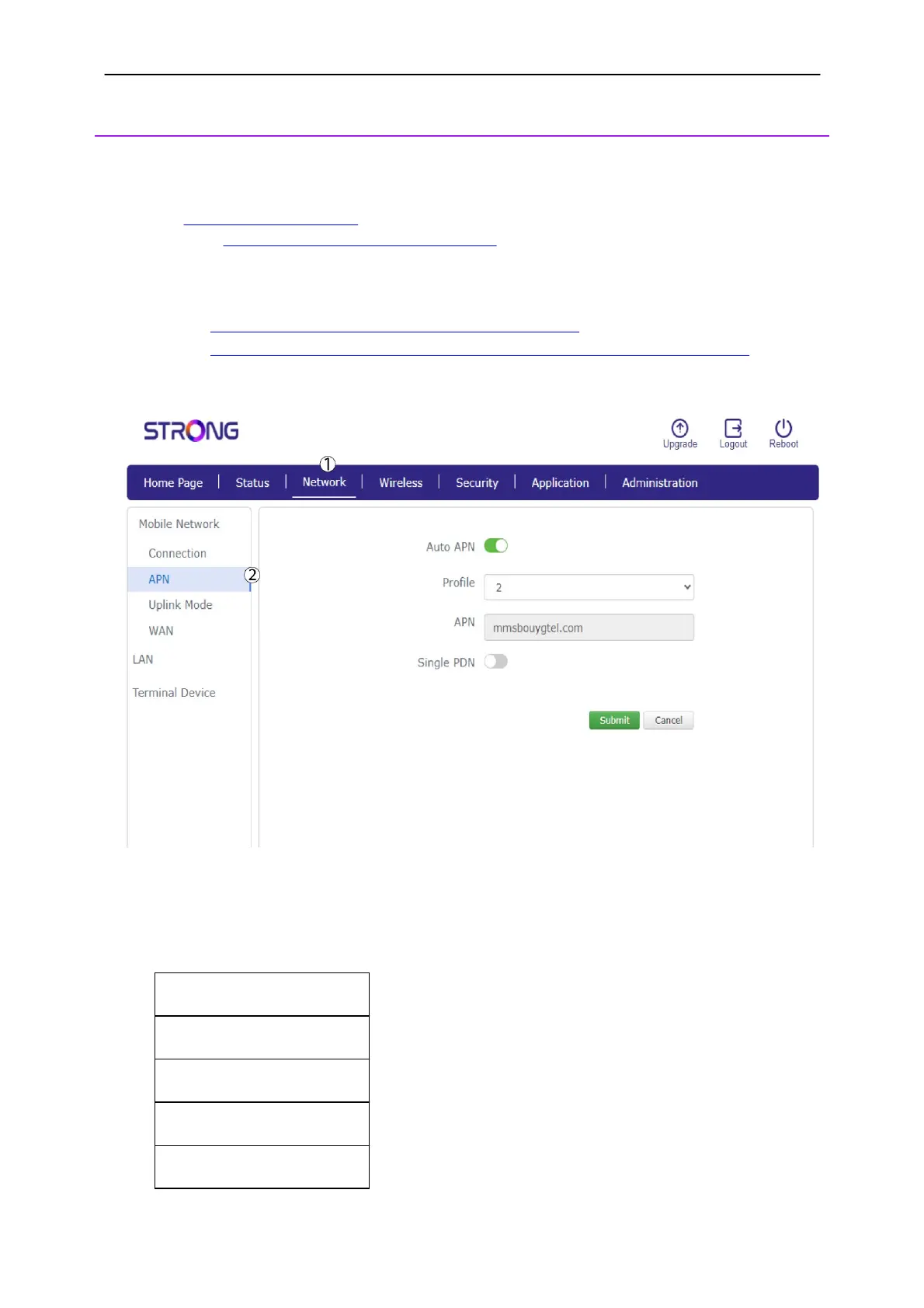
2. Click Network
and then
APN.
3. Check the following information:
Name
APN
Username
Password
Authentication Type



 To Next Page