4G+ROUTER1200 - User Guide
64
/
84
Copyright © STRONG 2024. All Rights Reserved.
64
/
84
1.
To configure DMZ on your router, you must be connected to the Wi-Fi of the router and access
the Web UI. Please refer to the following procedures to connect to Web UI:
Connecting your Device with an Ethernet Cable and Accessing the Web UI
Connecting to the Wi-Fi and Accessing the Web UI
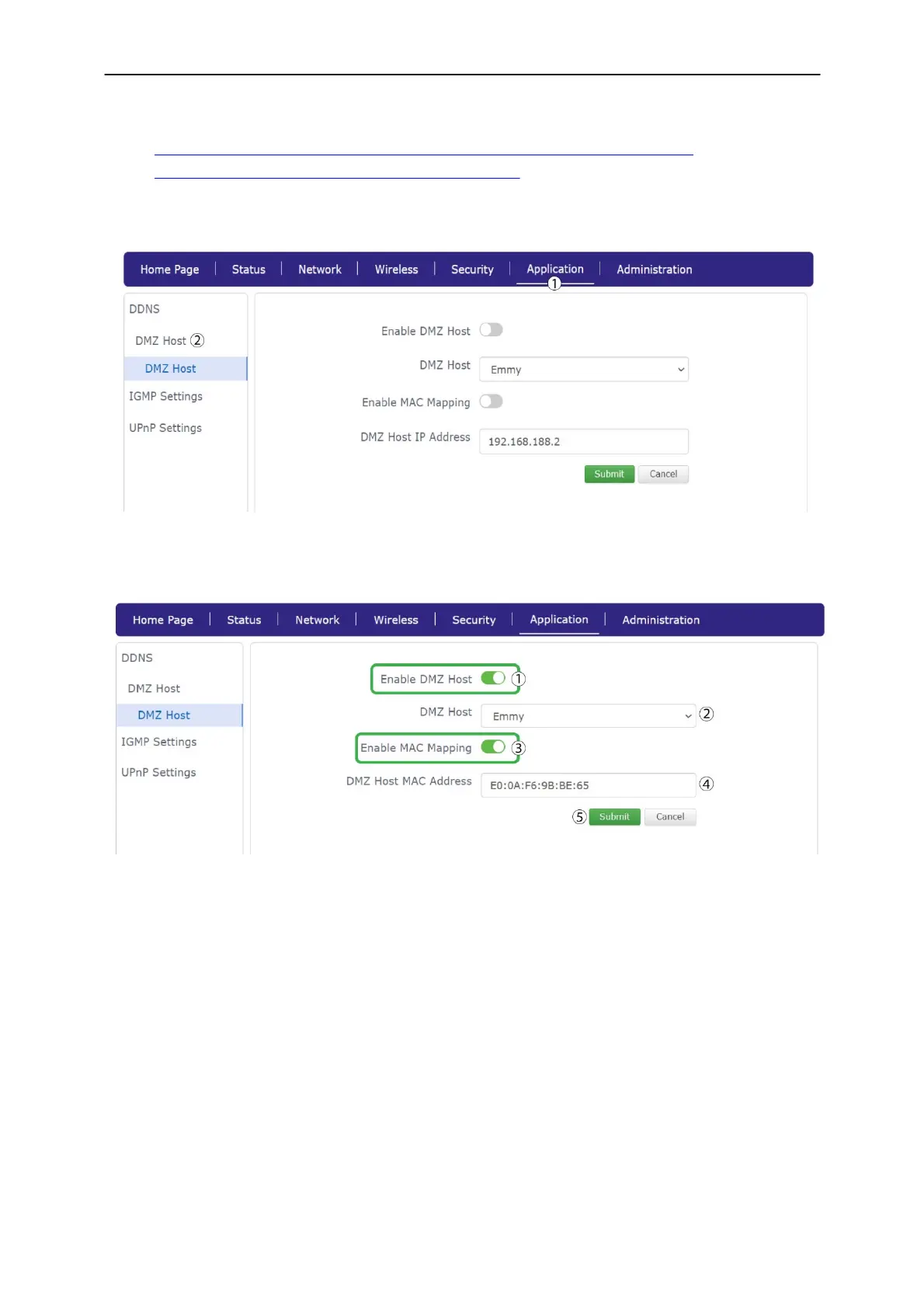
2. Click Application and DMZ Host.
3. Click Enable DMZ host then enter a DMZ HOST. Click Enable MAC Mapping and enter the MAC
Address of the DMZ host then, click Submit.



 To Next Page