www.stryker.com 3006 -109-101 REV A 19
Return To Table of Contents
POSITIONING SIDERAILS
• The siderails can be locked at two heights (intermediate & full up).
• The siderails can slide in towards the bed when not in use. To remove the rail from the tucked position, grasp the
top of the rail and pull outward.
• To raise head end siderail to full height position, grasp the rail and swing it upward until it locks in place (two clicks
are heard).
Note: When the siderail is being raised, it does not lock in the intermediate position unless it is
brought back after the first click.
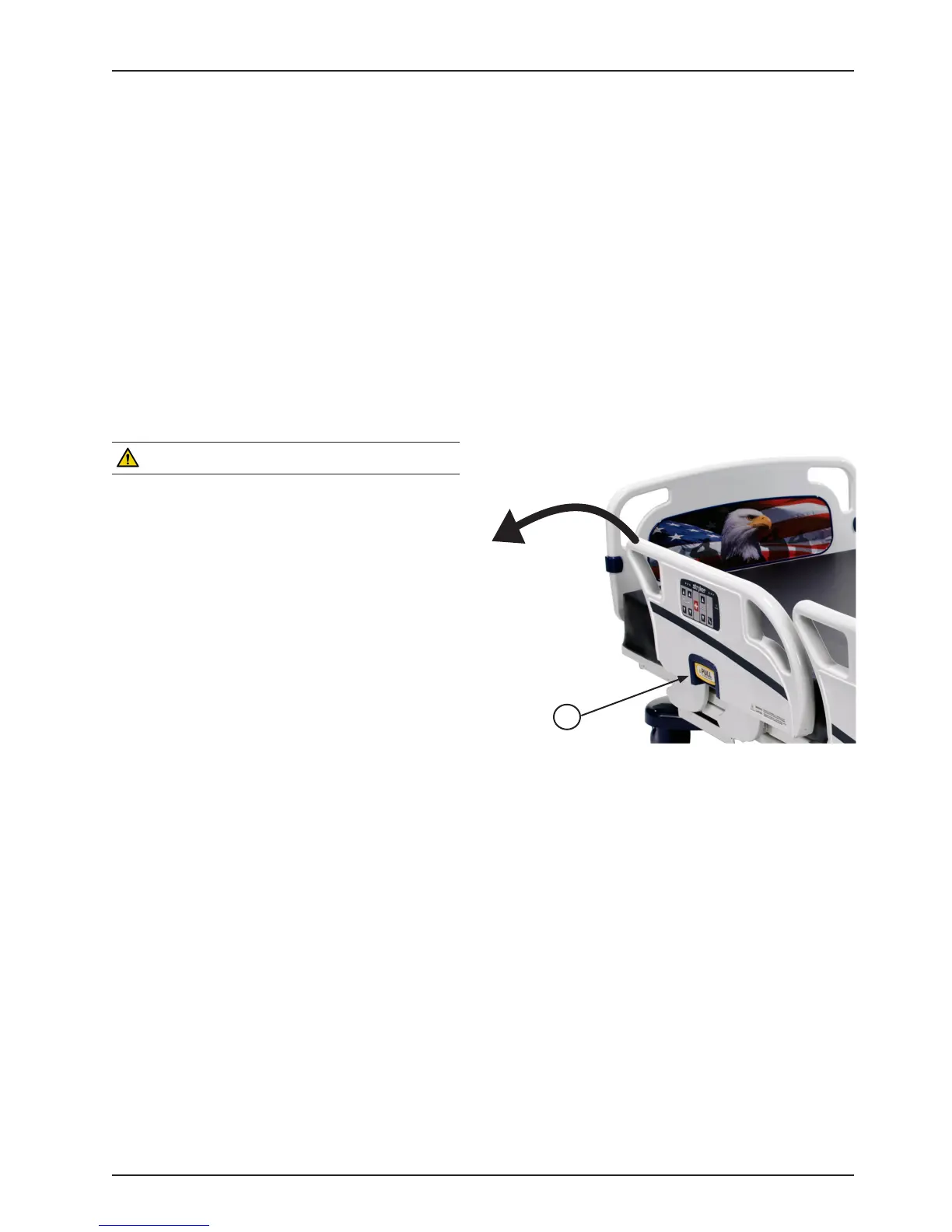
• To lower the siderail and lock in intermediate position, pull outward on the siderail release handle (A) and rotate
the siderail down toward the head end of the bed until it locks at the intermediate position.
• To lower the siderail in its full down position, pull outward on the release handle (A) and rotate the siderail
downward toward the head end of the bed until it is completely lowered.
• To raise and lower the foot end siderail, the same procedures are required as for the head end siderail, however,
the siderail swings toward the foot end of the bed.
WARNING
• Be sure the siderail is locked securely into position.
• Siderails in a full up or intermediate position are
not intended to keep patients from exiting the
bed. They are designed to keep a patient from
inadvertently rolling off the bed. Proper restraint
methods should be utilized to ensure the patient
remains in the bed.
• The intermediate position is only intended to assist
patients and users when getting in or out of the bed
in addition to assisting in positioning themselves in
the bed.
• The Intermediate position should not be used in
place of the full up position.
• The siderails are not intended to be used as a push
device.
To disengage the rail, pull outward on release handle (A) and swing the rail down to the desired height (intermediate
or full down). When storing siderails, ensure they are at a full down position.
CONTROL PANEL LIGHTS
The bed is equipped with lights to illuminate the head end siderail control panel and the red nurse call switches.
Both can be activated at the footboard control panel. Five settings are available for the control panel lights: Off, Low
Intensity, Medium Intensity, High Intensity and Nurse Call Only.
To change the control panel light settings, press the “Menu” button on the footboard. Scroll down through the menu
items and select “Backlight” then press “Enter”. Select the desired setting by highlighting it and then pressing “Enter”.
Litter Operation Guide
A














 To Next Page