www.stryker.com 3006 -109-101 REV A 25
Return To Table of Contents
Siderail Operation Guide
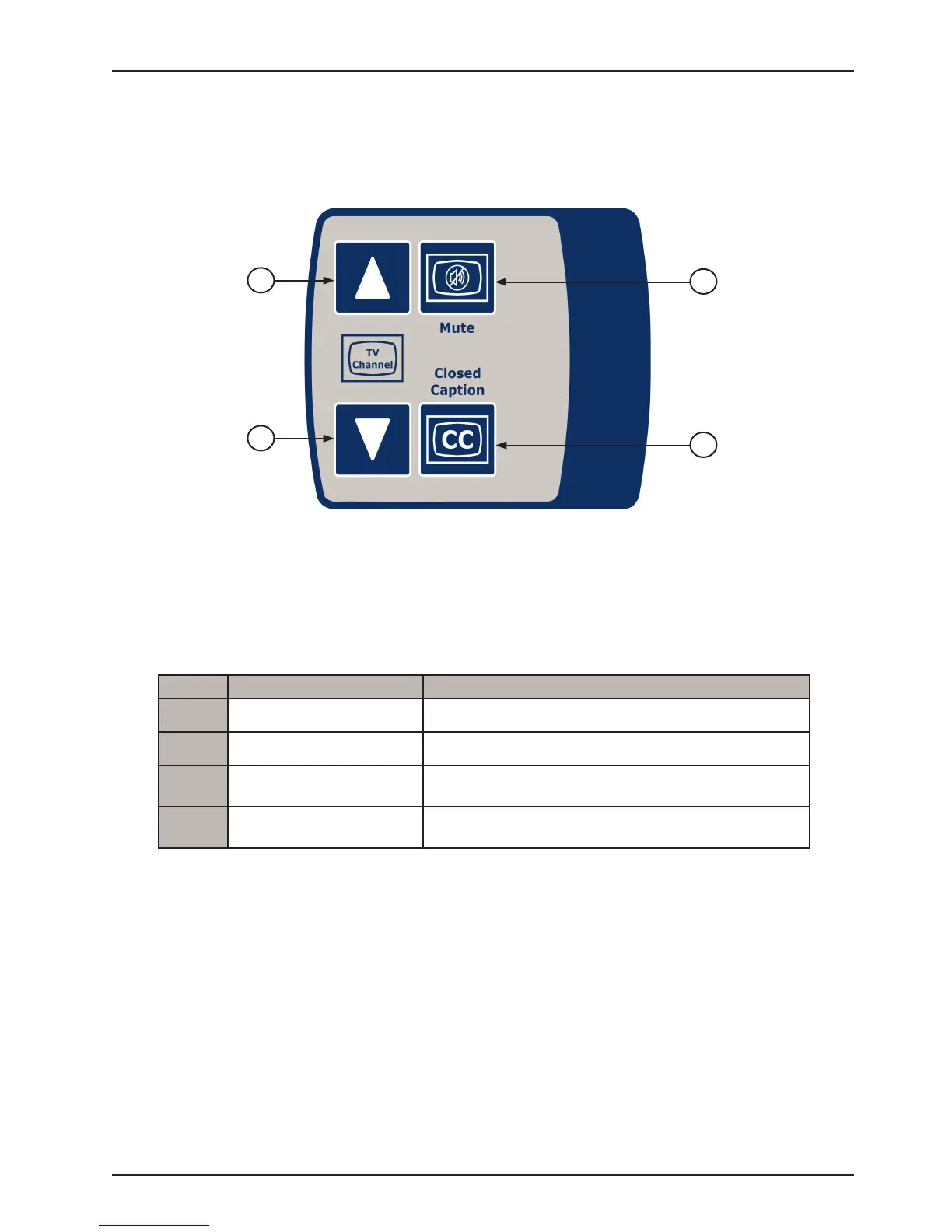
PATIENT TV CHANNEL CONTROL FUNCTIONS WITH OPTIONAL SMART TV (INSIDE SIDERAIL)
LEFT INSIDE SIDERAIL SHOWN
(Right Inside Siderail same as the Left)
Button Button Name Button Function
1
TV Channel Up Press to change TV channel up.
2
TV Channel Down Press to change TV channel down.
3
Mute TV
Press to mute TV volume.
Press again to turn the sound back on.
4
Closed Caption
Press to display the closed captioning.
Press again to turn off the closed captioning.
1
2
3
4














 To Next Page