34 3006-109-101 REV A www.stryker.com
Return To Table of Contents
OPTIONAL SCALE SYSTEM
Weighing a Patient on the Scale System
The scale feature provides information to the caregiver on the weight of a patient.
To Weigh a Patient:
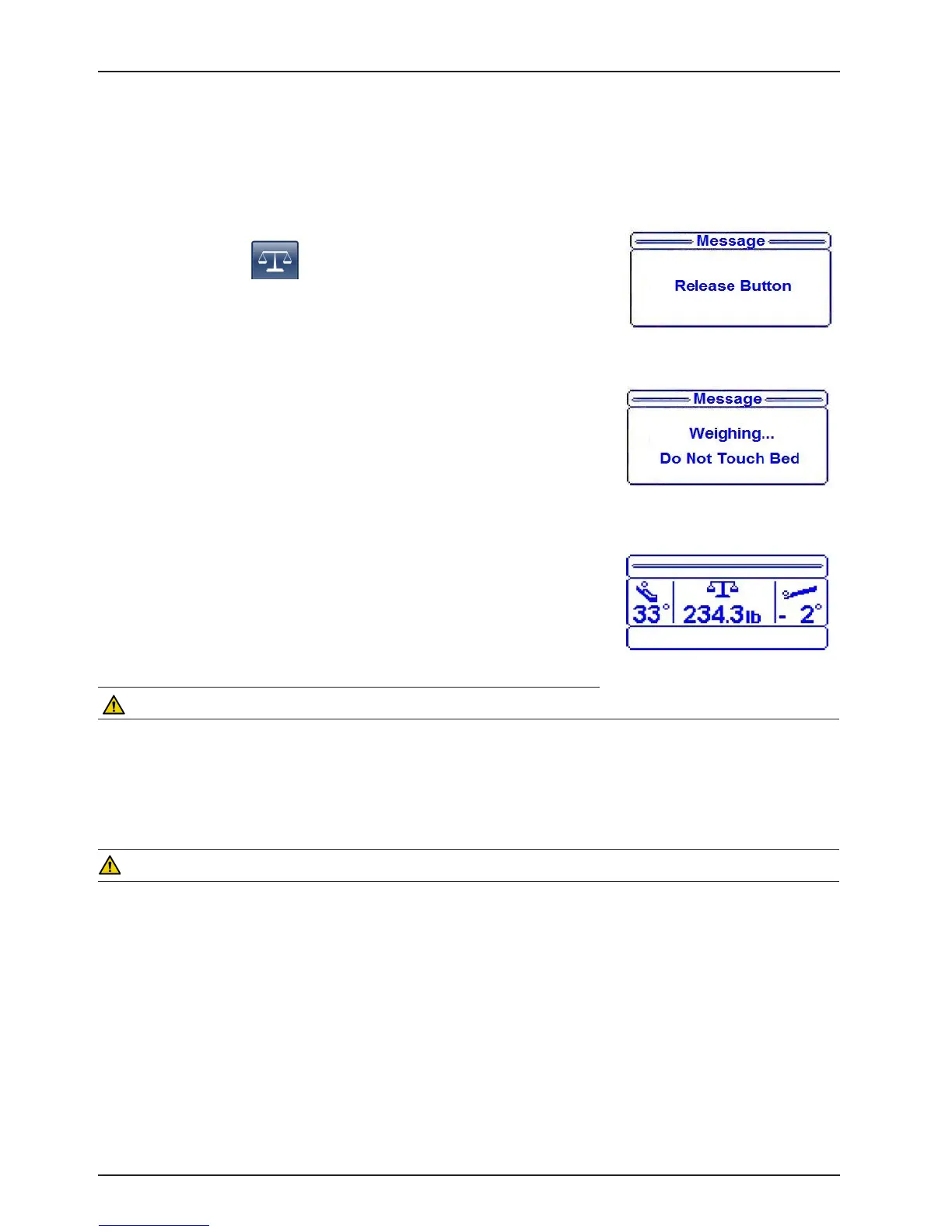
1. Press and hold the (“Scale”) button.
2. “Release Button” message flashes on the display as shown in figure 40.
3. Release the “Scale” button.
4. After the “Scale button has been released, “Weighing ... Do Not Touch
Bed” message will flash on the display as shown in Figure 41.
5. When weighing has been completed, the patient’s weight will be displayed
on the status screen as shown in Figure 42. The patient weight displayed is
stored in the system for later use.
NOTE
• Pressing the scale button again within 60 seconds of the first press (this
means that the scale data is still being displayed on the status screen), will
remove the data from the screen. This second button press will remove the
data so that the operator can walk away and not worry about having the data
available to non authorized persons. The second button press will not log a
value into the weight log. If the operator would like to have two consecutive
readings within 60 seconds, then the operator will need to press the button
once for the first weight reading, a second time will remove the weight infor-
mation from the display and then a third time to take another weight reading
• If weight is displayed the “Scale” button can be pressed to turn off the scale.
CAUTION
Scale function may be affected by siderail/caster interference. With the litter fully lowered or lowered in Reverse
Trendelenburg, the siderails tucked under the litter in the storage position and the casters turned, there is the potential
for interference between the siderail and the caster. Raise the siderails when lowering the litter to the full down position
to prevent the interference from causing the scale system to weigh inaccurately.
WARNING
To avoid possible injury and to assure proper operation when using a powered mattress replacement system such as
XPRT:
• Confirm proper scale system operation following mattress installation. For best results, secure the mattress power
cord to prevent damage to the cord and interference with the bed frame and the scale system.
• Do not zero bed scales or weigh patient with Percussion, Vibration, Rotation or Turn Assist active. Patient motion
and position resulting from the dynamic therapy mattress may adversely affect scale system performance.
Footboard Operation Guide
Figure 40
Figure 41
Figure 42














 To Next Page