www.stryker.com 3006 -109-101 REV A 35
Return To Table of Contents
OPTIONAL SCALE SYSTEM (CONTINUED)
Zeroing The Scale System
This feature provides the operator to zero the bed prior to weighing patient. Do not zero the bed while a patient is in
the bed. If this should occur, remove the patient and zero the bed again. If the Bed Exit is armed, you must disarm it
before the scale can be zeroed.
To Zero the Bed:
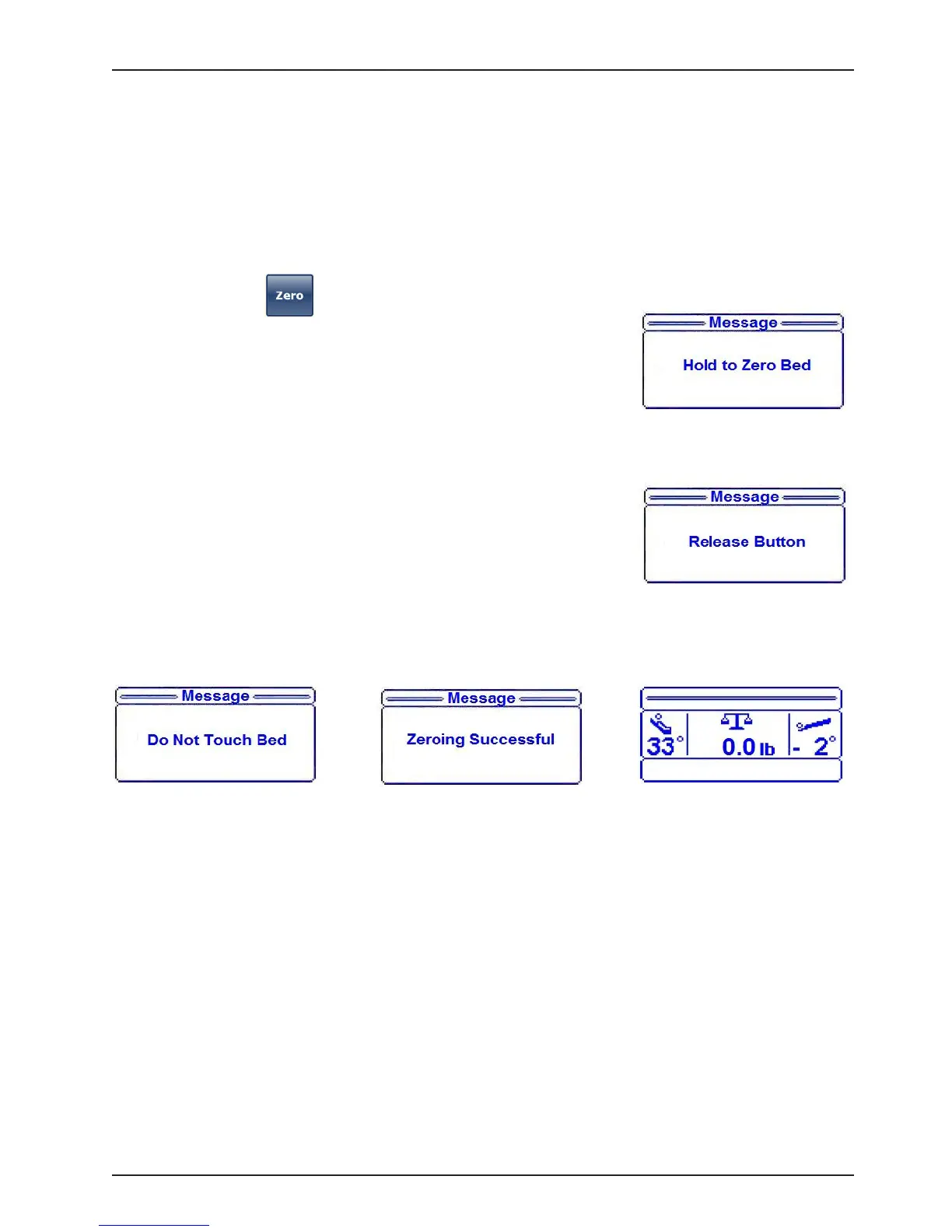
1. Press and hold the (“Zero”) button.
2. “Hold to Zero Bed” message will appear briefly on the display as shown in
figure 43.
3. Immediately following the “Hold to Zero Bed” message, the “Release
Button” message will flash on the display as shown in Figure 44.
4. Release the “Zero” button.
5. After the “Zero” button has been released, “Do Not Touch Bed” message
will flash on the display as shown in Figure 45.
6. When zeroing has been completed:
a. “Zeroing Successful” message will be shown on the display as shown
in Figure 46.
b. The Dashboard Bed Zero LED will illuminate.
c. The display will show the status screen with the scale information as
shown in Figure 47.
7. The bed is now ready for the patient.
Note
If there is a problem with a load cell or another component of the scale system, the system will try to zero up to 30
seconds, after which the scale monitor will read: “Unable to Zero - Try Again” if unsuccessful.
If the problem continues after three attempts, the scale system will lock and the scale monitor will read: “Unable to
Zero”.
Footboard Operation Guide
Figure 43
Figure 44
Figure 45
Figure 46
Figure 47














 To Next Page