www.stryker.com 3006 -109-101 REV A 43
Return To Table of Contents
Fowler 30
0
+ Lock Button
• The Fowler 30
0
+ lock is a dual purpose button. It positions the Fowler to
30
0
and removes the bed out of trend.
• When the Fowler 30
0
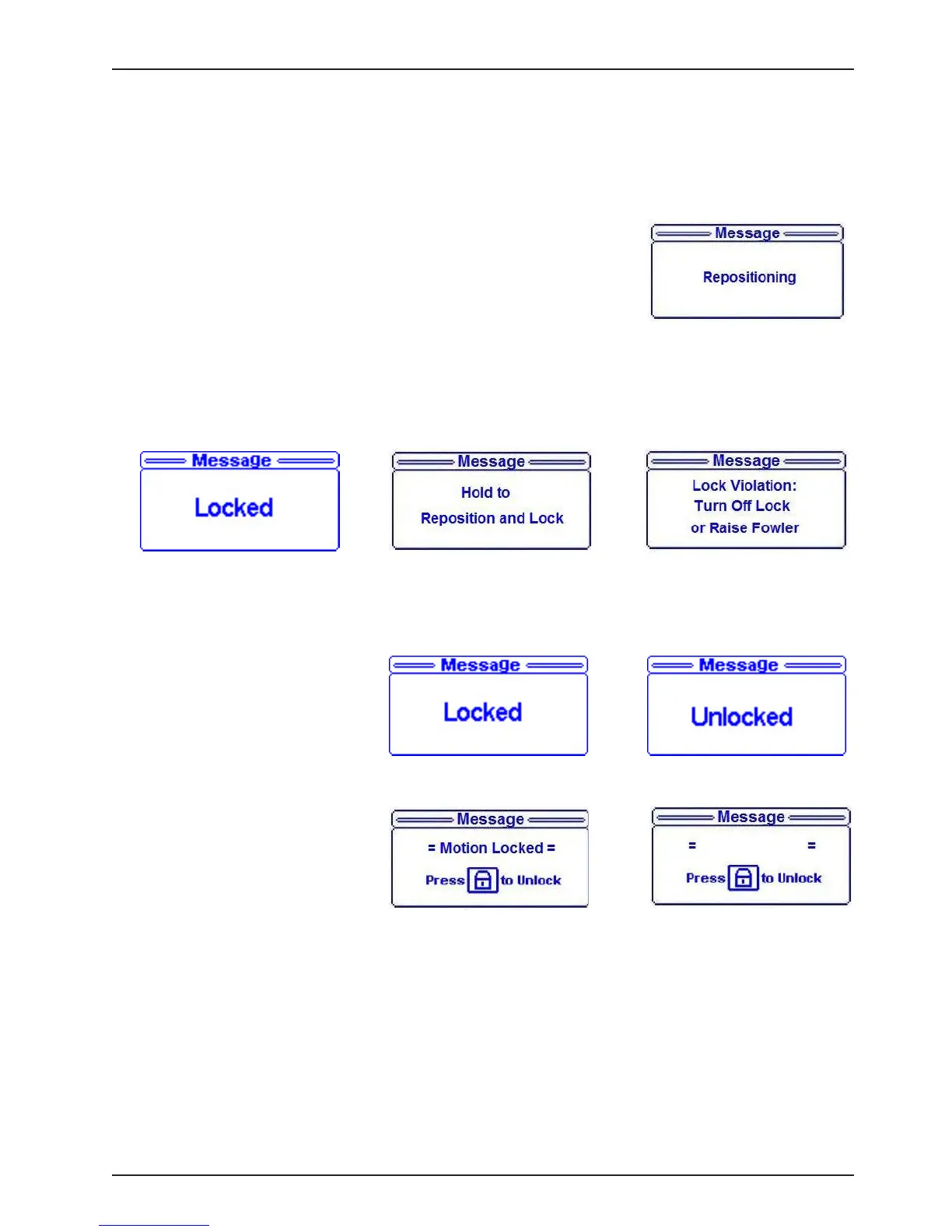
+ lock button is pressed, the bed will reposition if it
needs to and Figure 25 will be displayed.
• Once the bed reaches its final position, Figure 26 will be displayed.
• If the button is not held until the final position is reached Figure 27 will be
displayed.
• If bed is put in CPR position manually or by pressing the CPR button,
Figure 28 will be displayed.
• If the bed is at its final fowler 30
0
+ position (Trend = 0
0
, fowler = 30
0
) and the user presses either the fowler
down or trend buttons, the display will toggle between figures 31 and 32.
Bed Motion Lock
• If Bed Motion lock button is
pressed, Figure 29 will be
displayed.
• If Bed Motion lock button is
pressed when already “on” then
Figure 30 will be displayed.
• If Motion is attempted when
lock is “On,” the display screen
flashes between Figure 31 and
32.
Note: The CPR Drop button overrides all locks.
Patient Control Locks
• If any of the Patient Control lock buttons are pressed, Figure 29 as shown above will be displayed.
• If any of the Patient Control lock buttons are pressed when already “on” then Figure 30 as shown above will
be displayed.
Footboard Operation Guide
Figure 29 Figure 30
Figure 32
Figure 31
IBED
®
AWARENESS LOCKS
Figure 25
Figure 27
Figure 28
Figure 26














 To Next Page