www.stryker.com 3006 -109-101 REV A 31
Return To Table of Contents
There are 4 types of display screens listed by priority below with one being the highest.
Screen Type Priority
Alarm Indications
Bed Exit Alarm Message
1
Brake Alarm Message
2
Messages
iBed
®
Awareness Alert Messages
3
Conditional Message
4
Menus Main Menu
5
Status Screen Default Screen
6
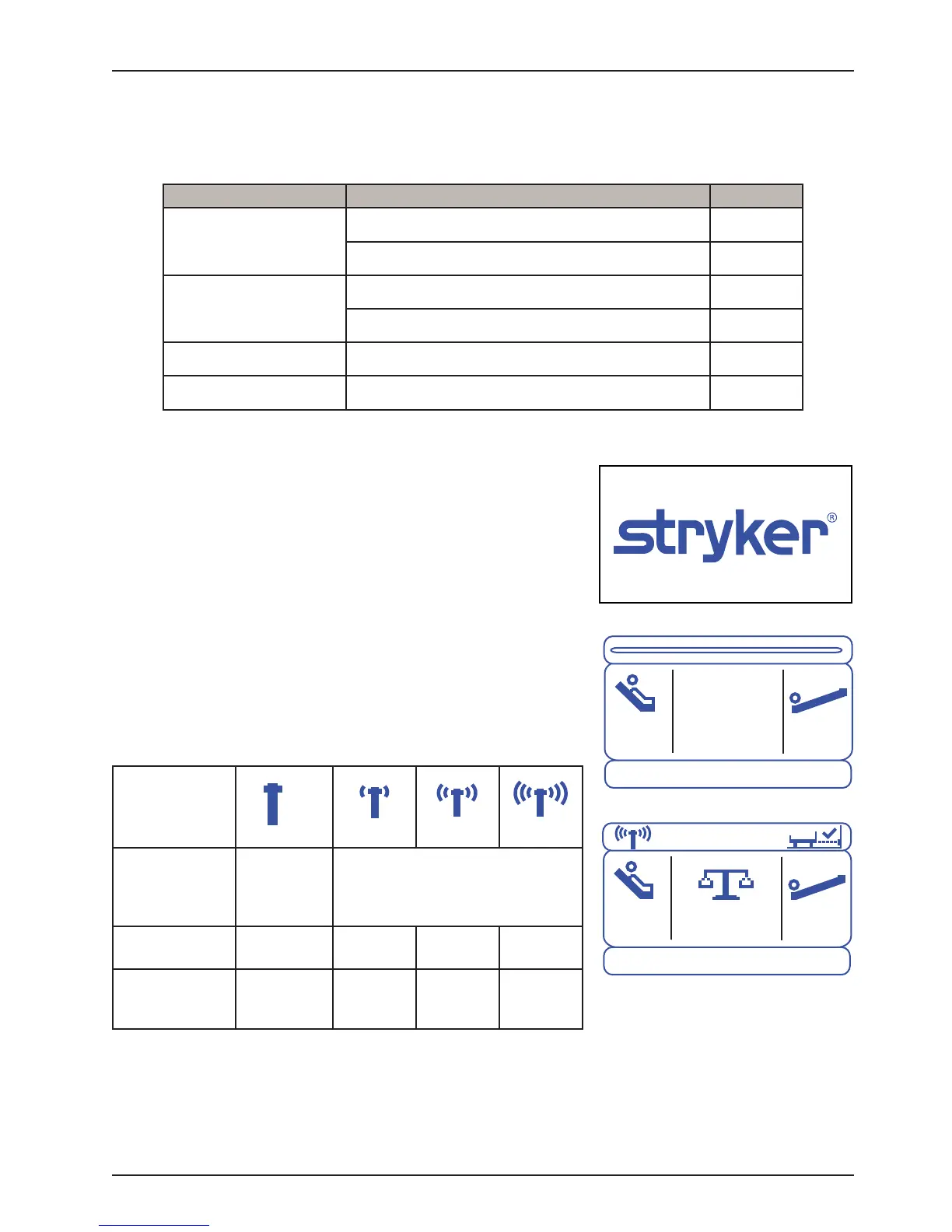
A. Power Up
• The initialization screen shown in Figure 1 will be displayed
on power up.
B. Status Screen (without iBed
®
Wireless option)
• Figure 2a shows an example of the default “Status” Screen.
• Information on this screen includes the ‘Fowler Angle’ and the
‘Trend Angle’ values.
• If this screen is inactive for 60 seconds, the Backlighting will
be reduced.
C. Status Screen (with iBed
®
Wireless option)
• Figure 2b shows an example of the default “Status” Screen.
• Information on this screen includes the WiFi and iBed Locator
connection status, ‘Fowler Angle’ and ‘Trend Angle’ values.
• If this screen is inactive for 60 seconds, the Backlighting will
be reduced.
Icons
Wireless
Connectivity
Status
Not
Connected;
Trying to
Connect
Connected
Signal
Strength Level
None Low Good Excellent
Signal
Strength, X
X < -90
dB or
X = 0 dB
-90 dB ≤
X < -71 dB
-71 dB ≤
X < -57 dB
X ≥ -57 dB
D. Message Screen
• As required message screens are provided during alarm conditions and user interaction with the bed.
E. Main Menu
• The Menu screen provides of list of available features accessible to the operator.
Footboard Operation Guide
DISPLAY SCREENS
Figure 2a
23
0
-12
0
Figure 2b
23
0
-12
0
300.6lbs
Figure 1














 To Next Page