36 3006 -109-101 REV A www.stryker.com
Return To Table of Contents
• The Main Menu screen contains selectable product features to the caregiver. There are eight features listed in
the main menu as ordered below:
1. Weight Log (Weight Log is the Default Selection) 5. Scale Units (Change Scale Units)
2. Gain/Loss 6. Backlight (Backlighting)
3. Change Equip. (Change Equipment) 7. Advanced Options
4. Change Ptnt. Wgt. (Change Patient Weight) 8. Exit Menu
• To select a feature, press the “Menu Up” and “Menu Down” button to scroll to the desired feature. Highlight the
desired feature to select and then press the “Enter” button.
1. Weight Log
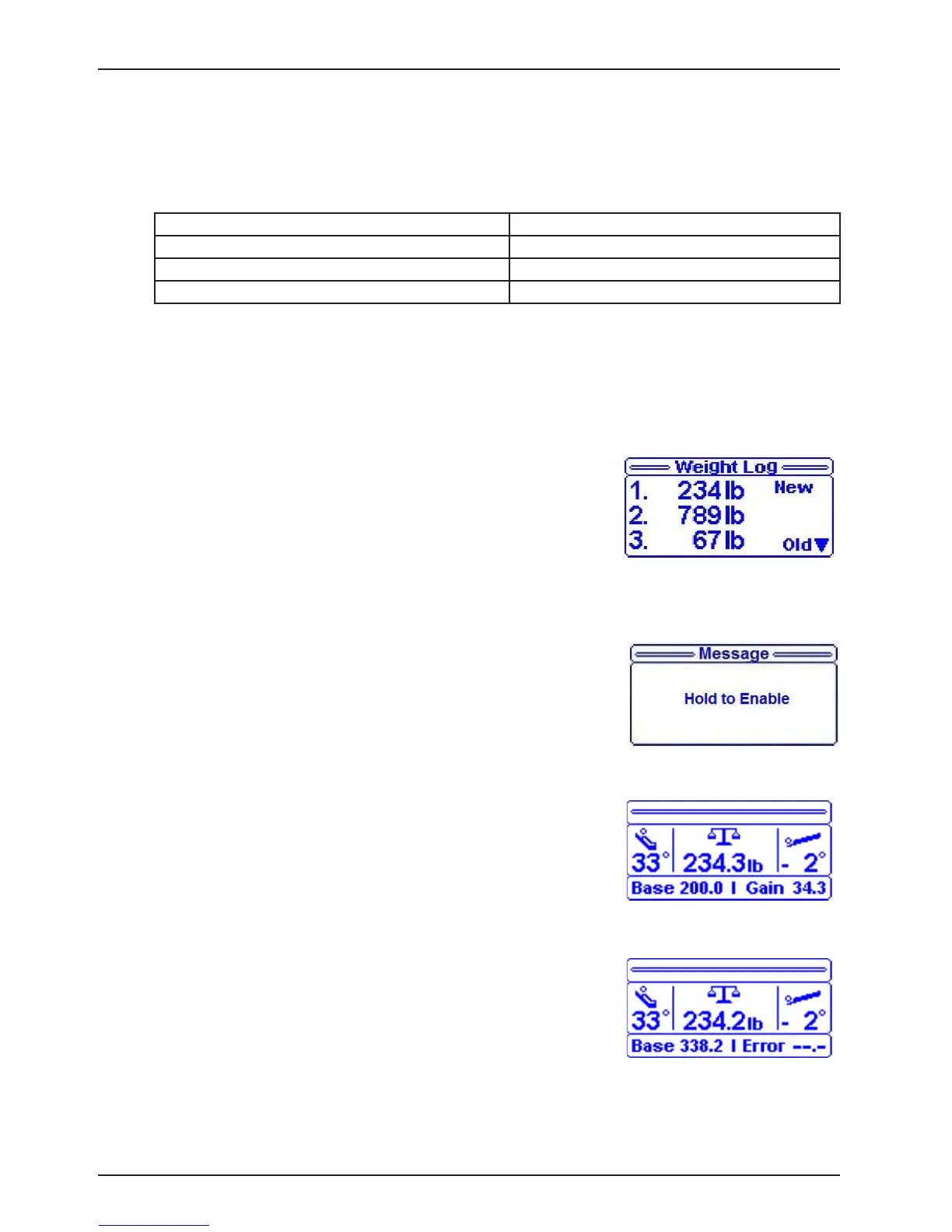
This feature provides the operator up to 10 of the last weights logged by the scale sys-
tem as shown in Figure 3.
To display a list of the previous 10 weight readings:
• Press the “Menu” button and select the item “Weight Log”.
• Press the “Up” or “Down” buttons to scroll through the weight log.
• A weight reading is logged each time the scale button is pressed
and the bed is in the scale mode for at least 15 seconds.
• The first weight reading displayed (1.) is the most recent. If the
change in the patient’s weight since the last reading was taken
is less than .2 pounds, the log will not update. Zeroing the scale
system clears the weight log.
2. Gain/Loss
This feature provides information to the caregiver on the weight gain or
loss of the patient.
To enable:
• Select “Gain/Loss” in the menu then press the “Enter” button, Figure
4 will be displayed.
• When “Release Button” message flashes on the display, release
the “Enter” button; “Do Not Touch Bed” message will flash on the
display.
• When Gain/Loss is On, “Gain/Loss Enabled” message displays.
NOTE: Refer to Figure 5
• The base represents the scale weight when the gain/loss feature
was enabled.
• The second piece of information represents the “Gain” or the “Loss”
and the weight difference between the current displayed weight and
the saved base weight.
NOTE: Refer to Figure 6
• If the Gain or the Loss exceeds 99.9 lb, then the system will display
‘---’ instead of a value.
MENU
Footboard Operation Guide
Figure 3
Figure 4
Figure 5
Figure 6














 To Next Page