SummaCut Series Cutters User’ s Manual
General Information 1-21
Before lowering the pinch rollers, carefully check the position of the rollers in
relation to the drive sleeves. When the pinch rollers are DOWN, the two rollers
must run over the sleeves in order to ensure proper media traction. It is very
important that both media edges always rest on the sleeves in such a way that
the two pinch rollers, which are positioned 3 to 15 mm (0.1" to 0.6") from the
media edge, will run over the sleeves when lowered to the drive drum.
1.8.2. FEEDING AND POSITIONING MEDIA
The loading procedure described below has been found to give excellent
repeatability. When loading media, adhere to these step-by-step instructions
strictly.
è To load media, proceed as follows:
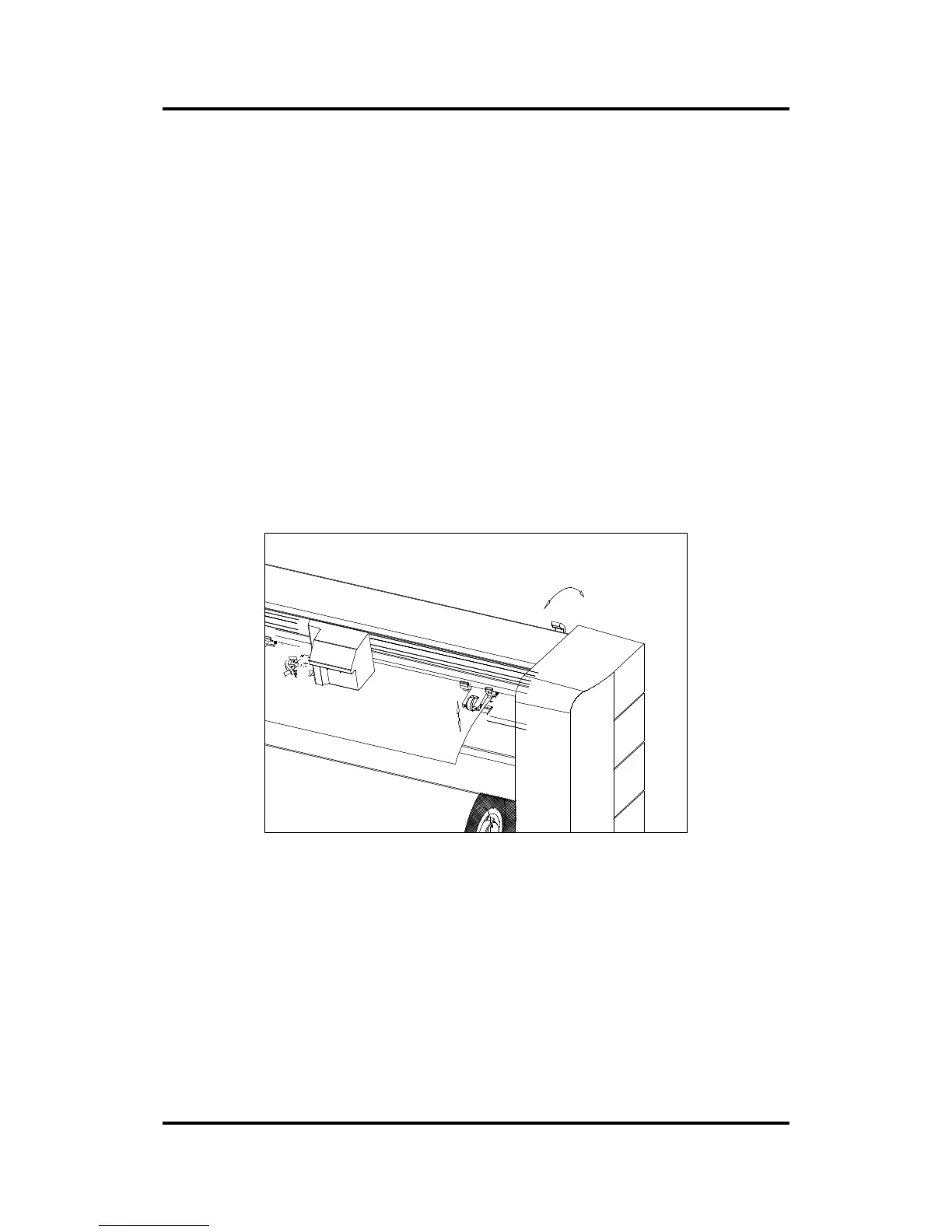
1. Raise the pinch rollers by means of the pinch roller lever arm located on
the right-hand side of the cutter.
FIGURE 1-8 :
PINCH ROLLER LEVER.
2a. When working with roll media and the roll feed, proceed by placing the roll
of media horizontally on a table or on another easy-to-reach surface.
Make sure that the front edge of the media is at the bottom and pointing
away from you. If not, turn the roll. Remove the roll feed from under the
machine. Remove the loose core holder. Insert the shaft into the media
roll from the right hand side, and press the core holder into the core. Press
the shaft further, so that it comes out at the other side of the roll. Insert the
loose core holder from the left hand side. Place this assembly back under
the cutter.



 To Next Page