Operation 2-1
SECTION 2
OPERATION
2.1. THE CONTROL PANEL
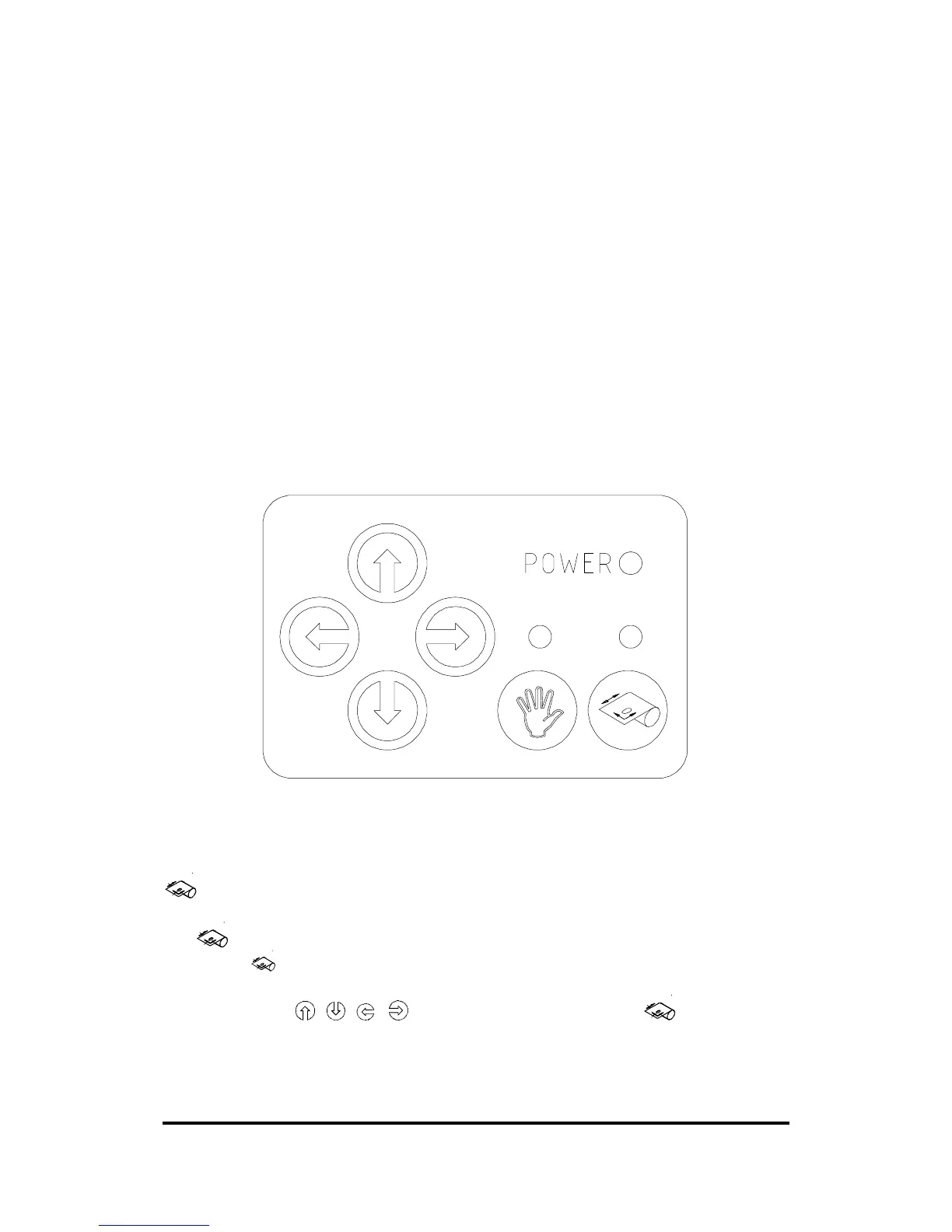
Figure 2-1 shows the control panel of the SummaCut Series cutters. The
functions of the control panel keys are explained in the following paragraphs.
FIGURE 2-1:
SUMMACUT SERIES, CONTROL PANEL
2.1.1. THE ORIGIN KEY
The key (ORIGIN) is used to move the origin or to abort the cut in progress.
When the key (ORIGIN) is pressed, the cutter goes in Set Origin mode. The
current task is aborted and the respective LED will flash on. Move the knife
origin using the , , , jogging keys and press the key (ORIGIN)
again to confirm the new origin position.



 To Next Page