SummaCut Series Cutters User’ s Manual
General Information 1-11
1.5. FRONT PANEL CONTROLS
In order to get acquainted with your SummaCut cutter, read the following
description of the front panel controls and components.
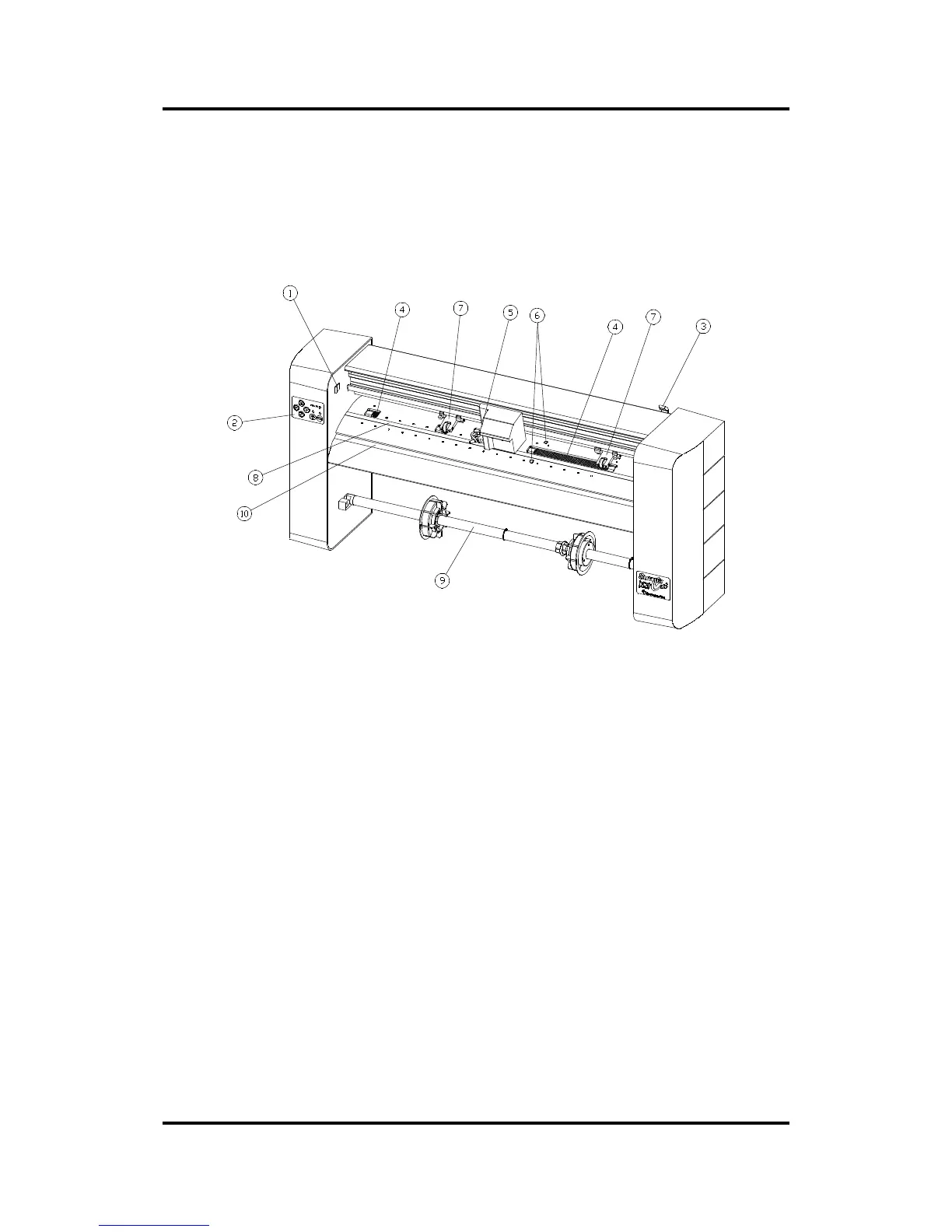
Figure 1-2 shows the location of the main components.
FIGURE 1-2:
SUMMACUT SERIES, FRONT VIEW
1. Power ON/OFF switch. - This rocker switch sets the cutter’ s power to ON or
OFF. To switch the power ON, press the “I” side of the rocker switch. To
switch the power OFF, press the “O’ side of the rocker switch.
2. Control Panel. - The control panel contains 6 keys. Each control panel
function is explained in Section 2.1.
3. Pinch roller lever arm.- This lever is used to raise and lower the pinch rollers
during media loading (Media loading is discussed in Section 1.8).
4. Media Drive Sleeves.- The media drive sleeves move the media only
when the pinch rollers are in the ‘down’ position.
5. Tool Carriage. - The tool carriage is the mount for the knife holder and the
pen .



 To Next Page