4 Mechanical Mounting User Manual
No. Components Description
C Metal bracket –
D Flat washer –
E Spring washer –
F Hex nuts M10
- - End
4.5.2 Wall-Mounted Installation
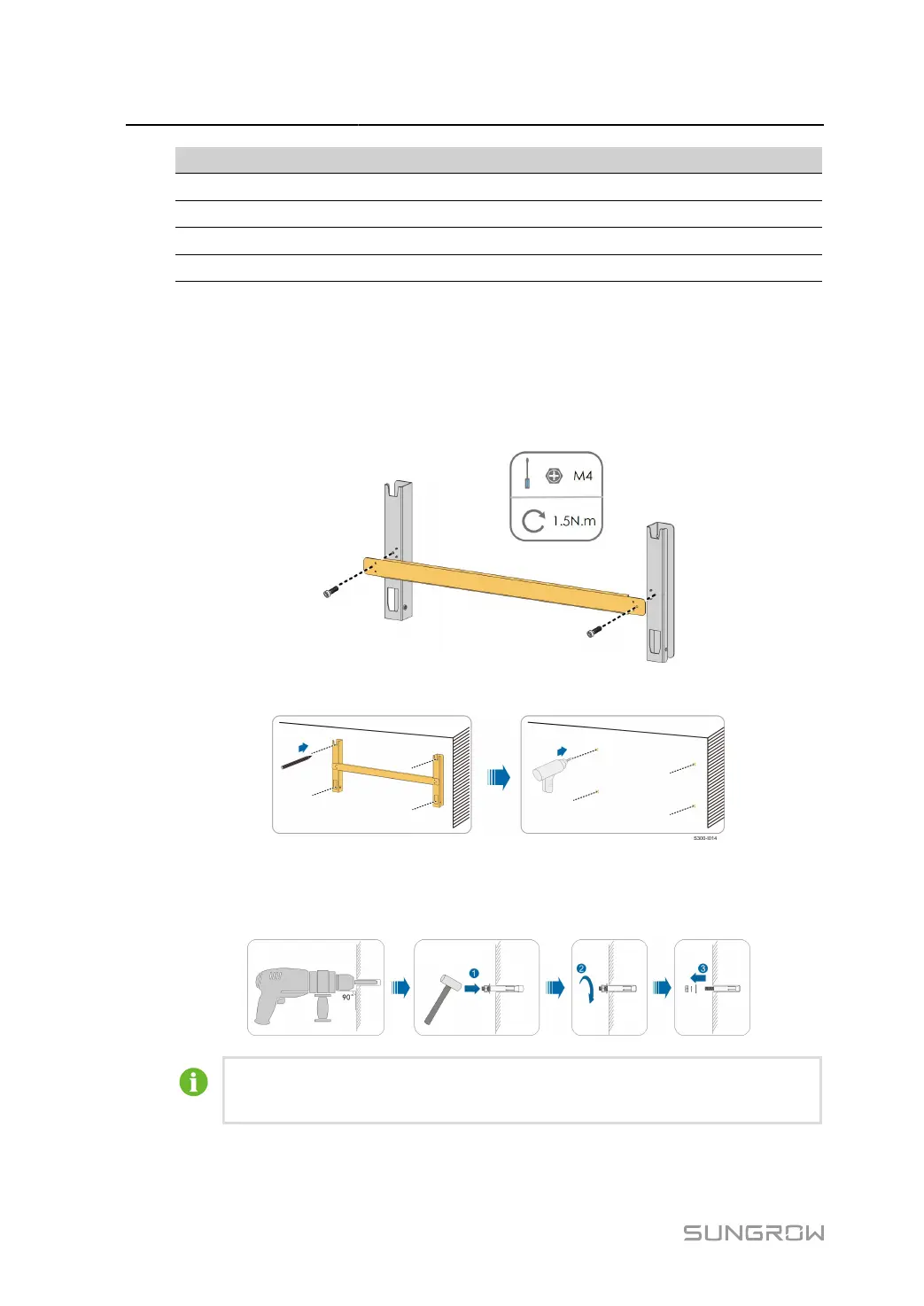
step 1 Assemble the mounting-bracket.
step 2 Level the assembled mounting-bracket by using the level, and mark the positions for drilling holes.
step 3
Insert the expansion bolts into the holes and secure them with a rubber hammer. Fasten the nut
with a wrench to expand the bolt. Remove the nut, spring washer, and flat washer, and store them
properly.
After removing the nut, spring washer, and flat washer, level the front of the expansion
tube with the wall. Otherwise, the mounting brackets will not stay steady on the wall.
step 4
Install the mounting-bracket to the wall with the expansion bolts with the expansion bolts.
28



 To Next Page