5 Electrical Connection User Manual
step 3 Apply paint to the grounding terminal to ensure corrosion resistance.
The grounding screws have been anchored to the side of the inverter before delivery,
and do not need to be prepared.
There are two grounding terminals. Use one of them to ground the inverter.
- - End
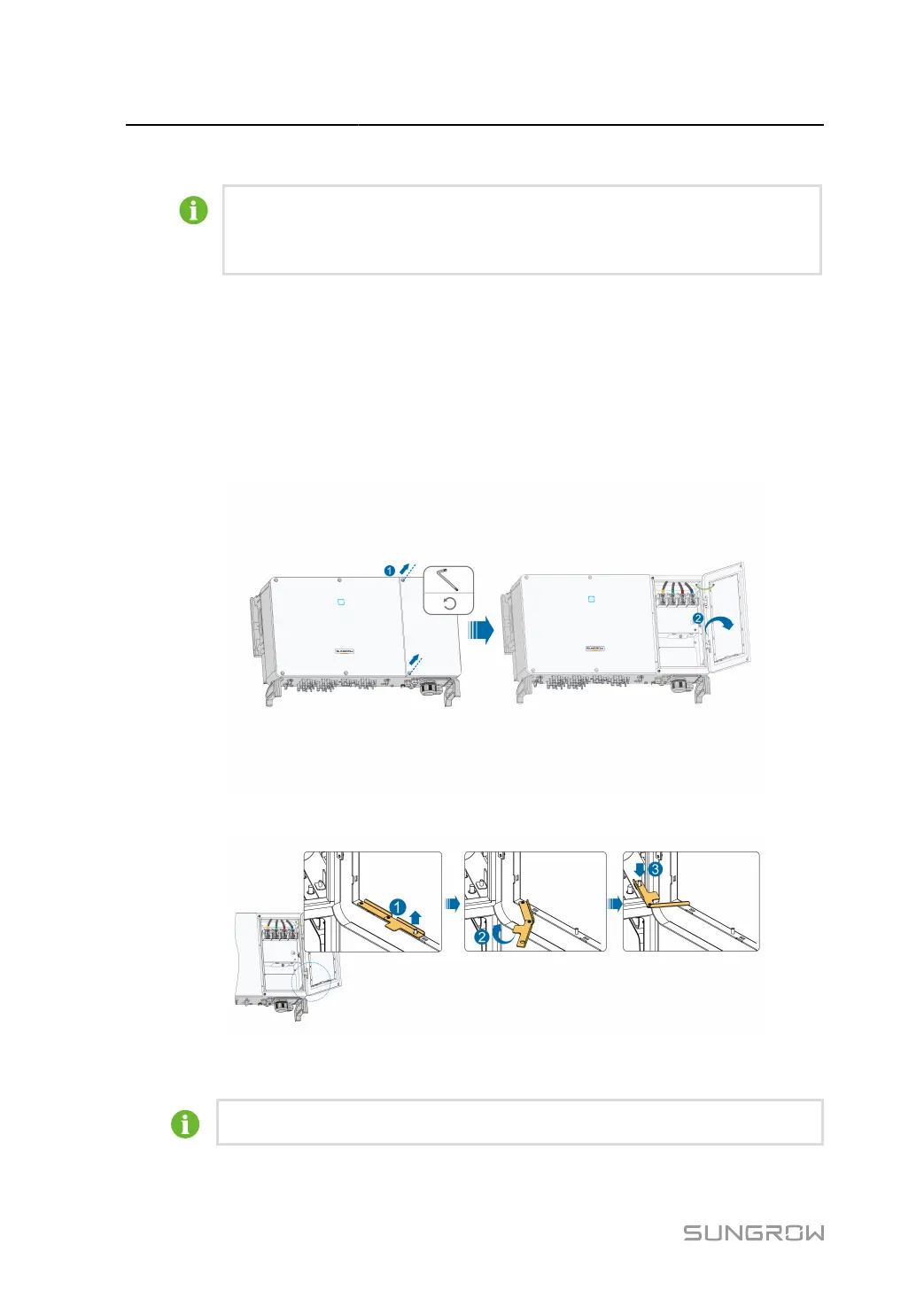
5.6 Opening the Wiring Compartment
step 1 Release two screws on the front cover of the wiring compartment with supplied Allen wrench.
step 2 Open the wiring compartment.
step 3
Keep the wiring compartment open during wiring through the limit lever attached to the cover.
- - End
Close the wiring compartment in reverse order after completing wiring operations.
40



 To Next Page