5 Electrical Connection User Manual
NOTICE
The multimeter must have a DC voltage range of at least 1100 V. If the voltage is a negative
value, the DC input polarity is incorrect. Please correct the DC input polarity. If the voltage
is greater than 1100 V, too many PV modules are configured to the same string. Please
remove some PV modules.
step 3
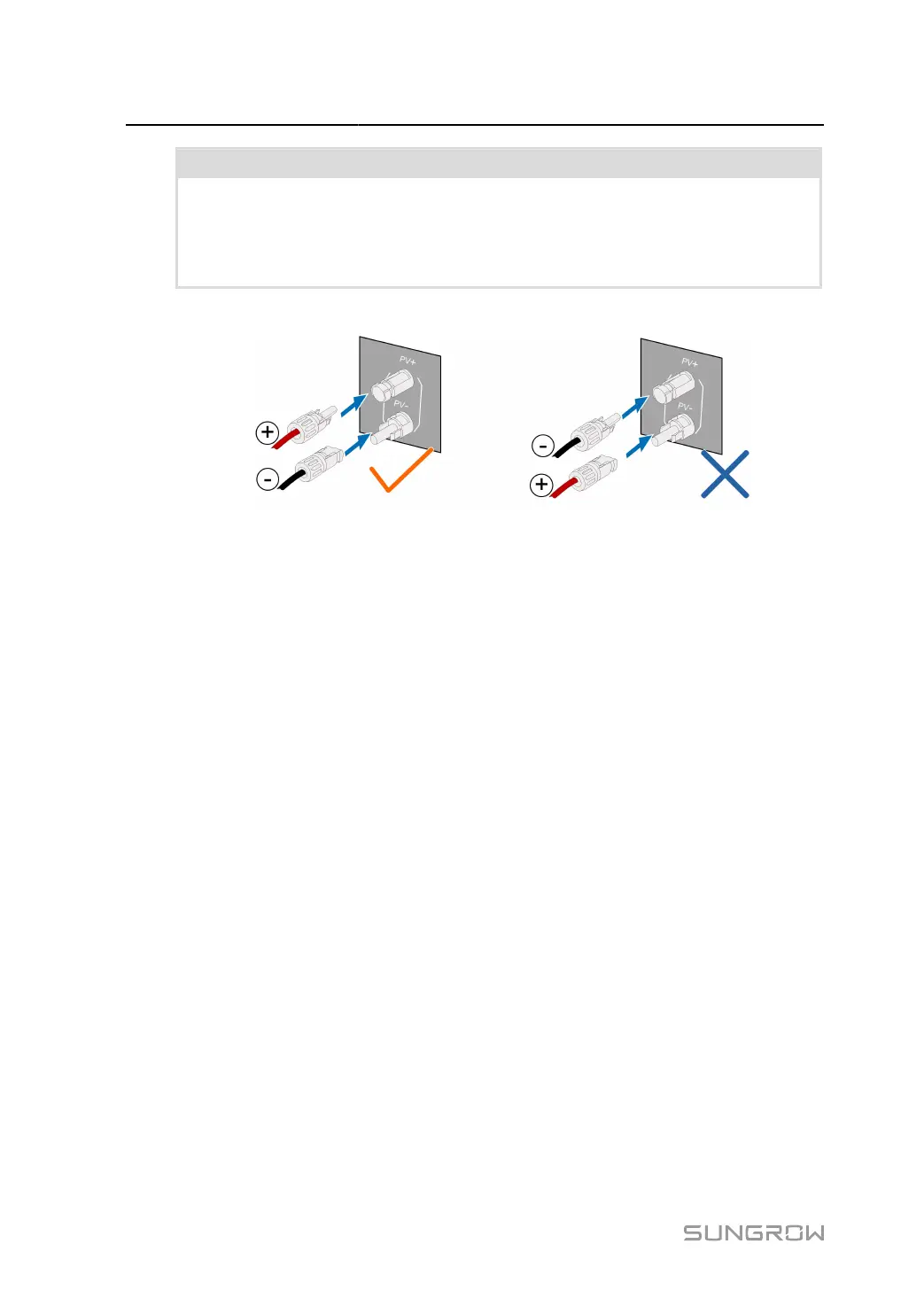
Connect the PV connectors to corresponding terminals until there is an audible click.
step 4 Follow the foregoing steps to connect PV connectors of other PV strings.
step 5
Seal any unused PV terminal with a terminal cap.
SUNGROW inverters cannot be used with third-party optimizers.
If the PV string is equipped with the optimizer, please refer to the optimizer manual for electrical
connections and make sure that the polarity of the optimizer cables is correct.
- - End
5.9 RS485 Connection
5.9.1 Interface Description
The following figure shows the position of the communication wiring board as well as the ter
minals equipped for the wiring board.
58



 To Next Page