User Manual 5 Electrical Connection
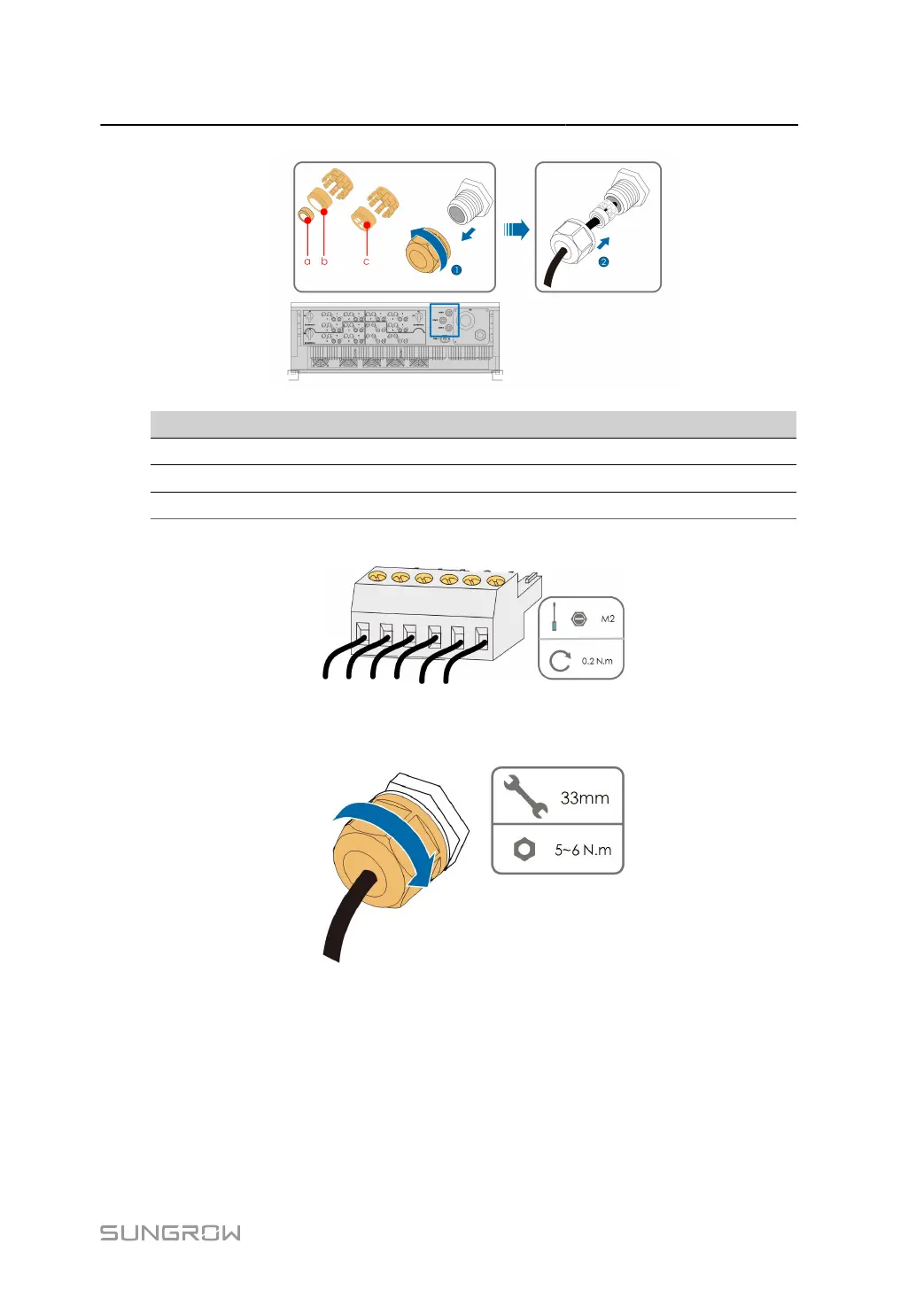
Outer Diameter D(mm) Seal
4.5 ~ 6 c
6 ~ 12 a + b
12 ~ 18 b
step 3
Secure the cable to the terminal base.
step 4 Insert the terminal base into the corresponding terminal.
step 5
Pull the cable gently to make sure it is secured, tighten the swivel nut clockwise.
- - End
5.9.4 Connection Procedure (RJ45 Ethernet Port)
63



 To Next Page