5 Electrical Connection User Manual
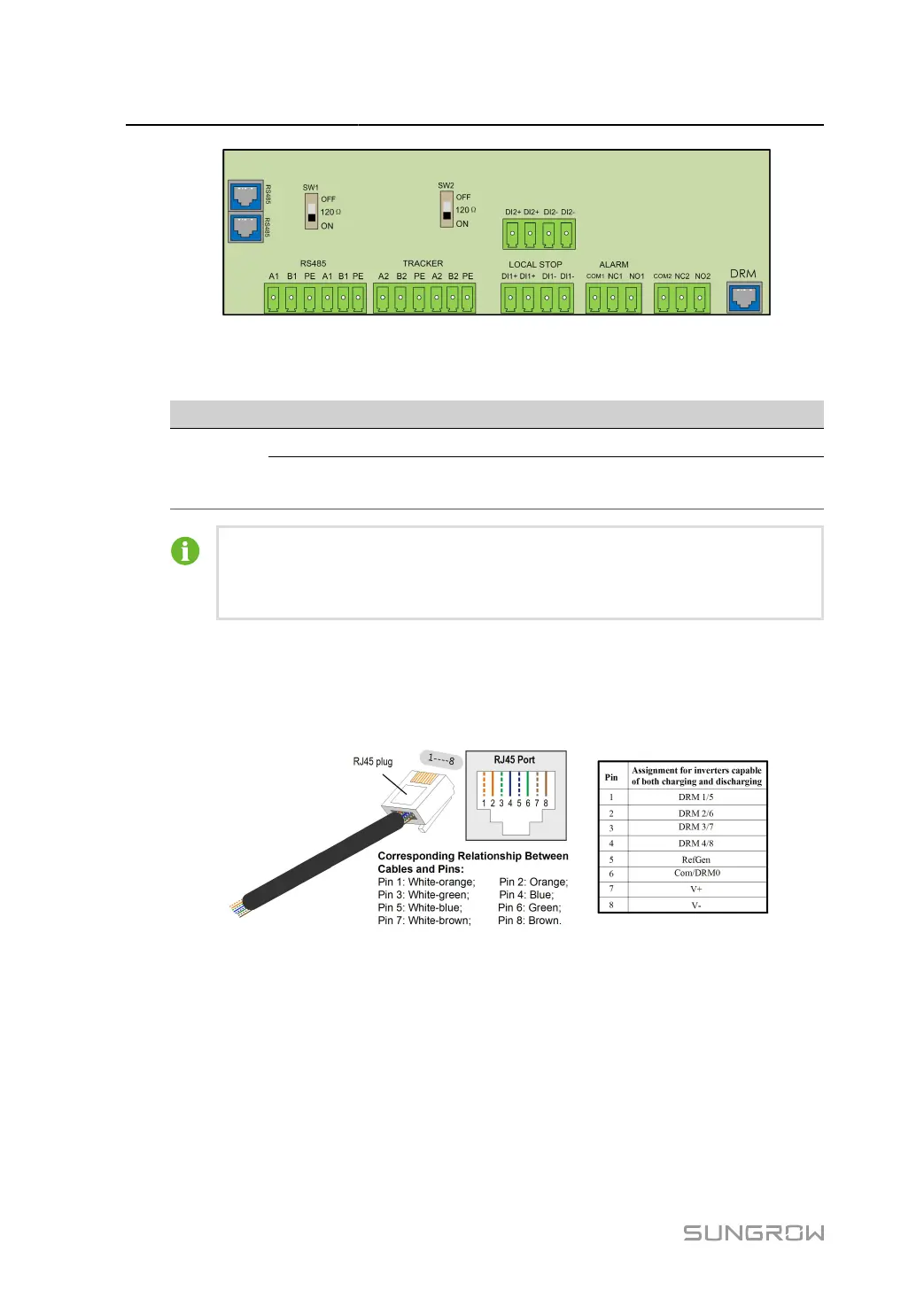
The mode DRM0 is supported by the inverter.
table 5-5 Method of Asserting DRMs
Mode Method of Asserting
Asserted by shorting pins 5 and 6
DRM0
Asserted when the impedance between pins 5 and 6 is detected to be above
20 kΩ
Enable the DRM function through the iSolarCloud App. If there are any problems,
contact your distributor first. If the problem persists, contact SUNGROW.
The DRM function is only applicable to devices for Australia and New Zealand.
5.11.2 Connection Procedure
step 1 Strip the insulation layer of the Ethernet cable with a wire stripper, and insert the signal wires to
the RJ45 connector. Crimp the RJ45 connector with a crimping tool.
step 2
Loosen the swivel nut and select an appropriate seal according to cable outer diameter. Lead the
cable through the swivel nut, and seal successively.
68



 To Next Page