5 Electrical Connection User Manual
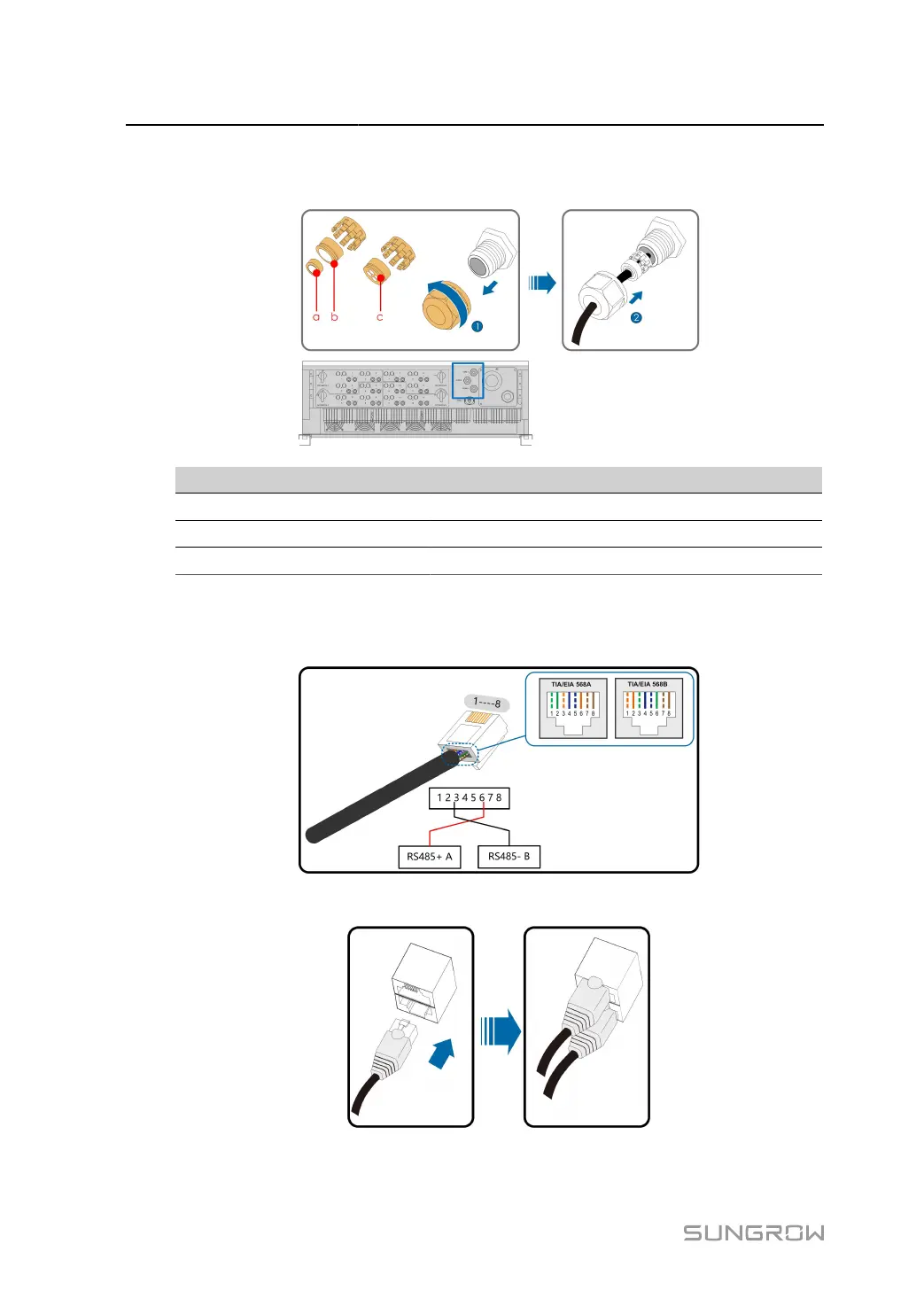
step 1 Loosen the swivel nut of the junction box and select an appropriate seal according to cable outer
diameter. Lead the cable through the swivel nut, seal, and junction box successively.
Outer Diameter D(mm) Seal
4.5 ~ 6 c
6 ~ 12 a + b
12 ~ 18 b
step 2
Strip the insulation layer of the Ethernet cable with a wire stripper, and insert the signal wires to
the RJ45 connector(Pin 3 and Pin 6 are for communication connection). Crimp the RJ45 connector
with a crimping tool.
step 3
Insert the RJ45 connector to the RJ45 jack.
64



 To Next Page