5 Electrical Connection User Manual
step 4
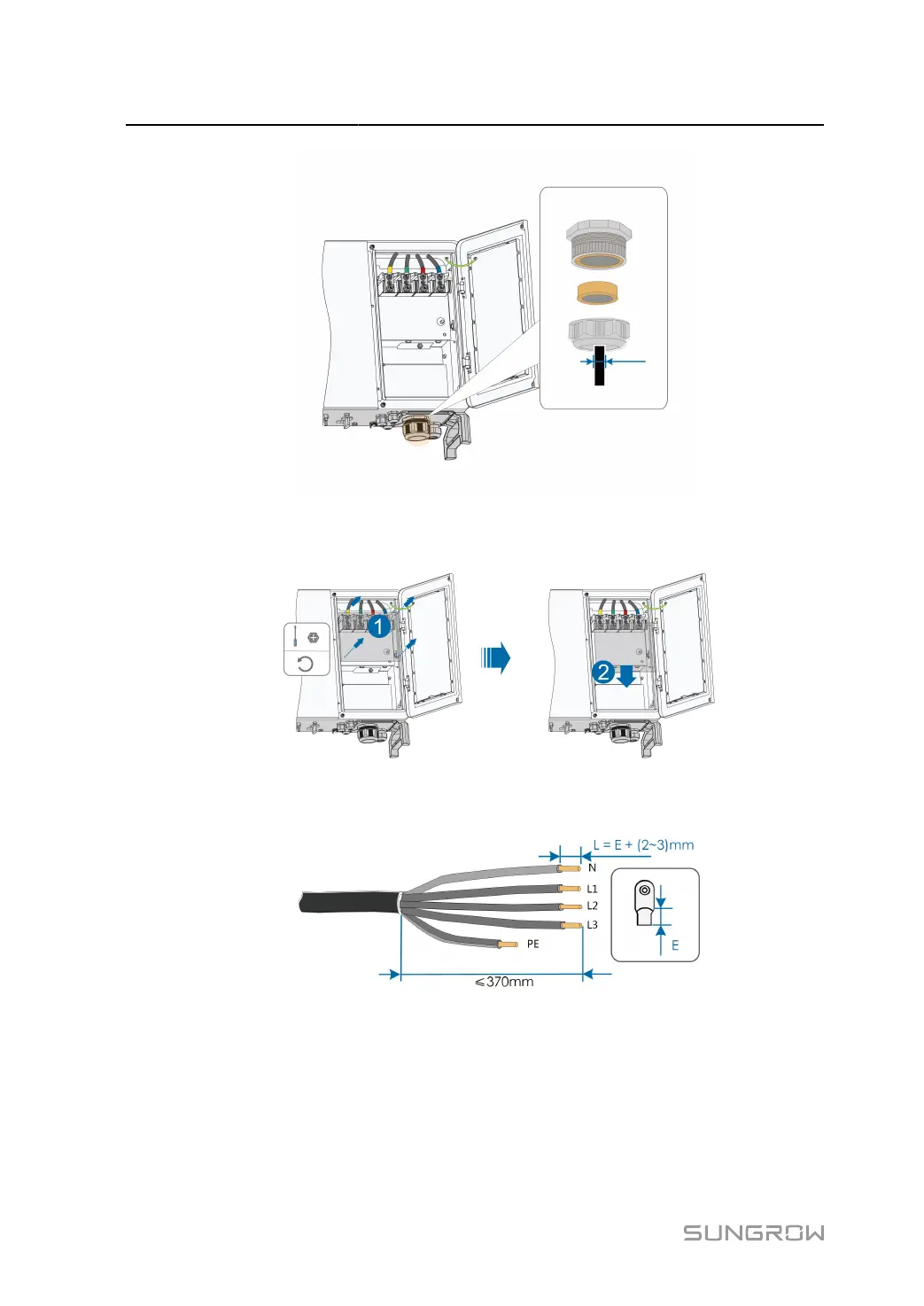
Remove the protection cover and store the released screws properly.
step 5
Strip the protection layer and insulation layer by specific length, as described in the figure below.
step 6 Make the cable and crimp OT/DT terminal.
step 7
Secure the wires to corresponding terminals.
44



 To Next Page