5 Electrical Connection User Manual
CAUTION
• Use MC4 DC terminals if the maximum input voltage is no more than 1,000 V.
• Use MC4-Evo2 DC terminals if the maximum input voltage is greater than 1,000 V.
To purchase the MC4-Evo2 DC terminals, contact SUNGROW.
• Select appropriate DC terminals as required above. Otherwise, SUNGROW shall
be held no liability for the damage caused.
To ensure IP66 protection, use only the supplied connector.
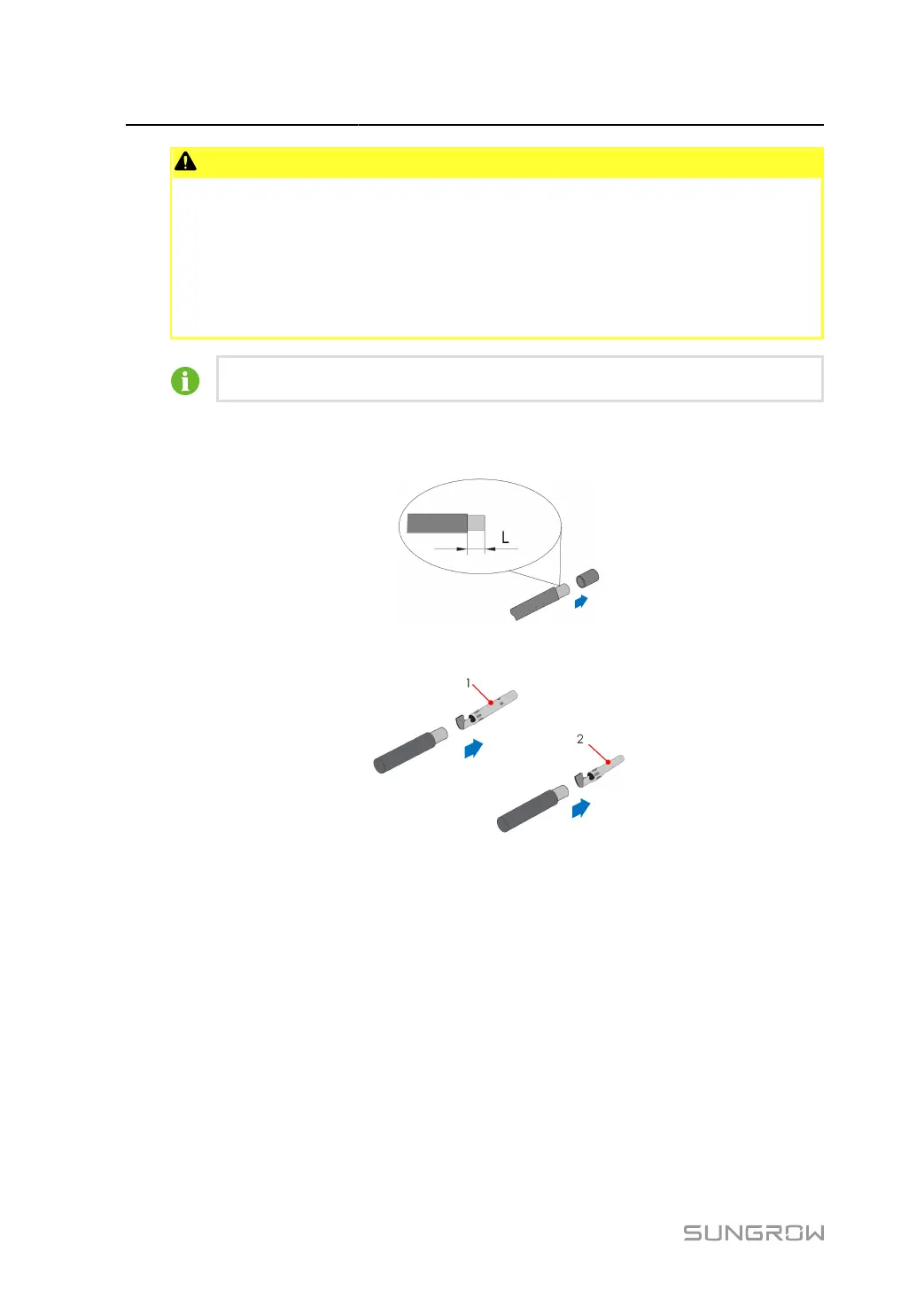
step 1 Strip 7 mm–8 mm of the insulation from each PV cable.
step 2
Assemble the cable ends with the crimping pliers.
1: Positive crimp contact 2: Negative crimp contact
step 3
Lead the cable through the cable gland, and insert the crimp contact into the insulator until it snaps
into place. Gently pull the cable backward to ensure firm connection. Tighten the cable gland and
the insulator (torque 2.5 N.m to 3 N.m).
56



 To Next Page