SPECIALS
40 Specials MJB4 Rev06 10-09
4
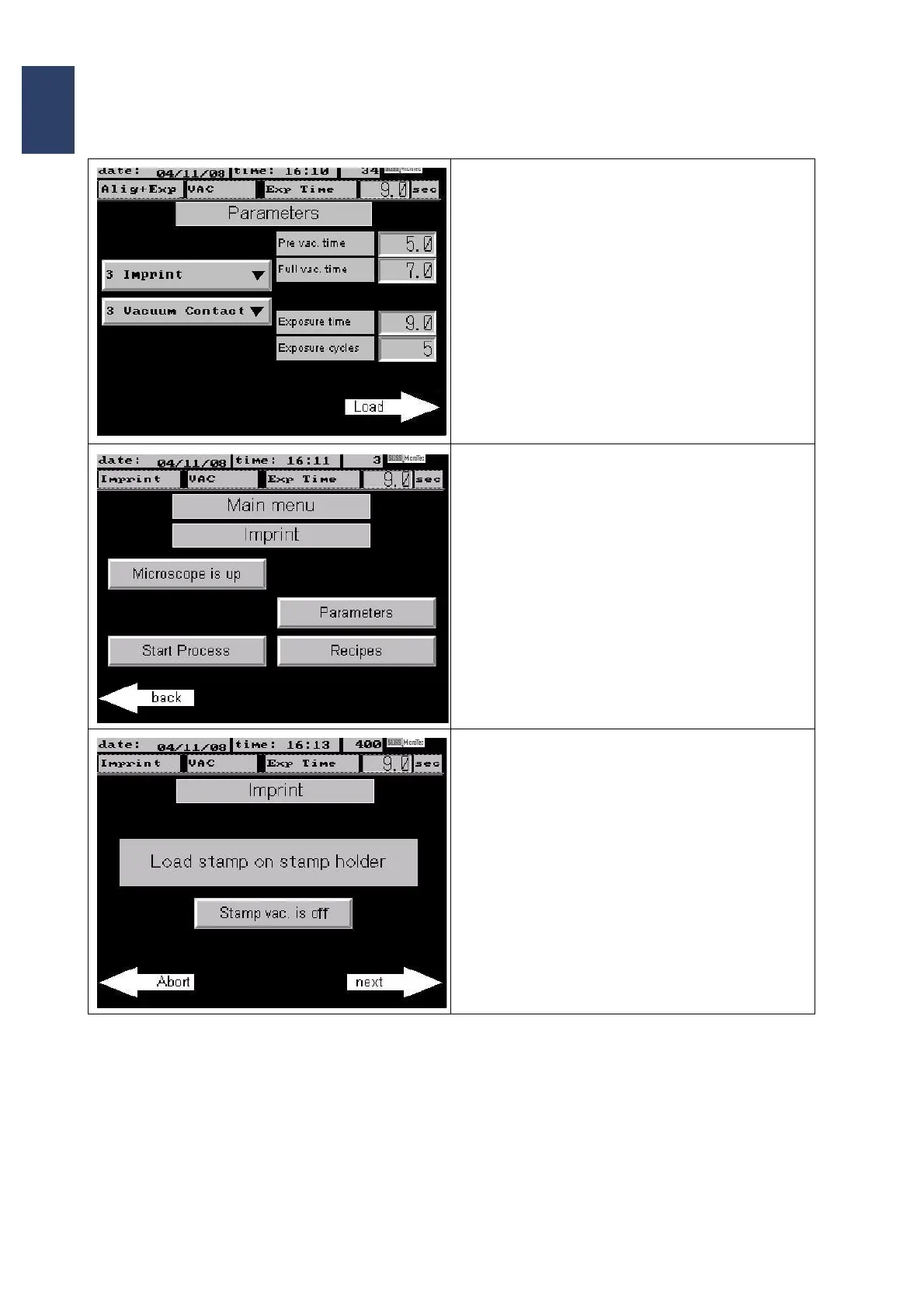
• Choose the exposure program Vacuum Con-
tact and program your parameters. Confirm
each parameter with ENTER.
• To store the parameters permanently use the
Recipe Editor (see chapter 3.4.4)
• Confirm with Load
Screen Page: Main menu Imprint
• The program displays the Main menu Imprint
Screen.
• Press Start Process
• The program prompts the operator to load the
stamp on the stamp holder.



 To Next Page