4
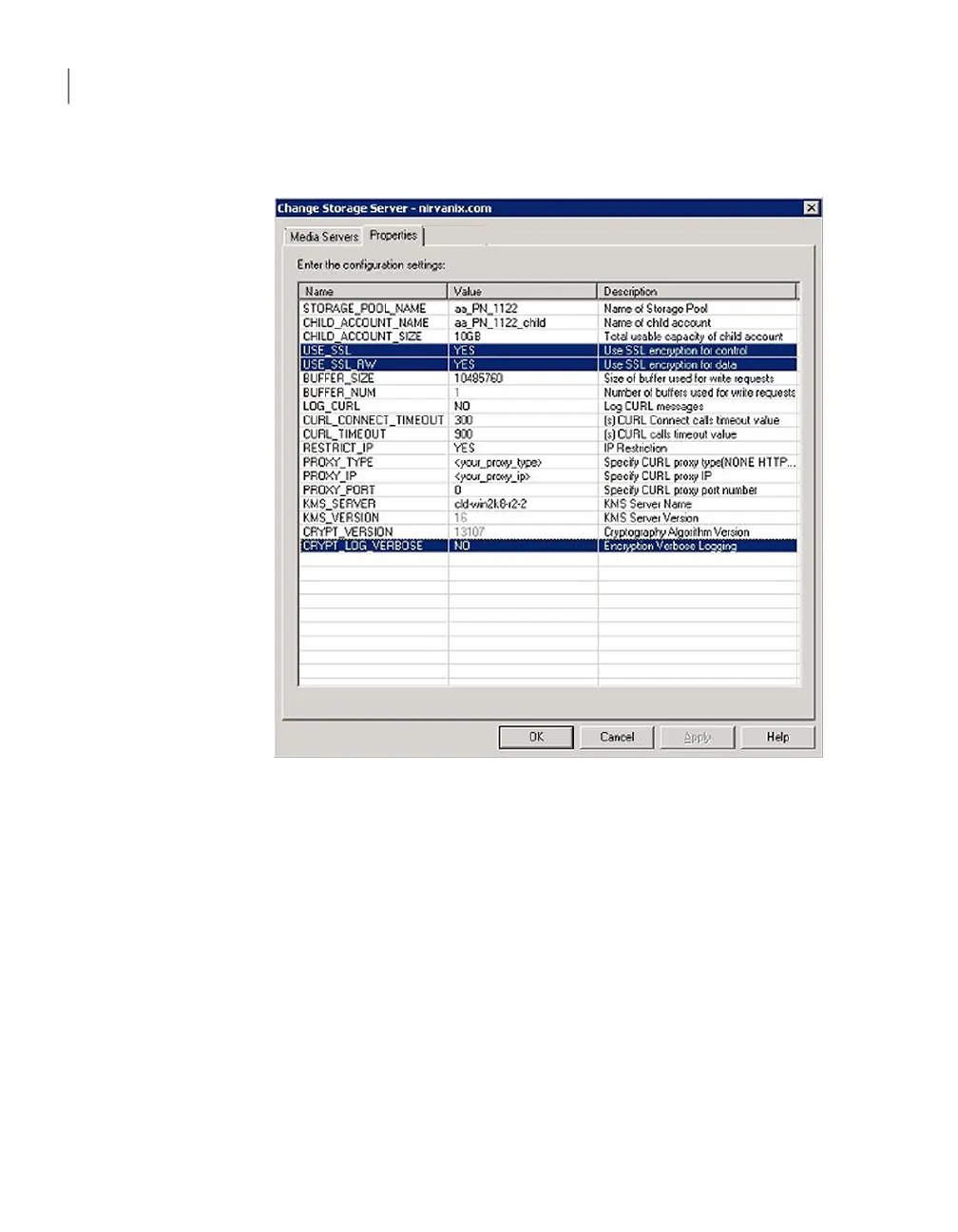
In the Change Storage Server dialog box, select the Properties tab.
5
To change a value, select it in the Value column and then change the value.
6
When finished changing values, click OK.
NetBackup creates the Nirvanix application (that is, storage pool). NetBackup
creates the child account when you configure a disk pool.
Nirvanix storage server properties
After you create the storage server for Nirvanix, you must enter the properties
for your Nirvanix storage. Nirvanix may provide values for some of the properties.
Depending on your configuration, not all of the properties may appear. The
following are the properties:
Configuring OpenStorage
Setting the Nirvanix storage server properties
86



 To Next Page