4-184
4
AIR CONDITIONER
DISASSEMBLY AND ASSEMBLY
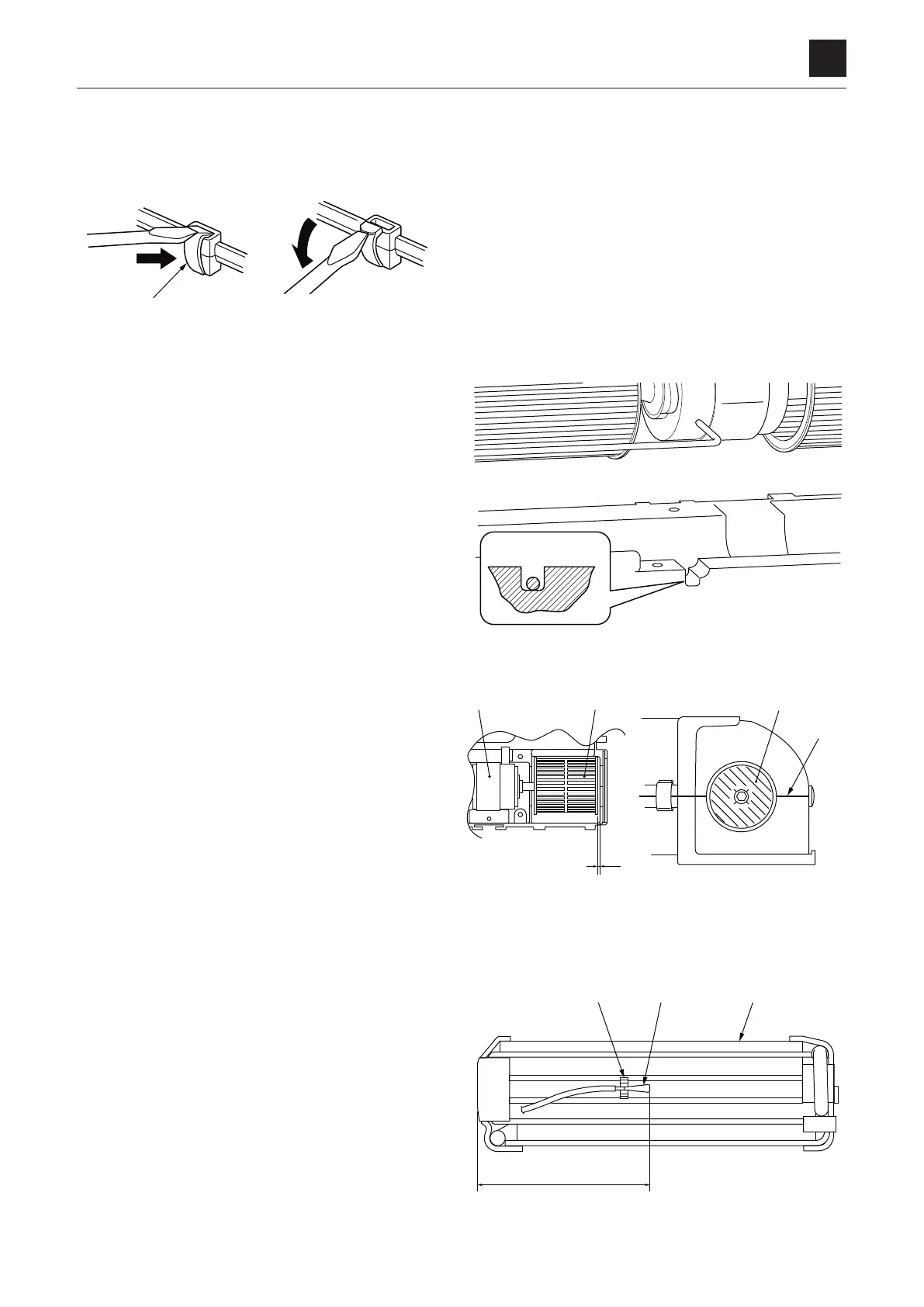
1. Removing the upper case
a. Remove the three screws (5 x 12).
b. Remove the 11 clamps (4) with a flat head screw-
driver
.
c. Remove the upper case by pulling it upward.
2. Replacing the blower motor
When installing the blower motor, be sure to check the
installation location shown on the figure on the right
and to observe the followings.
• The clearance (A) between the fan (6) and the case
must be 2 mm or more (on both sides)
• Align the center of the blower fan (6) with the center
of the case (B)
3. Replacing the evaporator
a. Pull out the evaporator (7) from the unit case (8).
b. Pull out the thermistor holder (10) together with the
sensor holder (9).
c.
Install the thermistor properly on the fan located in
the third-row from the bottom of the new evapora-
tor
.


 To Next Page