Operating Instructions Model: EV8650
Page 20 of 62 TP05413002 Rev. 03
Copyright © 2009 by Talaris Ltd., Basingstoke (UK)
3.7 Count Mode
Piece Counting
The EV8650 is in continuous count mode if the display shows no bar or batch. The
machine will count notes continuously, pausing only when the stacker is full.
Alternatively, select the batch size to be counted by pressing the BATCH key (refer to
section 3.3).
Place the notes to be counted onto the feed hopper.
The machine will automatically start, with AUTO selected, or you can choose, if auto is de-
selected, to start it manually by pressing the START/STOP key.
If the number of notes to be counted is larger than the stacker limit (default 100), remove
the notes from the stacker to continue to count. The machine will restart automatically if
AUTO is selected.
Every time a bundle is completed correctly, it is added to a running total which flashes
automatically on the display.
Remove the notes from the stacker.
To clear the running total press the CLEAR key.
The maximum number of notes that can be counted is 99999. When this number is
reached the machine will stop and flash 99999.
Remove the notes from the stacker and press CLEAR to reset the total to 0.
If the machine stops because of a ‘degraded note’ a rFEEd message will be displayed.
rFEEd indicates that the whole bundle should be fed again.
If AUTO is selected, press START/STOP to clear the error message, and the machine will
restart automatically.
If AUTO is not selected, press START/STOP to clear the error message and press
START/STOP again to continue the count.
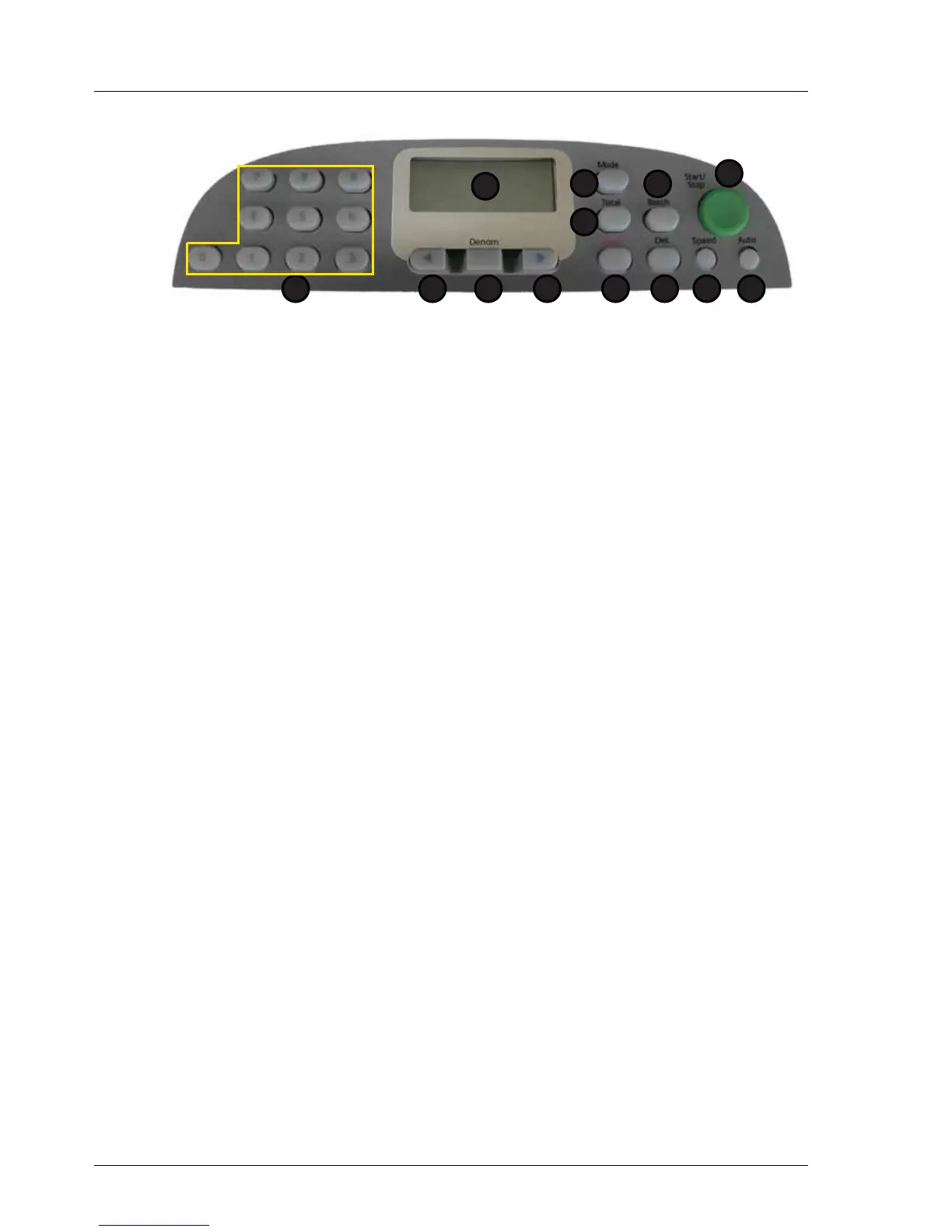
1. Display 7. Speed
2. Total 8. Det
3. Mode 9. Clear
4. Batch 10. Right Arrow
5. Start / Stop 11. Denomination
6. Auto 12. Left Arrow
13. Numeric Keypad
1
2
5
67
3
8
4
912 101113



 To Next Page